User Authentication
Administrators can choose to use their own organization's SSO authentication system or the built-in default Keycloak solution by Kelvin.
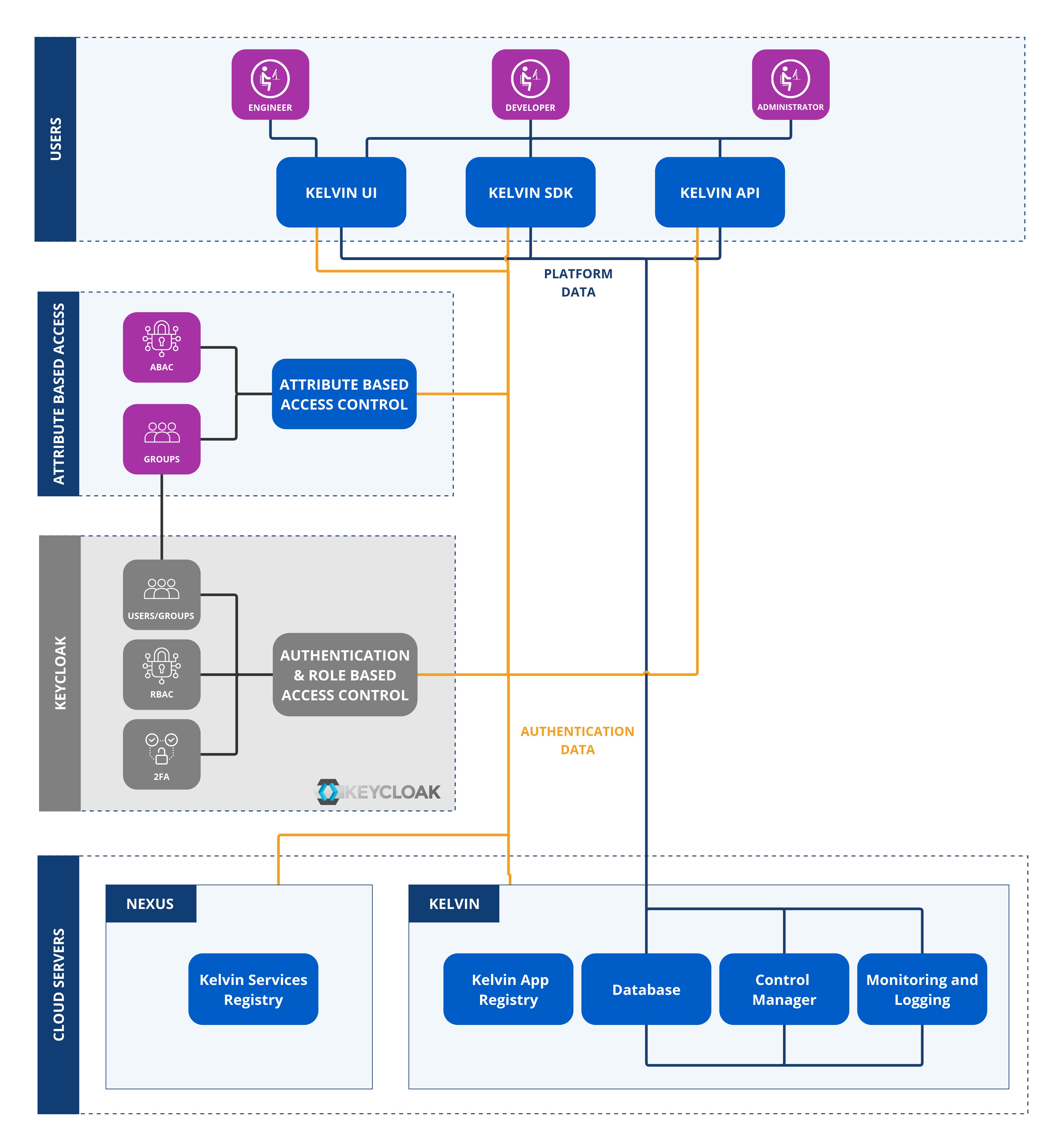
Authentication Options
At its core we use the industrial standard security software Keycloak.
This gives full flexibility for an Enterprise-wide professional authentication system while giving flexibility for developers to encase their programs with the same authentication credentials so that they can concentrate of the core program itself.
And for Administrators this centralizes the authentication into the corporate IT systems allowing for easy management of all users either individually or through groups.
Keycloak Options
Keycloak handles all the administration of authenticating users. It also works across Applications which means that a user only has to log in once to access all the different Applications. And likewise only logout once to be logged out of all Applications.
There are a vast array of options and setups possible with Keycloak. You can even integrate it into your existing Active Directory or LDAP server.
Here we will only concentrate on the core options that will allow you to do the administration of the Kelvin and any custom programs you want to write.
Users
Every person who requires access to the Kelvin should have a user name which usually is associated with their email address.
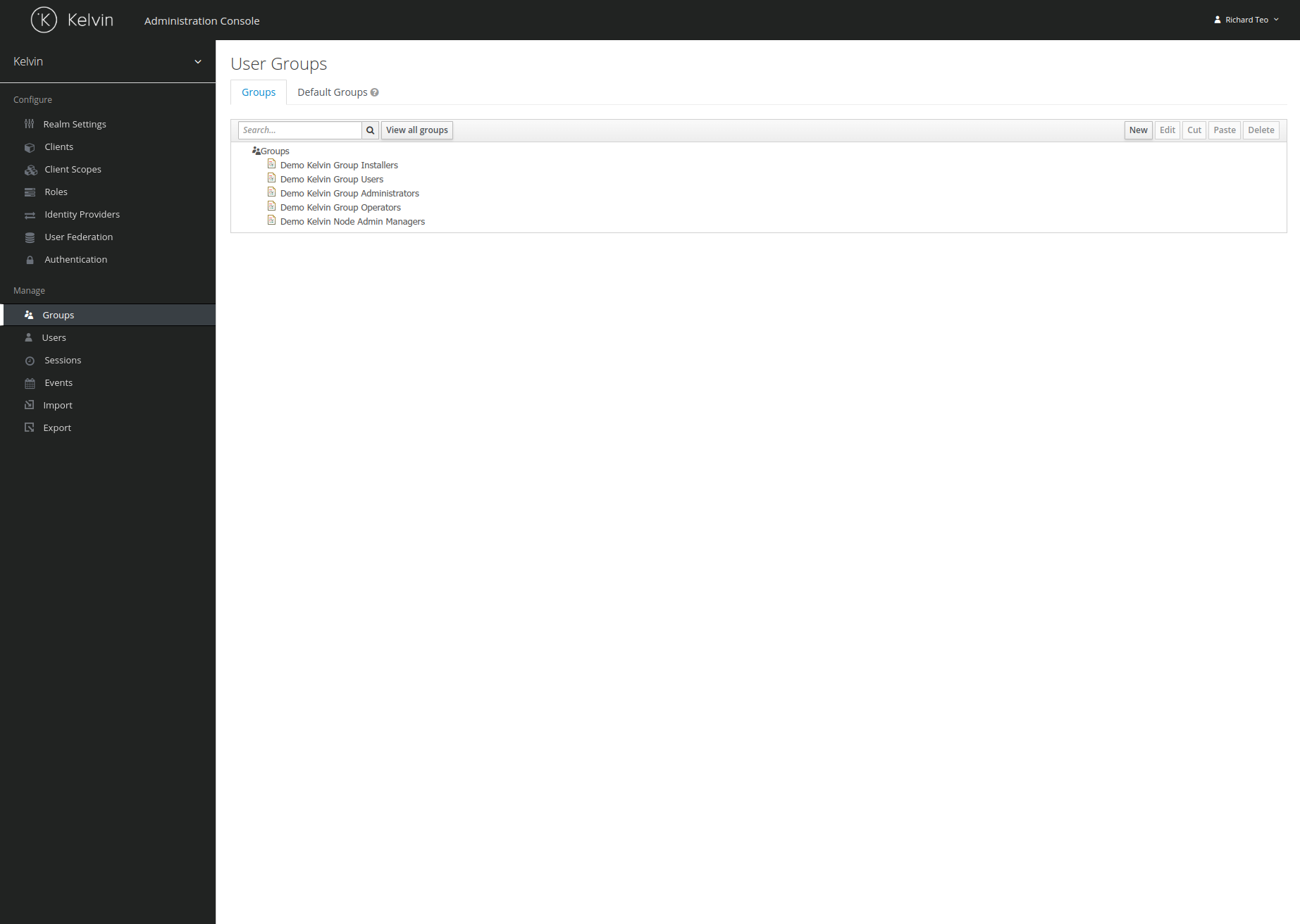
Groups
To make administration of user rights easier, groups can be setup to have a template standard set of rights for different groups, e.g. developers, sales personnel, engineers, etc.
2FA
Authentication by default will require a username and password.
When users login they will have the option to setup two factor authentication for extra security from their personal account page.
User Preferences
Each user can also manage their own preferences or change their password. This is accessed through Kelvin UI.
Permissions
When assigning Applications permissions to a user or a group, the Kelvin has a very granular set of permissions available to choose.
This high granularity allows Administrators to assign very specific rights to users or groups within Applications. This will include rights for creating, reading, updating, deleting, etc.
Because of the high granularity available, the list of permissions is very long. Thus is it strongly recommended to spend time to create the right type of groups with permissions to suit your organizational structure.
You can also use your own SSO solution with Kelvin.
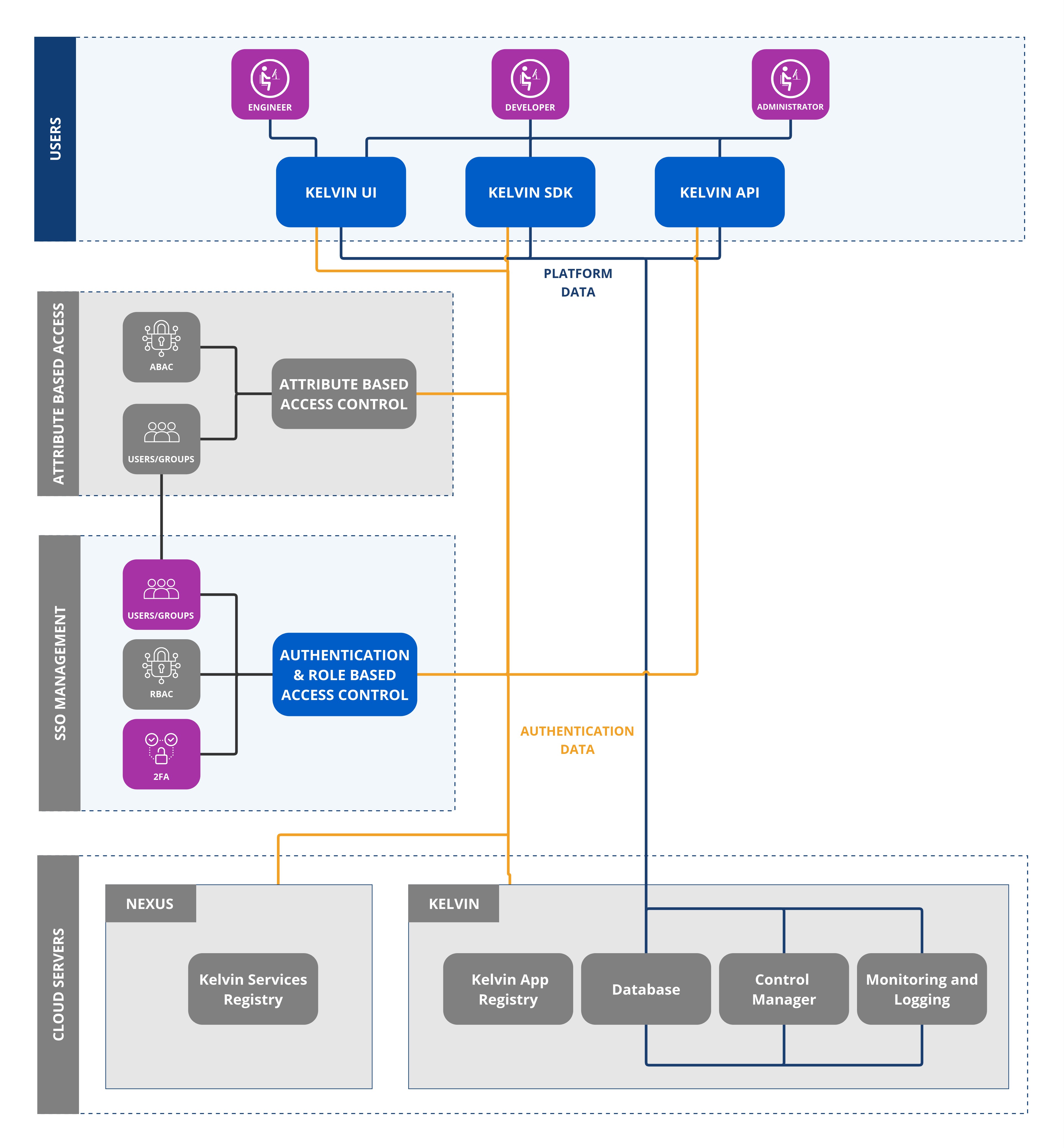
The supported solutions include;
- Organization's own Keycloak solution
- SSO with Google
- SSO with Microsoft
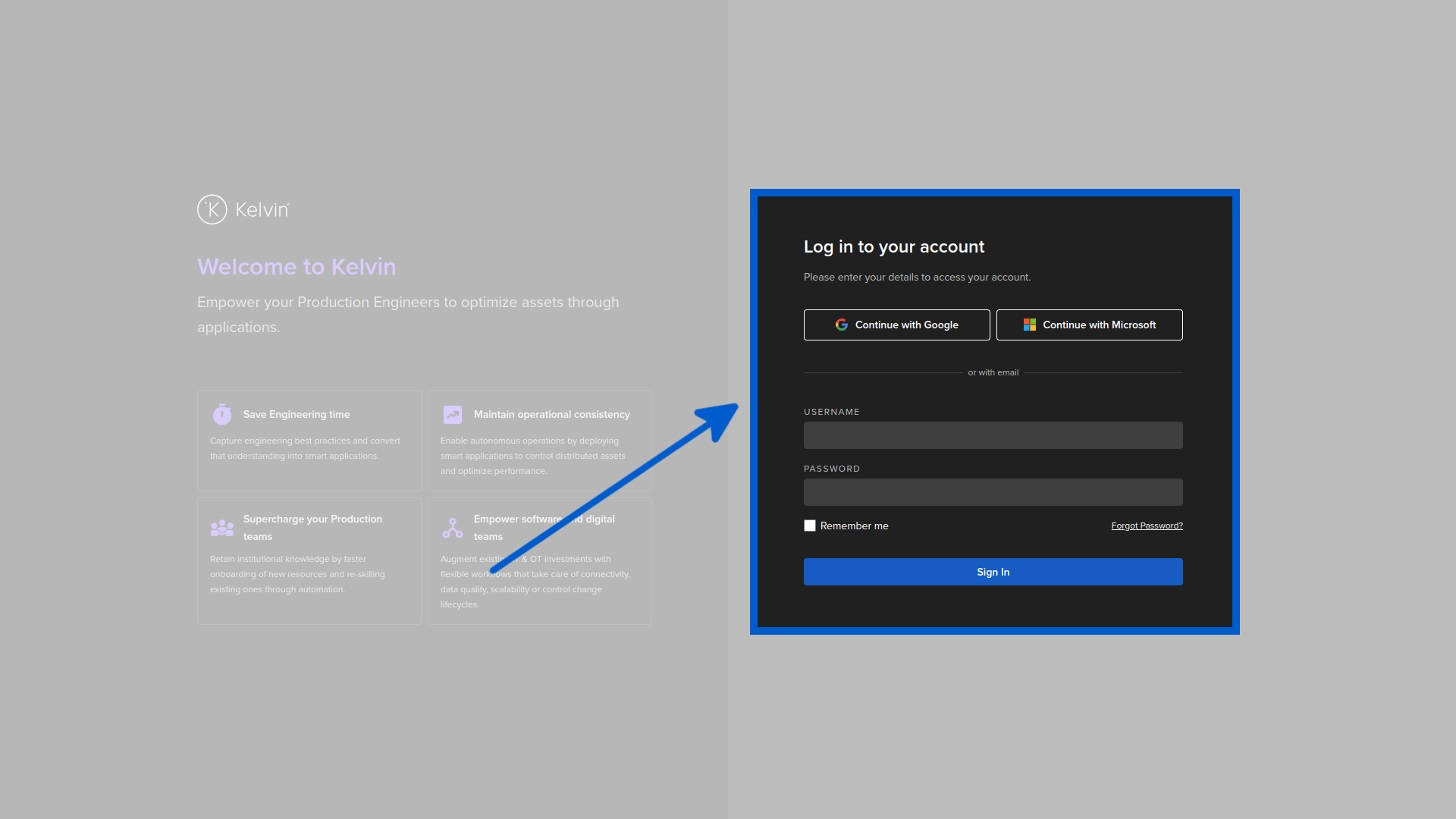
Full support will be given by the Kelvin team to setup your security requirements for the platform and get you started.
Security Timeout
The login screen is the critical interface between the Internet users and authorized users. If you use the Kelvin built-in security platform, there is one important behavior incorporated into the login screen.
If you leave your browser on the login screen for a long time, then try to login you may encounter an error like this;
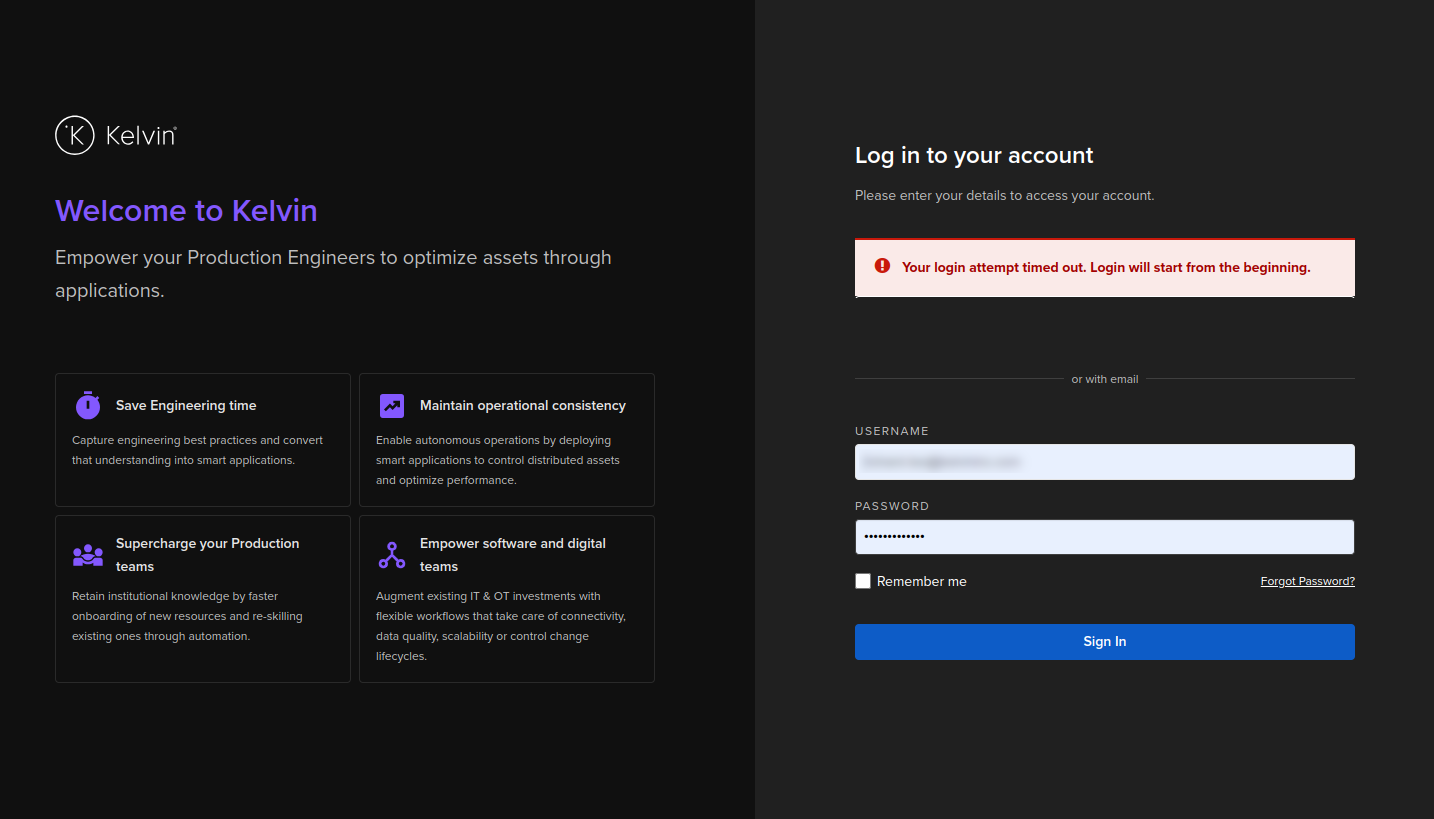
This can be an understandable inconvenience that you need to retype your login credentials a second time which will be accepted as long as they are valid.
To avoid this error and inconvenience, if you leave your login screen inactive for long periods of time, always click refresh on the browser and reload the login page before typing in your credentials.
This is an important security feature designed to avoid session fixation where a victim's valid session is hijacked before login. The risks increase when the login page is kept active for long periods of time.
To mitigate this risk, the login session will be revoked after a timeout. As the login screen is static, the user can not be notified of this timeout until they try to login using the origin login session.
When refreshing the login page, a new login session is created and any valid login credentials will be validated and accepted.
More details about session fixation can be found on the owasp website.