Update asset type
Reference:
| Field | Description |
|---|---|
| Name (Name ID) | Unique name identifier. It must contain only lowercase alphanumeric characters. The characters ., _ and - are allowed to separate words instead of a space BUT can not be at the beginning or end of the name. |
| Title (Display Name) | The display name to show on the Kelvin UI. It can contain any characters, including spaces. |
Update Asset Type
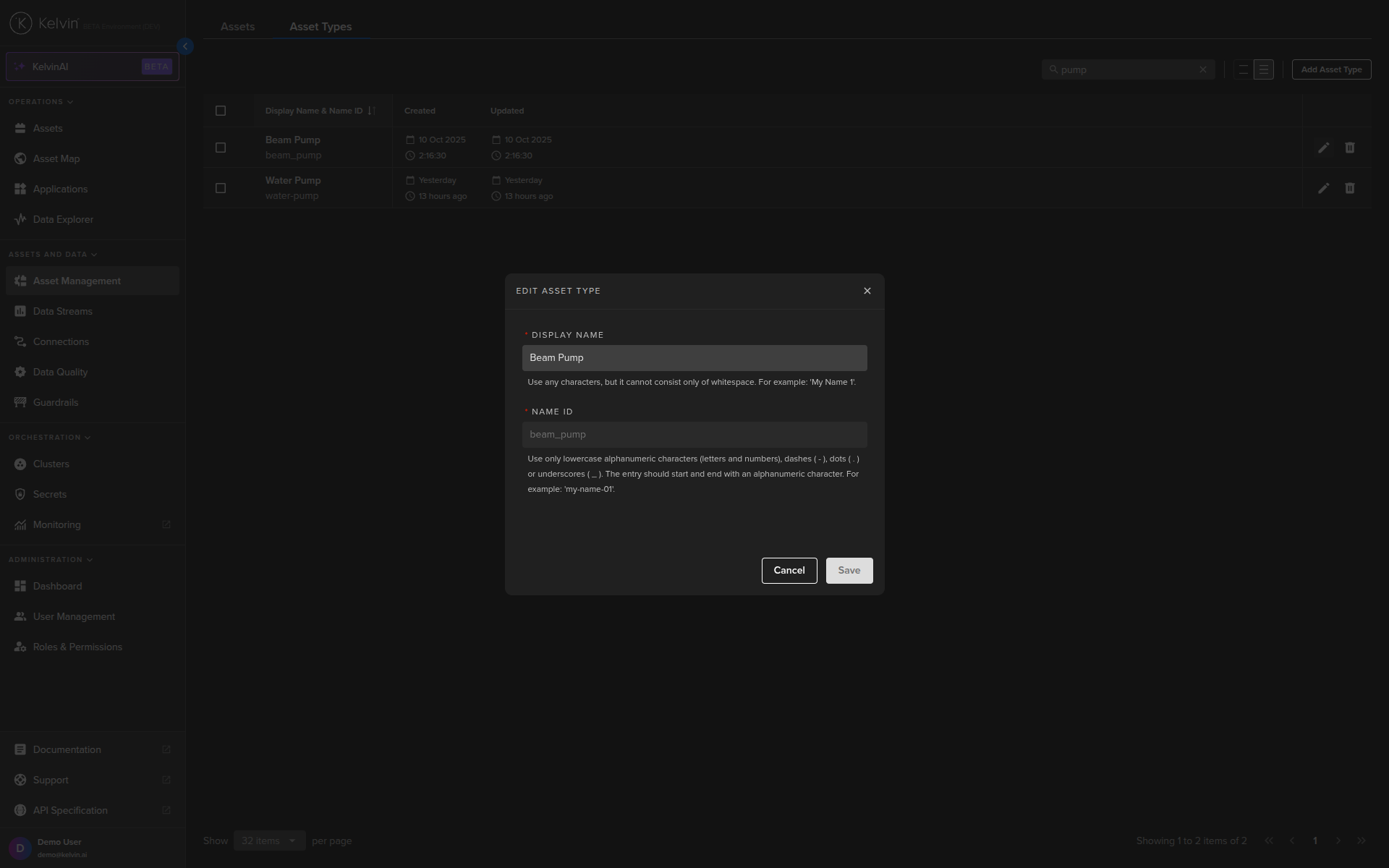
Updating an Asset Type closely mirrors its creation process. However, the name of the Asset Type is non-editable. To modify the name, you must create a new Asset Type.
Asset Types can be managed from the Administration section of the UI.
Do not get confused with the Asset management in the Operations section which is designed for the Production Engineers.
Note
Unlike the Kelvin API and Kelvin SDK, the Asset State is not configured when you create or edit the Asset Type.
There is a separate option for Asset State management. You can read how to do this in the Manage Asset States page.
To start, go to the Assets in the Administration section of the left side bar and then click on the Asset Types tab.
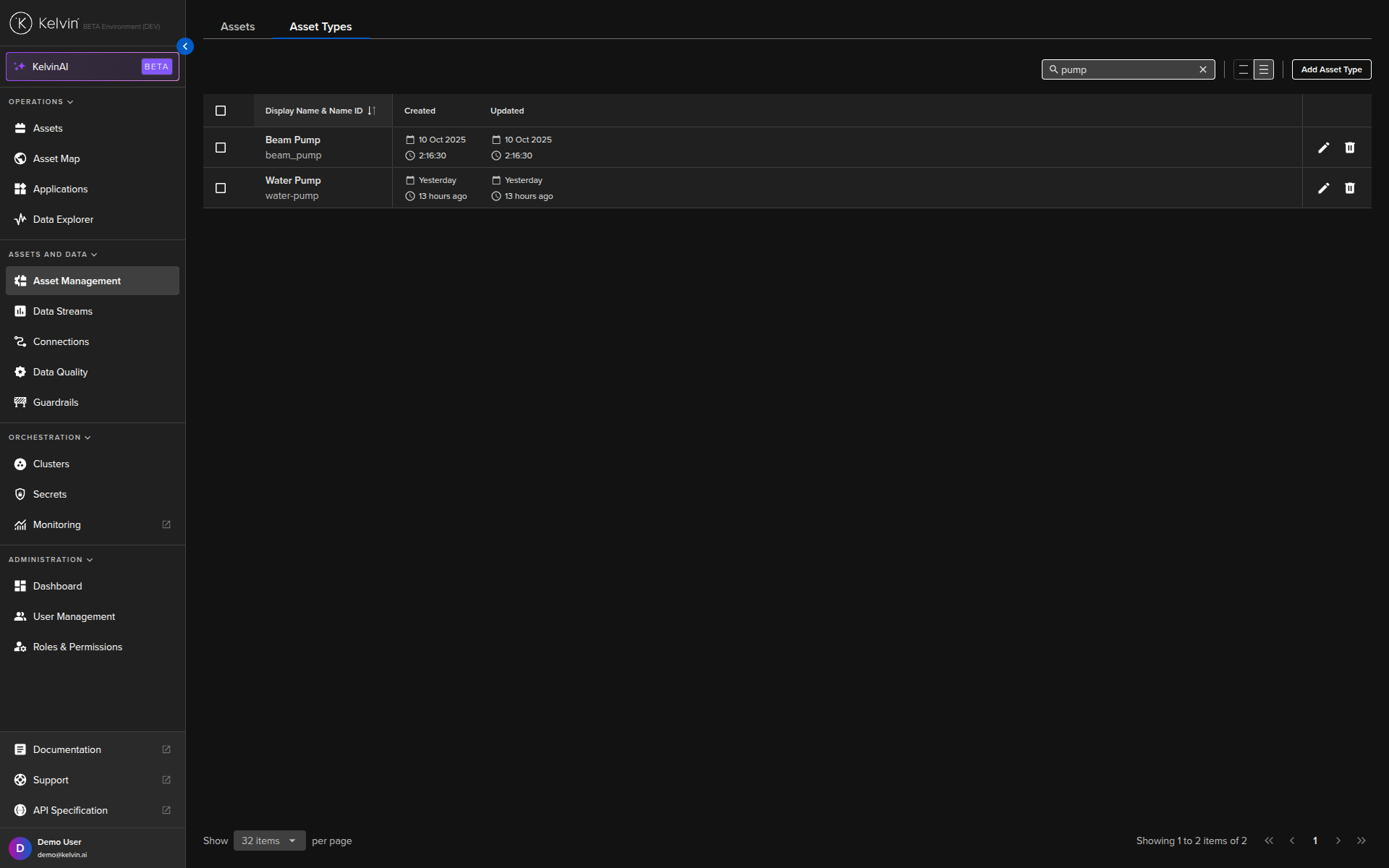
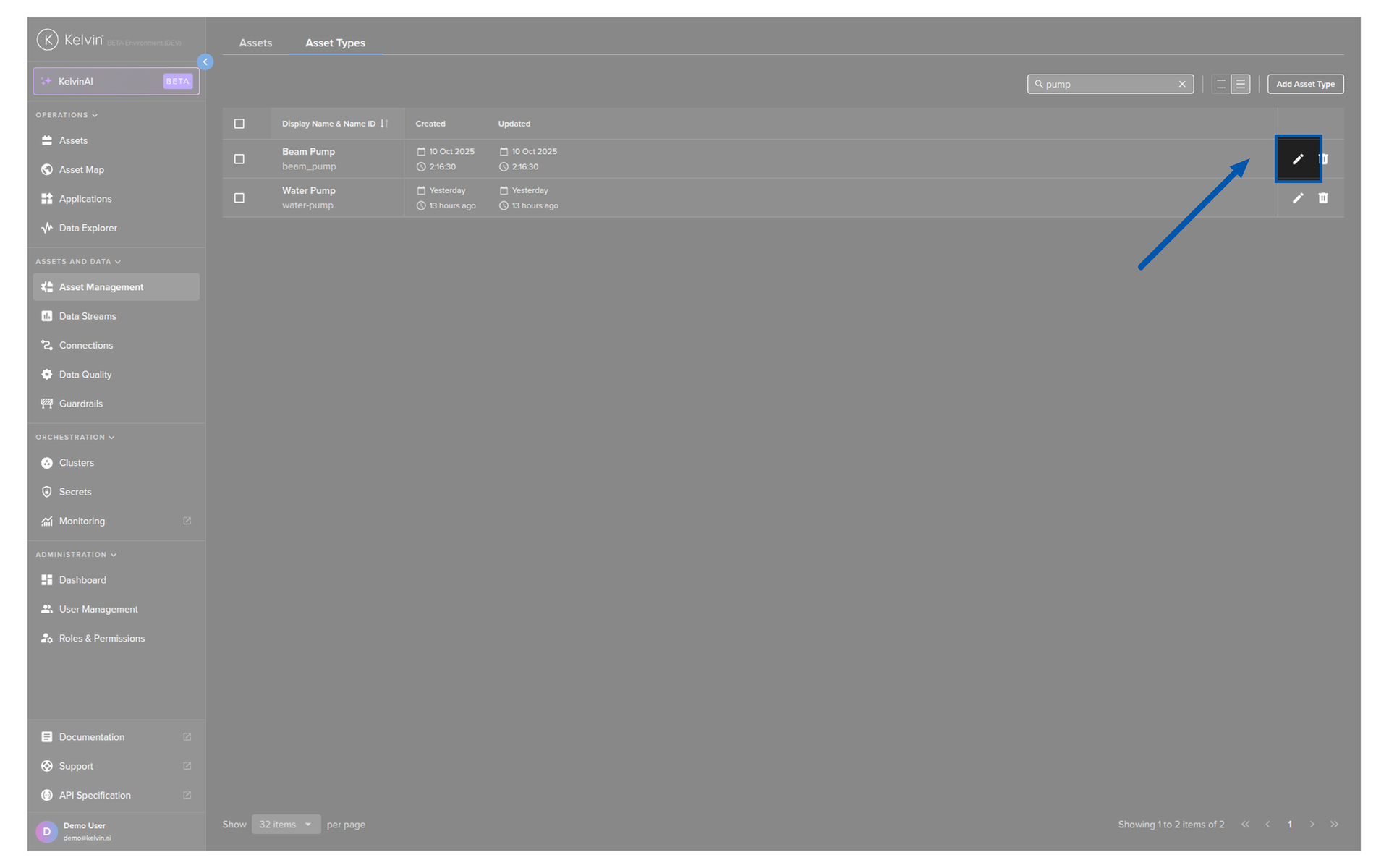
To edit an Asset Type, click on the pencil icon on the right hand side of of an Asset Type row;
Then a popup will be displayed where you can edit the Title of an Asset Type.
Note
The status_indicator_configs key is optional.
If it is missing, then no status will be shown.
You will get a response similar to this;
Note
The status_indicator_configs key is optional.
If it is missing, then no status will be shown.
You will get a response similar to this;
| API Client (Python) Example Response | |
|---|---|