Bulk create guardrails
When setting up the Kelvin Platform, one of the initial tasks is to install an edge computer and establish two-way data transfer with your Assets.
Guardrails is a safety feature designed to prevent sending erroneous data to your Assets, whether through the API, the Kelvin UI, or automatically via a Application. It acts as a final safeguard, overriding any data write decisions made by Operations or programs.
Reference:
| Field | Option | Description |
|---|---|---|
| Asset | asset name - ex: plunger-lift-01 | Name of the Asset for the Guardrail. |
| Data Stream | datastream name - ex: tubing_pressure | The Data Stream associated with the asset, usually a measurement or parameter like pressure or temperature. |
| Control | true | false | Indicates whether the Guardrail functionality is enabled for this asset. |
| Minimum Value | Number | datastream name | Specifies the minimum value for the data stream or another referenced Data Stream name. |
| Minimum Value Type | Number | datastream | Defines whether the minimum value is a static number or linked to another data stream. |
| Minimum Value Included | true | false | Specifies whether the minimum value is inclusive in the comparison. |
| Maximum Value | Number | datastream name | Specifies the maximum value for the data stream or another referenced Data Stream name. |
| Maximum Value Type | Number | datastream | Defines whether the maximum value is a static number or linked to another data stream. |
| Maximum Value Included | true | false | Specifies whether the maximum value is inclusive in the comparison. |
| Relative Increase Minimum Value | Number | Sets the minimum allowable relative increase for the data stream. |
| Relative Increase Minimum Value Type | Number | percentage | Determines if the minimum increase is a specific value or a percentage. |
| Relative Increase Minimum Value Included | true | false | Indicates if the minimum relative increase is inclusive. |
| Relative Increase Maximum Value | Number | Sets the maximum allowable relative increase for the data stream. |
| Relative Increase Maximum Value Type | Number | percentage | Determines if the maximum increase is a specific value or a percentage. |
| Relative Increase Maximum Value Included | true | false | Indicates if the maximum relative increase is inclusive. |
| Relative Decrease Minimum Value | Number | Sets the minimum allowable relative decrease for the data stream. |
| Relative Decrease Minimum Value Type | Number | percentage | Determines if the minimum decrease is a specific value or a percentage. |
| Relative Decrease Minimum Value Included | true | false | Indicates if the minimum relative decrease is inclusive. |
| Relative Decrease Maximum Value | Number | Sets the maximum allowable relative decrease for the data stream. |
| Relative Decrease Maximum Value Type | Number | percentage | Determines if the maximum decrease is a specific value or a percentage. |
| Relative Decrease Maximum Value Included | true | false | Indicates if the maximum relative decrease is inclusive. |
You can download a sample template with data filled in here.
To start, click on Guardrails in the Contextualization section of the left side bar and click on the Import Guardrails button.
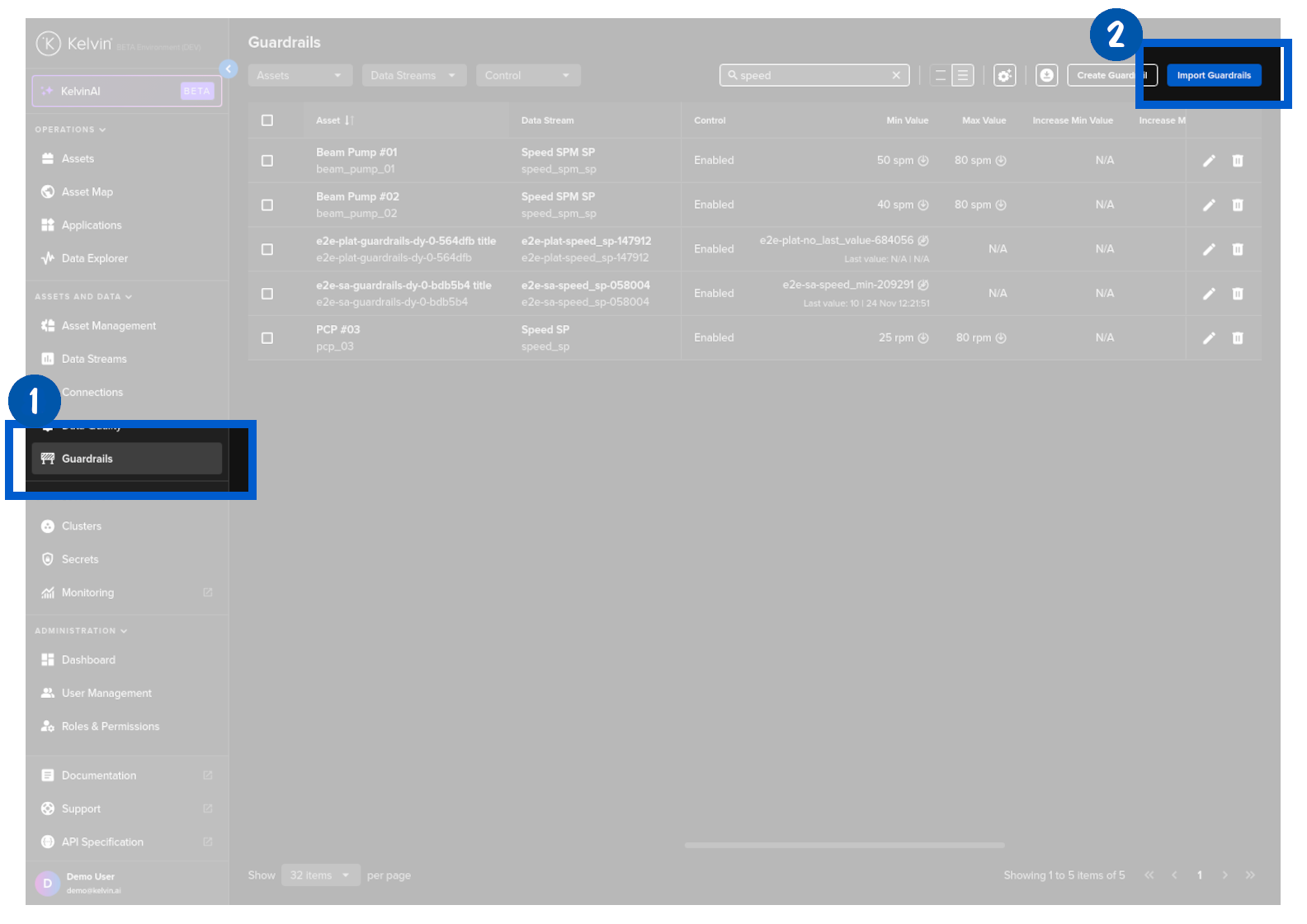
In Step 1 drag and drop your csv file of Guardrails and then click Next to go to Step 2.
Success
You can download the template format from here to use as reference when creating your Guardrails list.
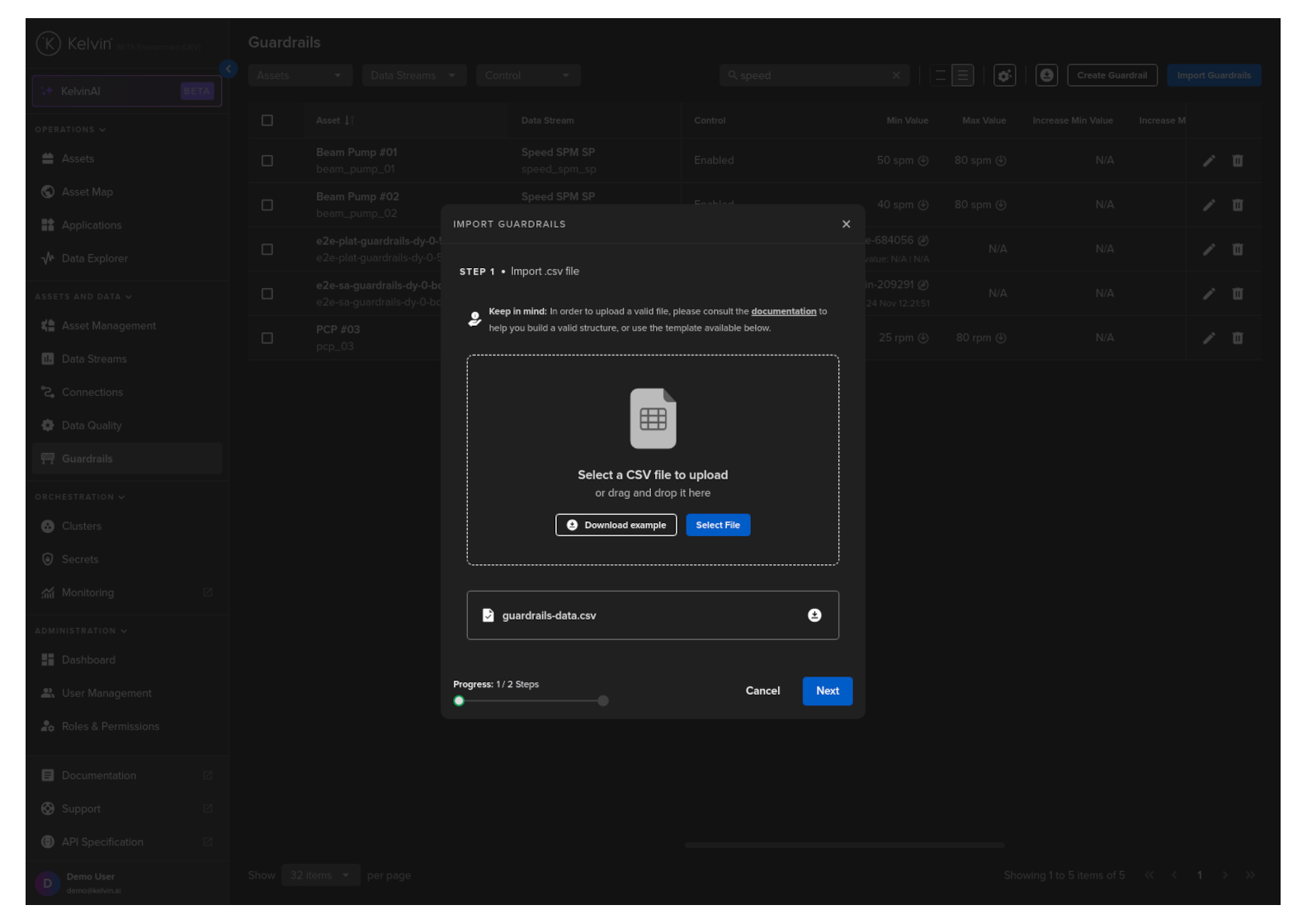
In Step 2 the csv file will be validated and any errors highlighted. If all is ok, then you can proceed to click the Import button.
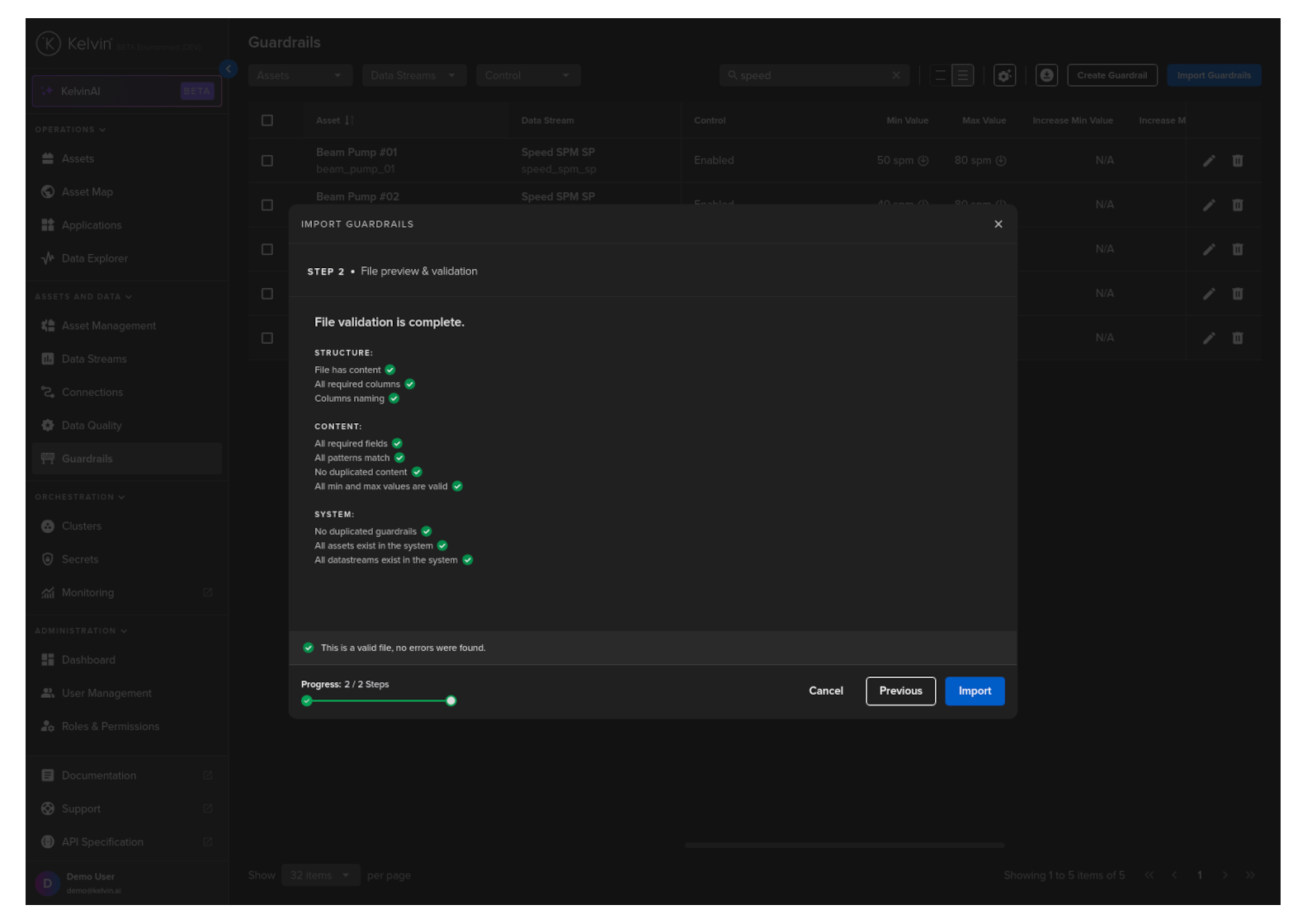
Congratulations, you have imported all your Asset / Data Stream pair guardrails.
Warning
Any values sent to the Asset / Data Stream pair outside of this min/max range will be automatically rejected and the original value will remain in the Asset's data.
Any values sent to the Asset / Data Stream pair outside of the defined allowable change range will be automatically rejected and the original value will remain in the Asset's data.
You will get a response similar to this;
Currently this is not possible in the Kelvin Python API client.