Recommendation
What is a Recommendation?
In control systems developed using Application, whether through traditional control methods or Machine Learning-assisted controls, it's often presumed that algorithms will consistently make optimal decisions. However, this assumption doesn't always hold true, particularly when deploying machine learning models at scale.
The Recommendation feature empowers Operations Engineers by giving them an option to integrate effortlessly into the automation process, making them an intrinsic part of the control system journey.
This feature is especially useful when using standard machine learning models at scale where customized per asset training is required.
Furthermore, Kelvin maintains a historical record of every recommendation, facilitating in-depth event analysis when needed.
Upon approval by the Operations Engineer, recommendations can trigger multiple Control Change actions.
A single recommendation holds the potential to initiate numerous commands. For instance, one recommendation might lead to five distinct control changes.
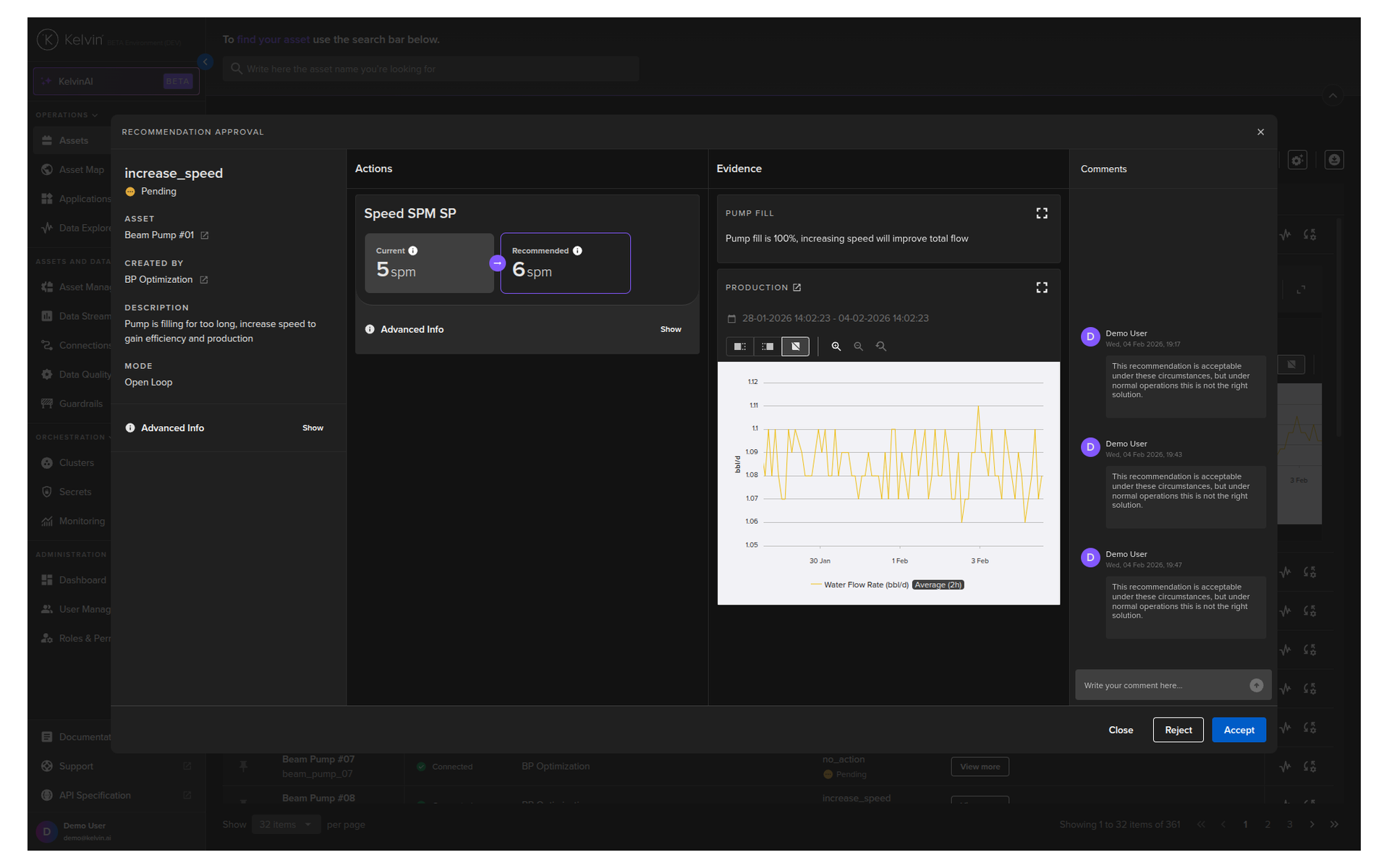
In this brief demo you can see the different parts of a Recommendation;
Recommendation Flow
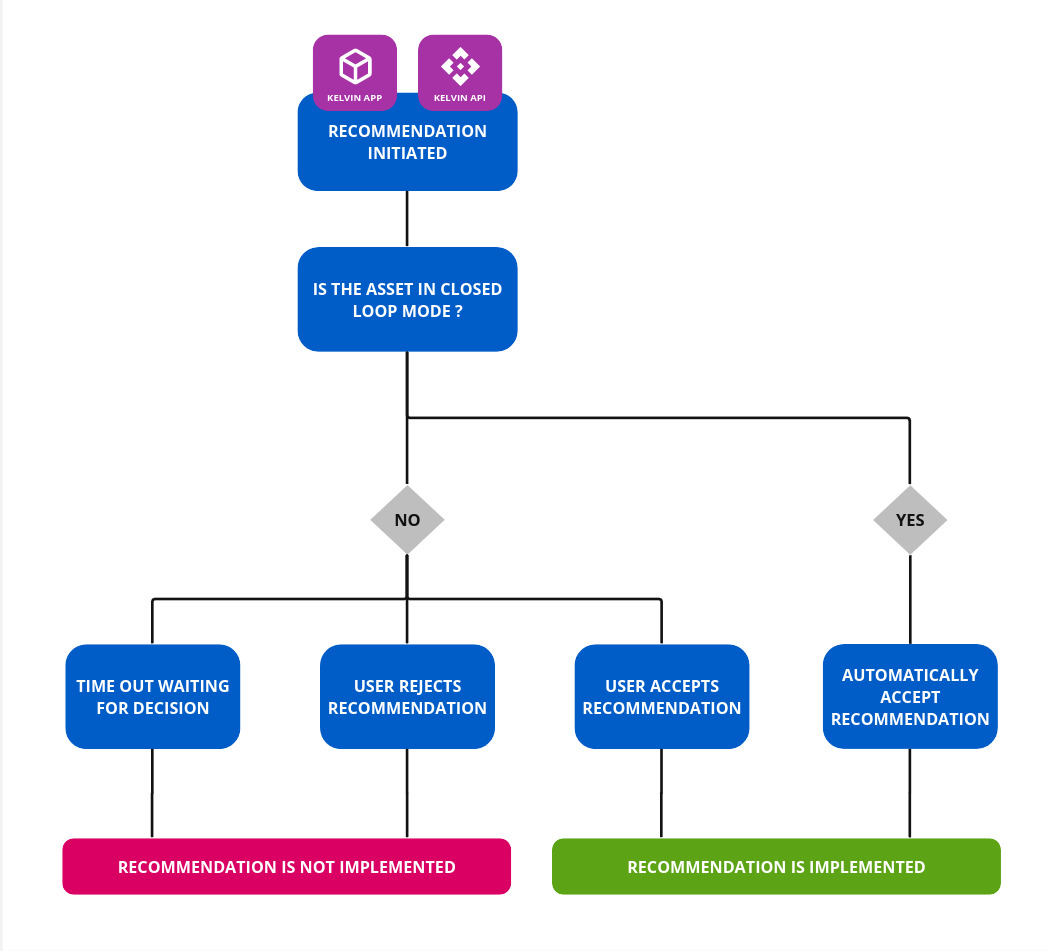
Initiating a Recommendation
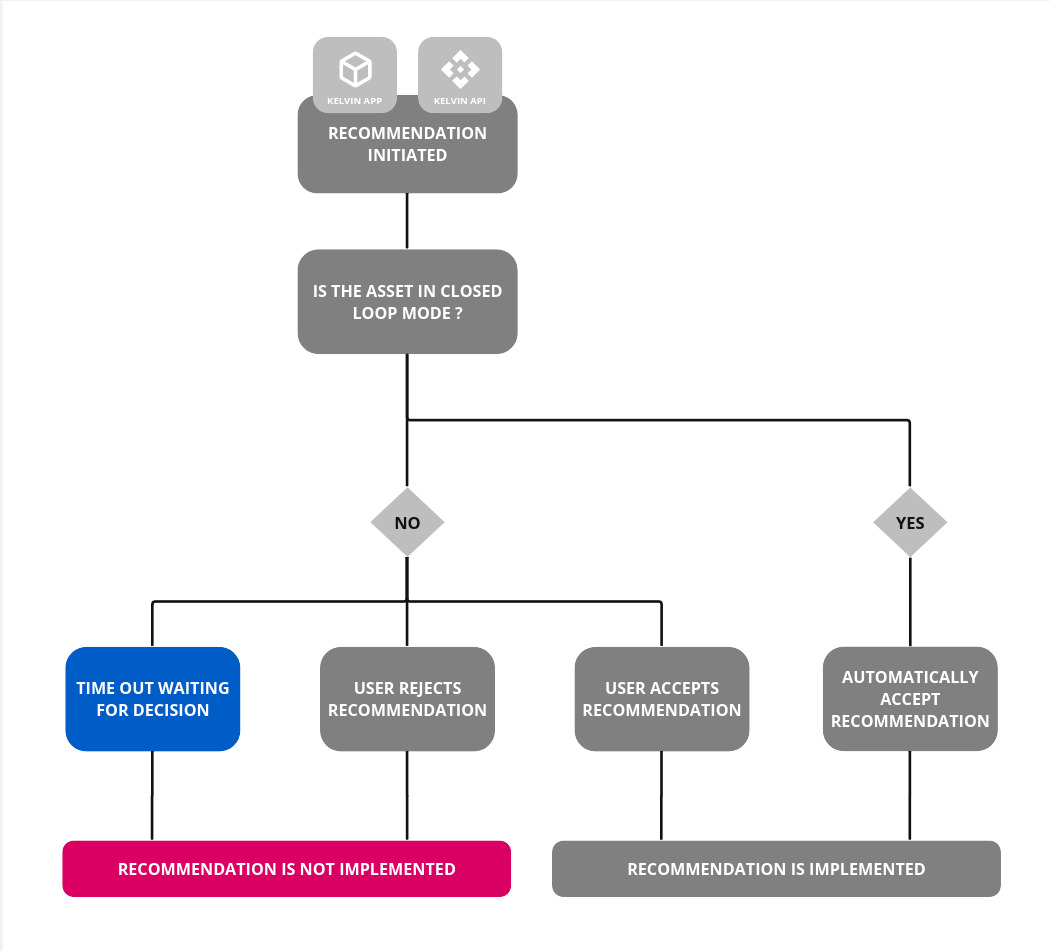
A recommendation can be created either through a Application at the edge or from any source using the Kelvin API.
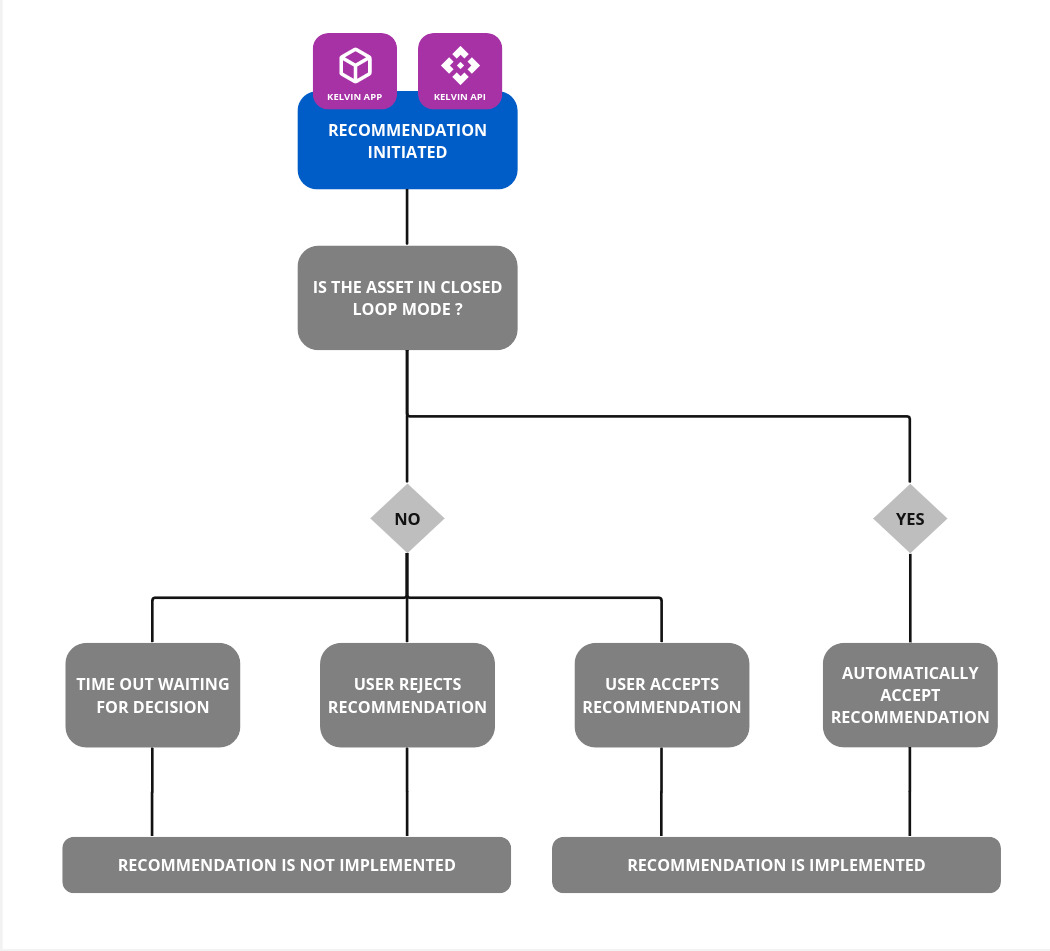
Open / Closed Loop
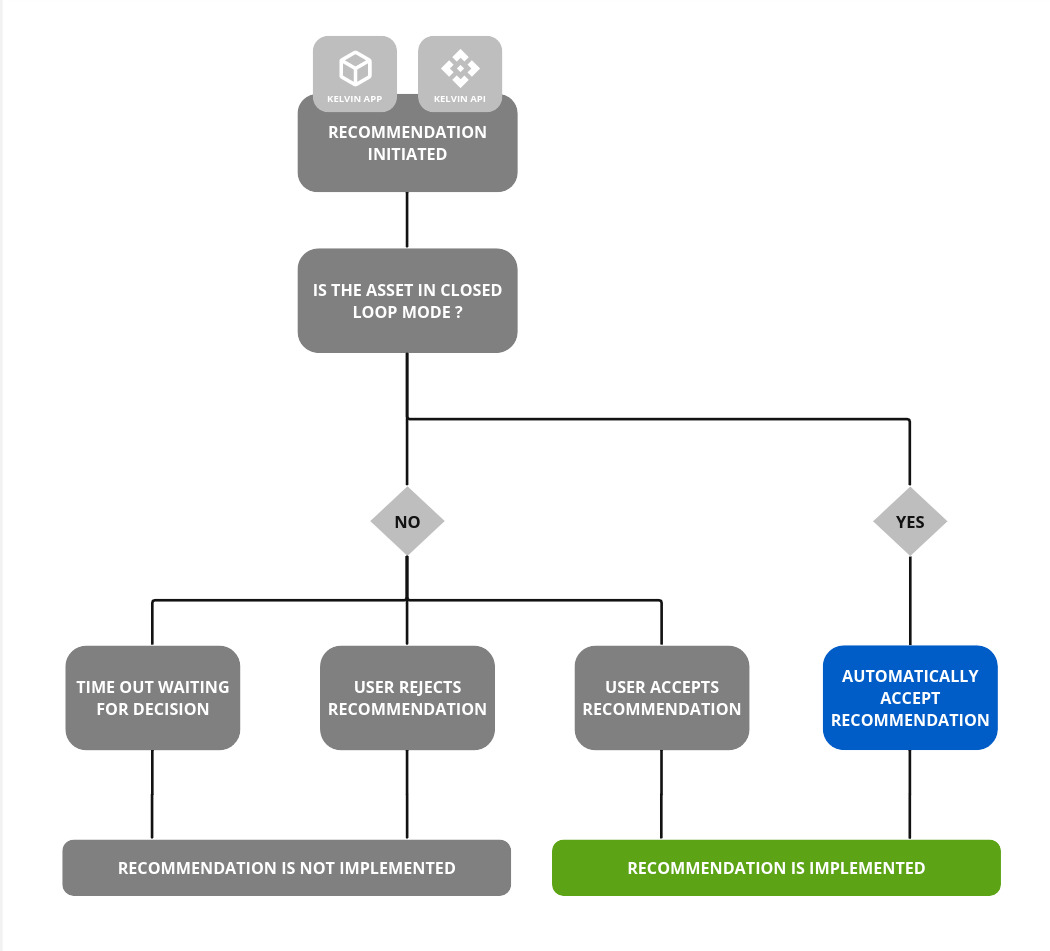
Kelvin then checks if the Asset is in Open Loop or Closed Loop mode.
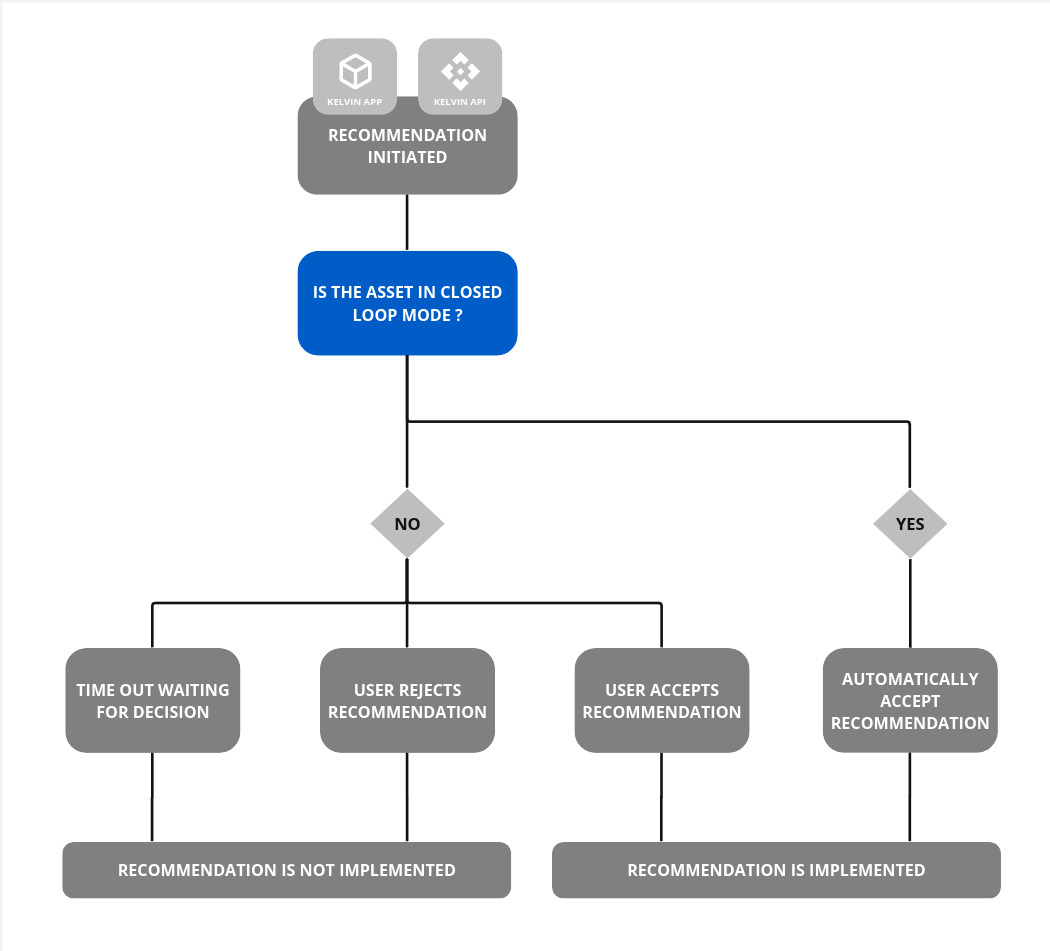
Closed Loop
If the Asset is in Closed Loop mode, then Kelvin will automatically accept the Recommendation and apply all changes in the Recommendation.
Operations Engineer Decision
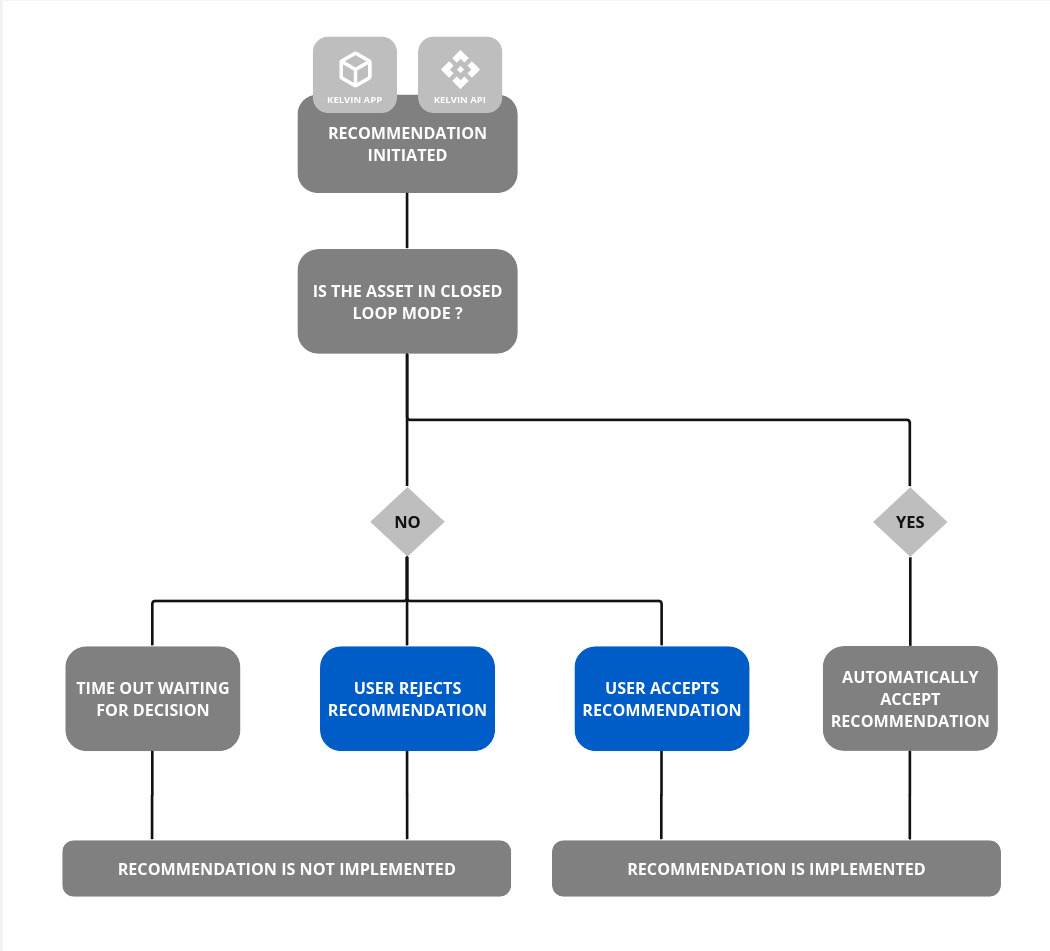
Once a recommendation has been initiated and the Asset is in Open Loop mode, you will see a new recommendation appear for the Asset in the Kelvin UI.
Accept
If accepted, then all the actions stored in the recommendation will be performed.
You can not selectively accept some actions and reject others. You must accept all or reject all.
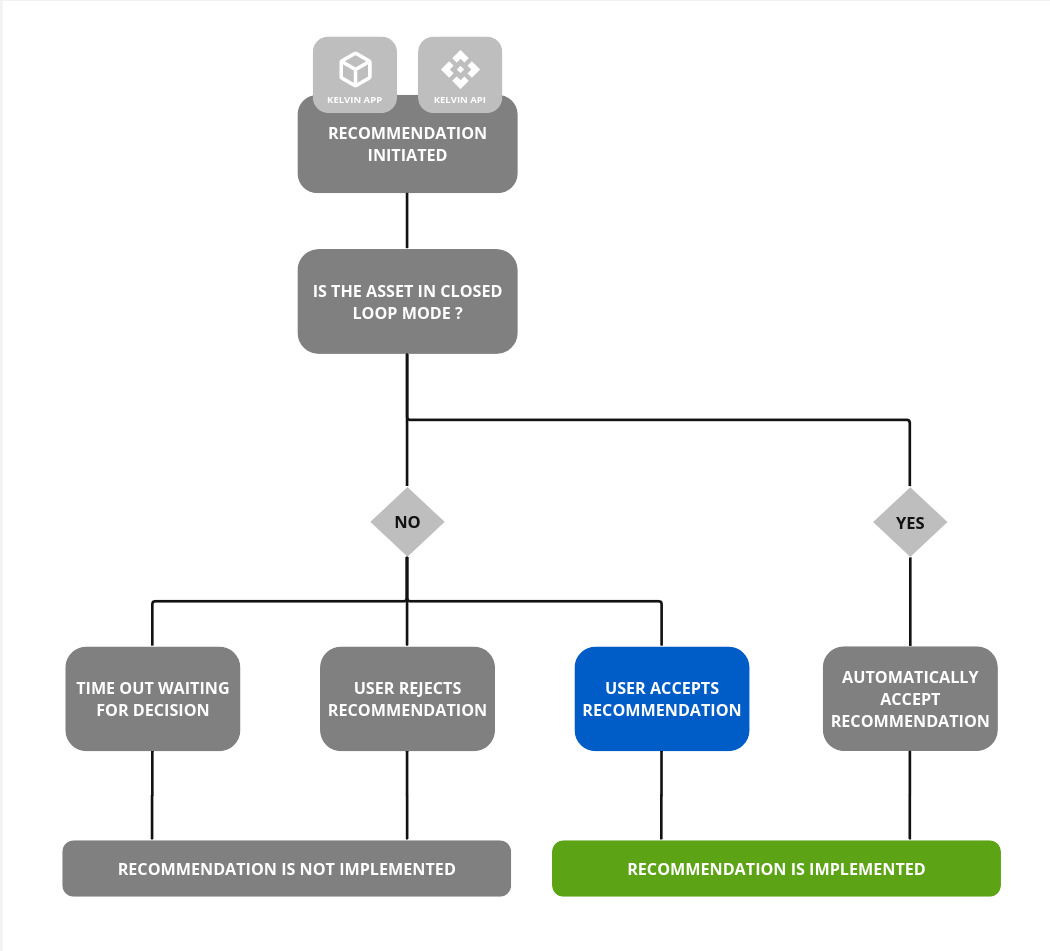
Each of the actions will be initiated by the recommendations information. If any action returns an error, then the whole recommendation will be tagged as failed.
You can look later at the full report to see which actions failed and which succeeded.
Reject
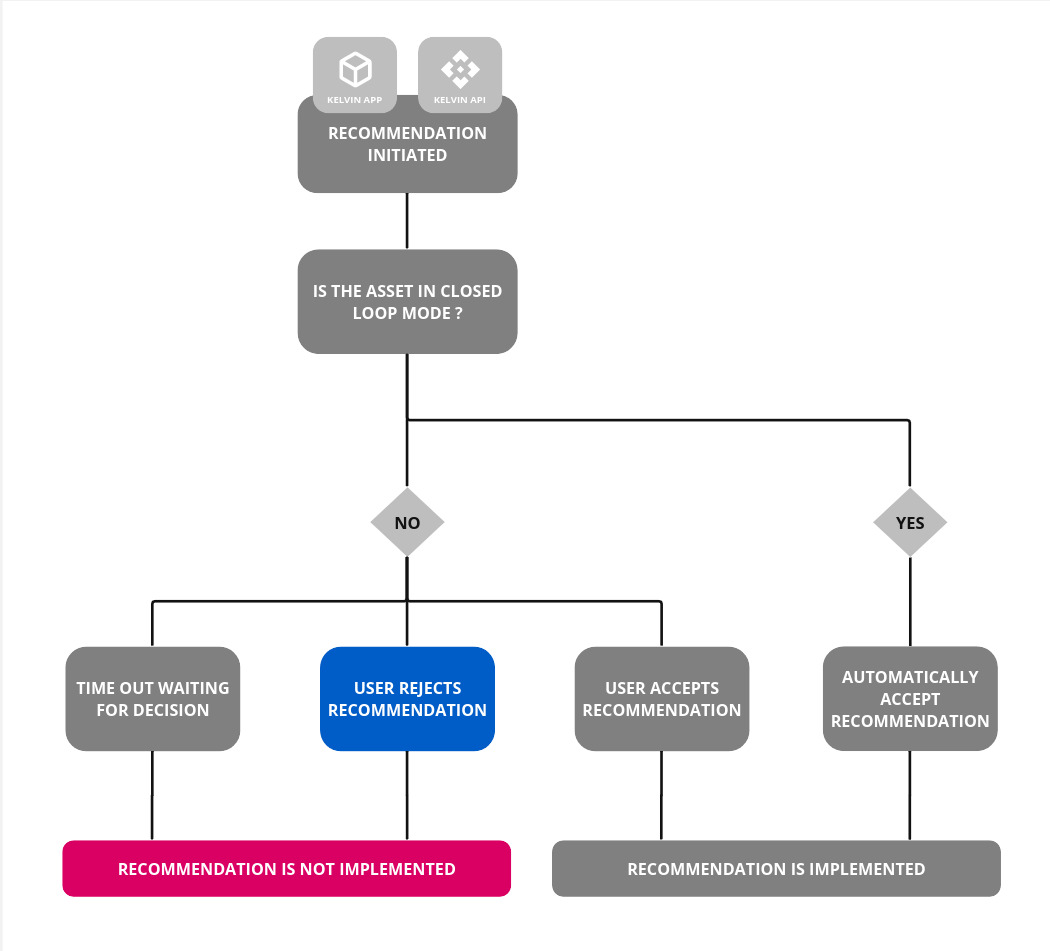
If rejected, the recommendation will be stored for historical purposes and no further actions will be taken.
You also can not come back later and accept. Once a recommendation is rejected then the recommendation is disabled and becomes read-only.
Time Expired
You have the option to set an expiration time for a recommendation. This feature is particularly valuable when a recommendation has a limited safe window for execution, after which initiating the suggested actions could pose a risk.
If an Operations Engineer hasn't acted on the recommendation by the time the expiration threshold is met, the system will auto-cancel the recommendation. Subsequently, the Operations Engineer will no longer have the option to accept or reject it.
The expiration date setting is optional. If it isn't included when creating a recommendation via Application, Kelvin API or Kelvin API Client (Python), the recommendation will remain valid indefinitely.
Actions
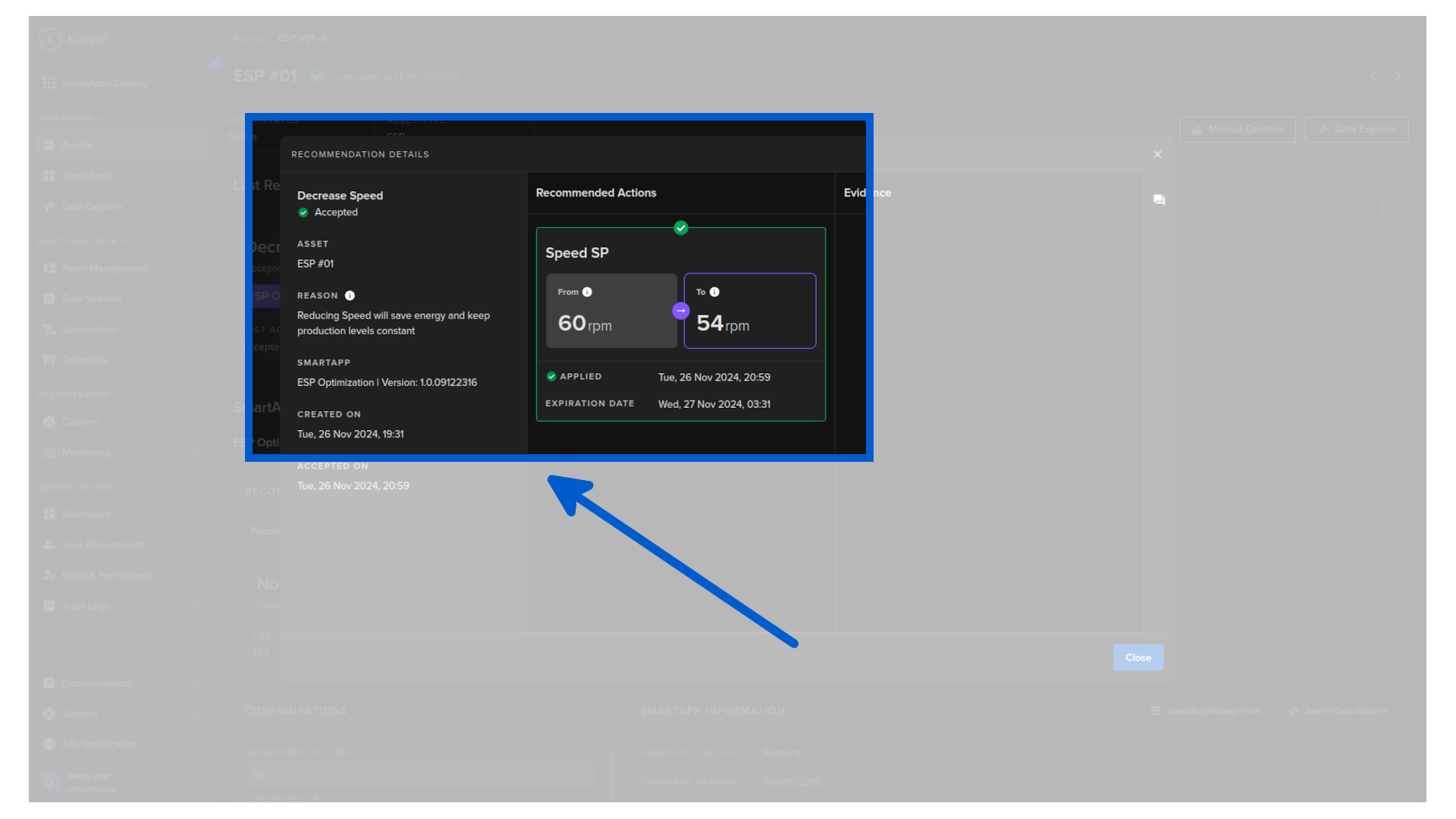
Once the recommendation is accepted by the Operations Engineer, then all the actions will be initiated.
Note
For actions which initiate other Kelvin processes, like Control Changes, you can see these sub-process statuses in the Advanced Info dropdown in the action card.
Control Changes
Control Change command will be created by the Recommendation system. There will be one Control Change per action required in the section.
Successfully creating a Control Change action through the Recommendations does not guarantee the asset's data has been modified. The actual data writing is overseen by the Control Change manager in a distinct process.
To view the outcome of the Control Change, refer to the status in the detailed popup report of initiated actions.
Evidences
Any type of data which was used in the evaluation and creation of the Recommendation, or any data that is relevant to the Recommendation can be attached as evidences.
This evidence is very useful in two distinct circumstances;
- For Operations; When they need to make a manual decision whether to accept or reject a Recommendation, they can use the evidence in their evaluation of the Recommendation.
- For Data Scientists; When they are reviewing the feedback confidence from Operations, they can check the evidence to see the circumstances of the Recommendation and evaluate how they can improve their algorithms and models.
Evidences can be presented in many forms, including graphs, dynacards, formatted comments, images and even Iframes to external websites.