Delete a Schedule
To create a new schedule in Kelvin UI, click on Applications under Engines in the left hand sidebar, select a Kelvin SmartApp™ then click on the Schedules tab.
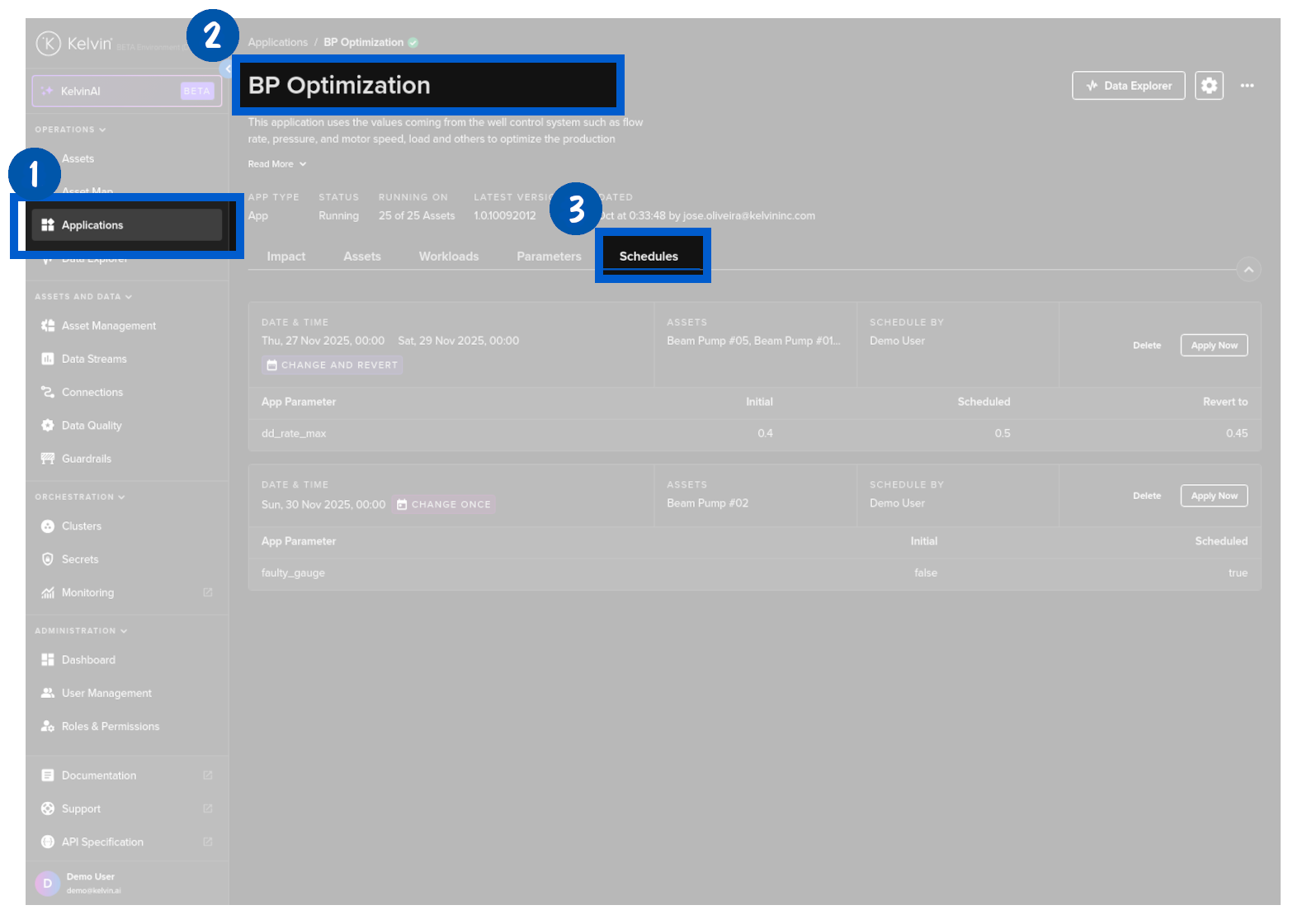
Find the wanted schedule and click on the Delete button.
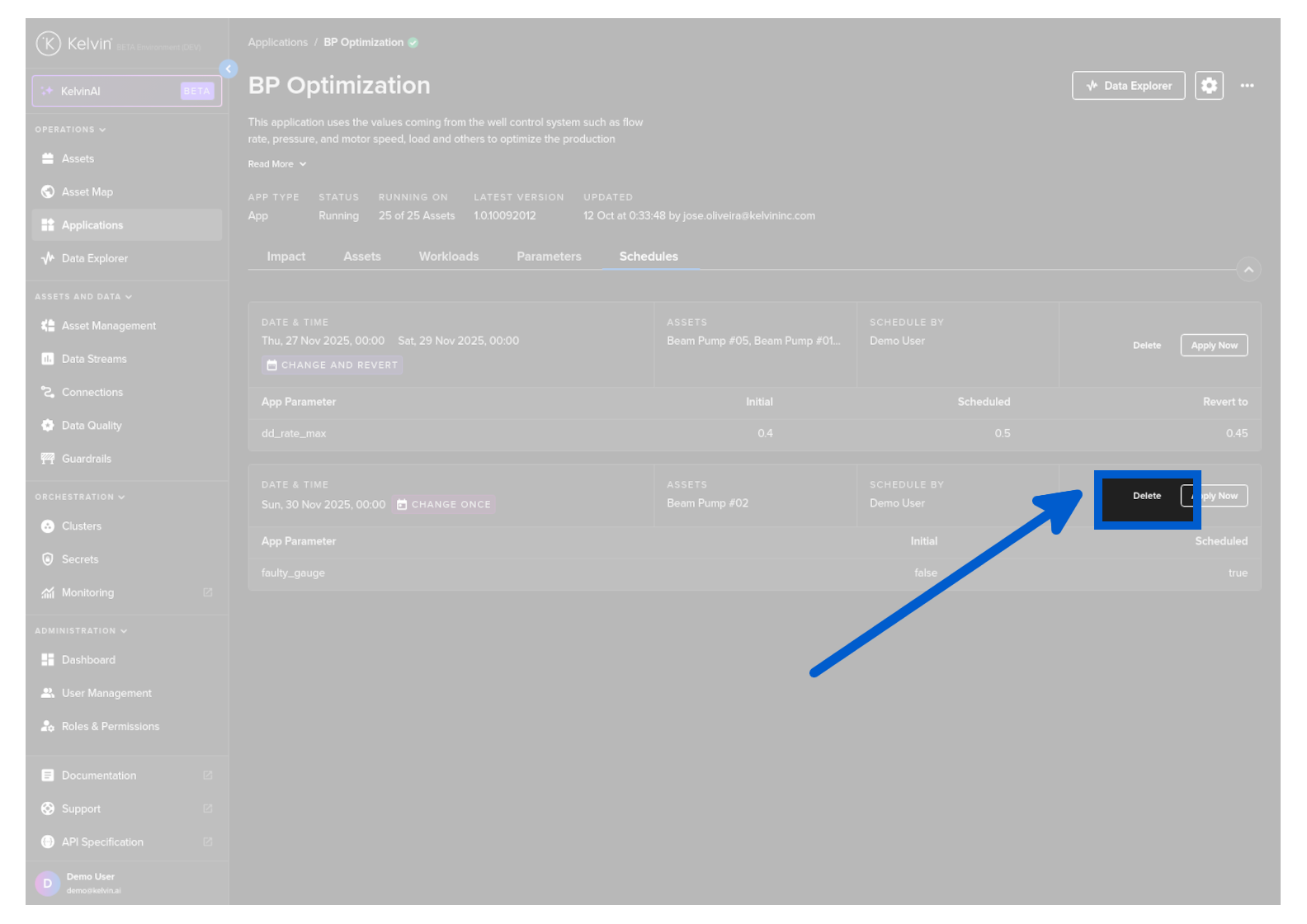
To create a new schedule in Kelvin UI, click on Applications under Engines in the left hand sidebar, select a Kelvin SmartApp™ then click on the Schedules tab.
Find the wanted schedule and click on the Delete button.