Custom Action
Overview
Custom Actions are used to enable communication between two Applications, whether on the same cluster or across different clusters.
They allow developers to create a dedicated Application to perform specific tasks that are commonly needed by other Applications.
Example
For example, you can create a Application to send emails or perform specific conversion calculations before saving data to the Kelvin Platform.
The tasks that can be performed are flexible and depend on the developer’s objectives.
Other Applications can then send data to this Application for processing.
This approach allows you to centralize common tasks or isolate sensitive information, such as email login credentials, within a single Application.
Structure
Custom Actions require two different types of Applications (Applications) to be properly setup;
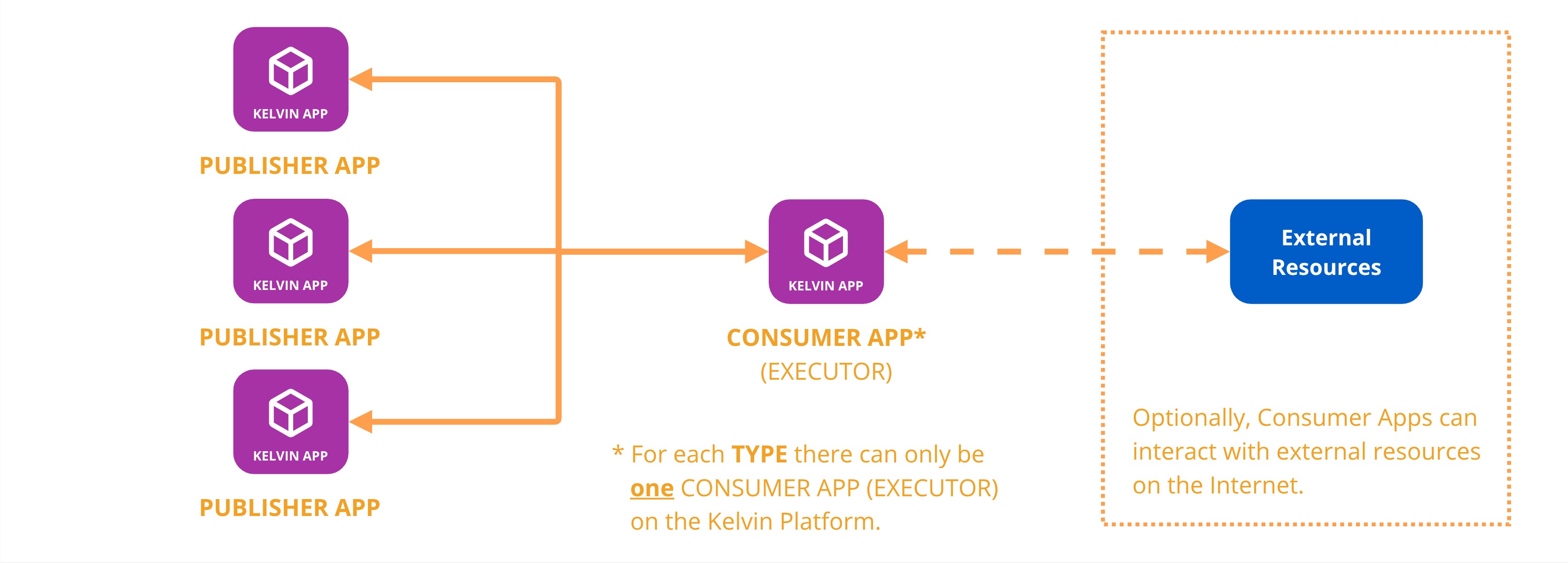
- Publisher Application: Any Application that packages and sends the custom action either directly or via a Recommendation
- Consumer Application (Executor): A specific Application that will receive the custom action and performs predefined actions on the payload data
Warning
For each Type declared in any Publisher App, only ONE Consumer App (Executor) can be deployed on the Kelvin Platform to receive that Type.
Custom Actions are sent from a Publisher to a Consumer Application.
It can also be packaged into a Recommendation for approval by Operations before the Custom Action is sent to the Consumer App (Executor).
Note
This functionality will work even when there is no internet connectivity as long as the two Applications are on the same Cluster network.
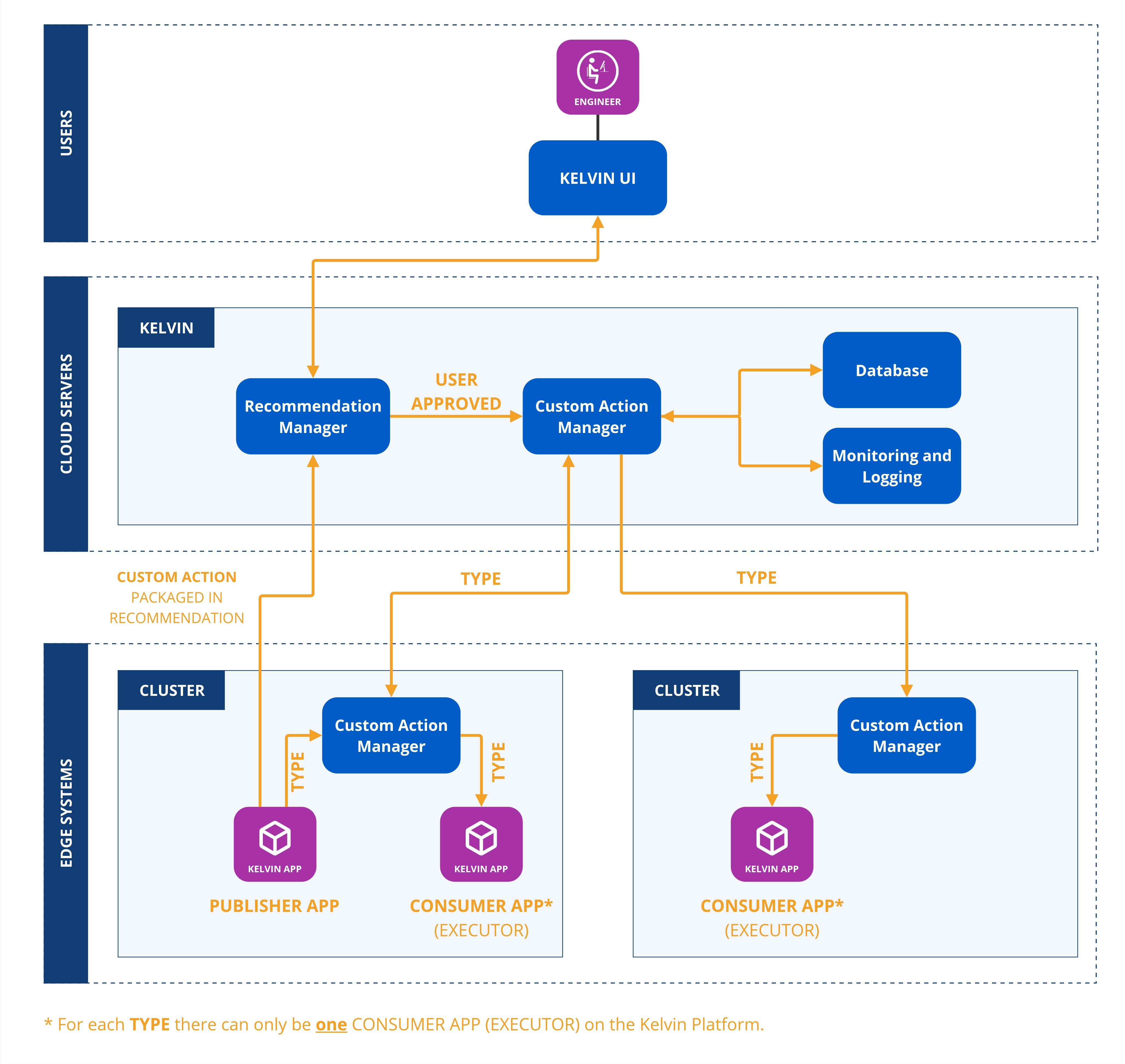
Custom Actions has a robust fault tolerant protocol to ensure all custom actions are traceable and will report failures back to the sending Application.
Payload Contract
The Consumer Application (Executor) developer defines the structure of the data -- the payload -- that must be sent for the action to be processed correctly. This is the contract that Publisher developers must know and follow.
When building a Publisher Application that targets a specific Executor, the publisher developer must obtain the expected payload structure from the executor developer and ensure their Application sends data that matches it.
Configuring Custom Actions in the Kelvin UI
Both Publisher and Consumer Applications can expose configuration fields in the Kelvin UI through their application settings. These are separate from the payload exchanged between the two applications and serve different purposes.
-
Consumer Application (Executor): Exposes global configuration fields that apply to all invocations of that executor. For example, an email executor might expose fields for the SMTP server address and credentials. These settings are configured once on the executor application.
-
Publisher Application: Exposes configuration fields specific to that publisher. For example, a publisher that sends email actions might expose a field for a default subject line. These settings are local to that publisher application only.