Data Quality Output
Publishing Data Quality Messages
Applications can perform custom validation checks on Data Stream data and publish the results as Data Quality messages back to the Kelvin Platform.
You can read all about Data Quality concept here and the app.yaml settings here.
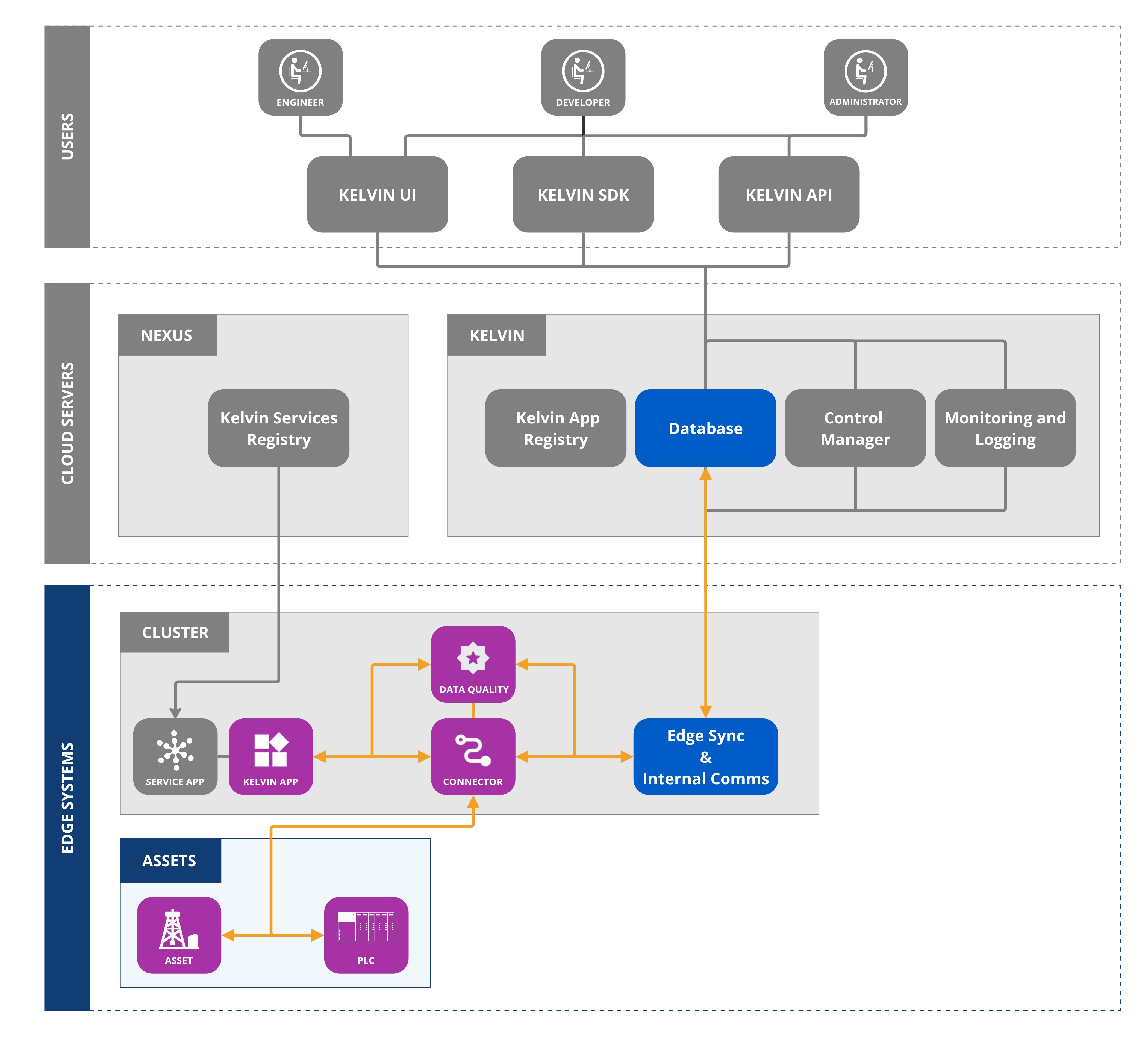
app.yaml setup
Note
Custom Data Quality Applications must declare their outputs in the data_quality section.
The platform's built-in Data Quality monitoring (Data Availability, Timestamp Anomaly, Out-of-Range Detection, etc.) is configured through the Kelvin UI or API and automatically generates data quality messages.
Custom applications extend these capabilities by implementing specialized validation logic and publishing custom quality scores.
For publishing Data Quality information, the app.yaml needs to declare the Data Streams and validation types in the data quality outputs section.
| app.yaml Example |
|---|
| ...
# ------------------------------------------------------------------------------
# Data Streams Definitions
# ------------------------------------------------------------------------------
data_streams:
inputs:
- name: casing_pressure
data_type: number
- name: temperature
data_type: number
- name: speed
data_type: number
outputs: []
# ------------------------------------------------------------------------------
# Data Quality Definitions
# ------------------------------------------------------------------------------
data_quality:
inputs: []
outputs:
- name: custom_anomaly_detection
data_type: number
data_streams:
- casing_pressure
- temperature
- speed
- name: custom_quality_score
data_type: number
data_streams:
- casing_pressure
- temperature
- speed
...
|
Once configured, your application can calculate validation metrics and publish them as Data Quality messages for consumption by other applications or the Kelvin UI.
Publishing Quality Scores
The primary method for publishing Data Quality scores is to use the publish method with the appropriate Data Quality resource identifier.
Note
Data Quality scores are typically percentage values (0-100) representing the quality level of the data stream.
The platform aggregates these scores at both the datastream and asset levels.
| Publishing Data Quality Scores |
|---|
| from kelvin.application import KelvinApp
from kelvin.message import AssetDataMessage, Number, Message, KMessageTypeData
from kelvin.krn import KRNAssetDataStreamDataQuality
app = KelvinApp()
@app.stream()
async def handle(msg: AssetDataMessage):
# Perform custom quality calculation
quality_score = calculate_quality_score(msg.payload)
# Publish the quality score
await app.publish(
Message(
type=KMessageTypeData("number"),
resource=KRNAssetDataStreamDataQuality(
asset=msg.resource.asset,
data_stream=msg.resource.data_stream,
data_quality="custom_quality_score"
),
payload=quality_score,
timestamp=msg.timestamp
)
)
def calculate_quality_score(value: float) -> float:
# Custom quality calculation logic
# Return score between 0-100
if value >= 90:
return 100.0
elif value >= 50:
return 75.0
else:
return 50.0
app.run()
|
Publishing Validation Results
For binary validation results (pass/fail, anomaly detected/not detected), publish boolean or numeric indicators.
| Publishing Anomaly Detection Results |
|---|
| from kelvin.application import KelvinApp
from kelvin.message import AssetDataMessage, Message, KMessageTypeData
from kelvin.krn import KRNAssetDataStreamDataQuality
import statistics
app = KelvinApp()
# Store recent values for anomaly detection
recent_values = {}
@app.stream()
async def handle(msg: AssetDataMessage):
stream_key = f"{msg.resource.asset}/{msg.resource.data_stream}"
# Initialize storage for this stream
if stream_key not in recent_values:
recent_values[stream_key] = []
# Add current value
recent_values[stream_key].append(msg.payload)
# Keep only last 100 values
if len(recent_values[stream_key]) > 100:
recent_values[stream_key].pop(0)
# Detect anomalies using z-score
if len(recent_values[stream_key]) >= 10:
anomaly_detected = detect_anomaly(
msg.payload,
recent_values[stream_key]
)
# Publish anomaly detection result (1 = anomaly, 0 = normal)
await app.publish(
Message(
type=KMessageTypeData("number"),
resource=KRNAssetDataStreamDataQuality(
asset=msg.resource.asset,
data_stream=msg.resource.data_stream,
data_quality="custom_anomaly_detection"
),
payload=1 if anomaly_detected else 0,
timestamp=msg.timestamp
)
)
def detect_anomaly(value: float, historical: list) -> bool:
"""Detect anomaly using simple z-score method"""
if len(historical) < 10:
return False
mean = statistics.mean(historical)
stdev = statistics.stdev(historical)
if stdev == 0:
return False
z_score = abs((value - mean) / stdev)
return z_score > 3.0 # Anomaly if z-score > 3
app.run()
|
Advanced: Multi-Stream Quality Assessment
For complex quality assessments involving multiple data streams, aggregate the analysis and publish comprehensive quality scores.
| Multi-Stream Quality Assessment |
|---|
| import asyncio
from typing import AsyncGenerator
from datetime import datetime, timedelta
from kelvin.application import KelvinApp, filters
from kelvin.message import AssetDataMessage, Message, KMessageTypeData
from kelvin.krn import KRNAssetDataQuality
async def main() -> None:
app = KelvinApp()
await app.connect()
# Track data quality metrics per asset
asset_metrics = {}
# Stream all incoming data
data_stream: AsyncGenerator[AssetDataMessage, None] = app.stream_filter(
filters.is_data_message
)
async for msg in data_stream:
asset_name = msg.resource.asset
stream_name = msg.resource.data_stream
# Initialize asset tracking
if asset_name not in asset_metrics:
asset_metrics[asset_name] = {
'streams': {},
'last_calculation': None
}
# Track stream data
if stream_name not in asset_metrics[asset_name]['streams']:
asset_metrics[asset_name]['streams'][stream_name] = {
'count': 0,
'last_value': None,
'last_timestamp': None
}
# Update metrics
asset_metrics[asset_name]['streams'][stream_name]['count'] += 1
asset_metrics[asset_name]['streams'][stream_name]['last_value'] = msg.payload
asset_metrics[asset_name]['streams'][stream_name]['last_timestamp'] = msg.timestamp
# Calculate and publish quality score every 5 minutes
now = datetime.now()
last_calc = asset_metrics[asset_name]['last_calculation']
if last_calc is None or (now - last_calc) > timedelta(minutes=5):
# Calculate overall asset quality score
quality_score = calculate_asset_quality(
asset_metrics[asset_name]['streams']
)
# Publish asset-level quality score
await app.publish(
Message(
type=KMessageTypeData("number"),
resource=KRNAssetDataQuality(
asset=asset_name,
data_quality="custom_quality_score"
),
payload=quality_score,
timestamp=now
)
)
asset_metrics[asset_name]['last_calculation'] = now
print(f"Published quality score {quality_score}% for asset {asset_name}")
def calculate_asset_quality(streams: dict) -> float:
"""Calculate overall asset quality based on all streams"""
if not streams:
return 0.0
total_score = 0.0
stream_count = len(streams)
for stream_name, metrics in streams.items():
# Example: Score based on data freshness and availability
if metrics['last_timestamp']:
age_seconds = (datetime.now() - metrics['last_timestamp']).total_seconds()
# Full score if data is less than 1 minute old
if age_seconds < 60:
stream_score = 100.0
# Degraded score if data is 1-5 minutes old
elif age_seconds < 300:
stream_score = 75.0
# Poor score if data is 5-15 minutes old
elif age_seconds < 900:
stream_score = 50.0
# Zero score if data is older than 15 minutes
else:
stream_score = 0.0
else:
stream_score = 0.0
total_score += stream_score
return total_score / stream_count
if __name__ == "__main__":
asyncio.run(main())
|
When deployed and running, if you look at the logs of the workload, you will see this output:
| Quality Score Publishing Output |
|---|
| 2025-10-14T06:00:00.002169184Z Published quality score 100.0% for asset pcp_02
2025-10-14T06:05:00.004776951Z Published quality score 95.5% for asset pcp_02
2025-10-14T06:10:00.007234123Z Published quality score 87.3% for asset pcp_02
|
Publishing Data Quality Types
The Kelvin Platform supports several standard Data Quality message types that can be published by custom applications.
Standard Data Quality Types
| Type |
Resource Pattern |
Data Type |
Description |
| Data Availability |
krn:dqad:kelvin_data_availability:asset/stream |
number |
Percentage of expected data points received |
| Timestamp Anomaly |
krn:dqad:kelvin_timestamp_anomaly:asset/stream |
number |
Count of timestamp anomalies detected |
| Out of Range |
krn:dqad:kelvin_out_of_range_detection:asset/stream |
number |
Count of out-of-range values detected |
| Outlier Detection |
krn:dqad:kelvin_outlier_detection:asset/stream |
number |
Count of statistical outliers detected |
| Stale Detection |
krn:dqad:kelvin_stale_detection:asset/stream |
number |
Stale value indicator (1 = stale, 0 = normal) |
Example: Publishing Data Availability
| Publishing Data Availability Score |
|---|
| from kelvin.application import KelvinApp
from kelvin.message import Message, KMessageTypeData
from kelvin.krn import KRNAssetDataStreamDataQuality
from datetime import datetime
app = KelvinApp()
async def publish_availability_score(
asset: str,
stream: str,
expected_count: int,
actual_count: int,
timestamp: datetime
):
"""Calculate and publish data availability percentage"""
# Calculate availability percentage
availability = (actual_count / expected_count * 100) if expected_count > 0 else 0
# Publish availability score
await app.publish(
Message(
type=KMessageTypeData("number"),
resource=KRNAssetDataStreamDataQuality(
asset=asset,
data_stream=stream,
data_quality="kelvin_data_availability"
),
payload=availability,
timestamp=timestamp
)
)
# Also publish the count
await app.publish(
Message(
type=KMessageTypeData("number"),
resource=KRNAssetDataStreamDataQuality(
asset=asset,
data_stream=stream,
data_quality="kelvin_data_availability_count"
),
payload=actual_count,
timestamp=timestamp
)
)
# And the rate
rate = actual_count / expected_count if expected_count > 0 else 0
await app.publish(
Message(
type=KMessageTypeData("number"),
resource=KRNAssetDataStreamDataQuality(
asset=asset,
data_stream=stream,
data_quality="kelvin_data_availability_rate"
),
payload=rate,
timestamp=timestamp
)
)
# Usage in stream handler
@app.stream()
async def handle(msg):
# Every 5 minutes, calculate and publish availability
await publish_availability_score(
asset="pcp_01",
stream="temperature",
expected_count=5,
actual_count=5,
timestamp=datetime.now()
)
app.run()
|
Example: Publishing Aggregated Asset Scores
Asset-level quality scores aggregate data from all monitored data streams for that asset.
| Publishing Asset-Level Quality Score |
|---|
| from kelvin.application import KelvinApp
from kelvin.message import Message, KMessageTypeData
from kelvin.krn import KRNAssetDataQuality
from datetime import datetime
app = KelvinApp()
async def publish_asset_quality_score(
asset: str,
datastream_scores: dict,
timestamp: datetime
):
"""
Calculate and publish asset-level quality score
Args:
asset: Asset name
datastream_scores: Dictionary of {stream_name: quality_score}
timestamp: Timestamp for the score
"""
# Calculate average quality across all streams
if datastream_scores:
asset_score = sum(datastream_scores.values()) / len(datastream_scores)
else:
asset_score = 0.0
# Publish asset-level quality score
await app.publish(
Message(
type=KMessageTypeData("number"),
resource=KRNAssetDataQuality(
asset=asset,
data_quality="custom_data_quality_score"
),
payload=asset_score,
timestamp=timestamp
)
)
print(f"Published asset quality score: {asset_score}% for {asset}")
# Example usage
@app.stream()
async def handle(msg):
# Collect scores from multiple streams
scores = {
'temperature': 98.5,
'pressure': 95.2,
'speed': 100.0
}
await publish_asset_quality_score(
asset="pcp_01",
datastream_scores=scores,
timestamp=datetime.now()
)
app.run()
|
Best Practices
Timestamp Consistency
Warning
Always use the original data timestamp when publishing quality scores to maintain temporal consistency.
| Correct Timestamp Usage |
|---|
| from kelvin.message import Message, KMessageTypeData
from kelvin.krn import KRNAssetDataStreamDataQuality
@app.stream()
async def handle(msg: AssetDataMessage):
quality_score = analyze_quality(msg.payload)
# Use the original message timestamp
await app.publish(
Message(
type=KMessageTypeData("number"),
resource=KRNAssetDataStreamDataQuality(
asset=msg.resource.asset,
data_stream=msg.resource.data_stream,
data_quality="custom_quality_score"
),
payload=quality_score
)
)
|
Score Normalization
Tip
Normalize all quality scores to a 0-100 scale for consistency with platform standards.
| Score Normalization |
|---|
| def normalize_score(value: float, min_val: float, max_val: float) -> float:
"""Normalize any value to 0-100 scale"""
if max_val == min_val:
return 100.0
normalized = ((value - min_val) / (max_val - min_val)) * 100
return max(0.0, min(100.0, normalized)) # Clamp to 0-100
# Usage
raw_score = 0.847 # Some metric between 0-1
quality_score = normalize_score(raw_score, 0.0, 1.0)
# Result: 84.7
|
Error Handling
Warning
Always handle edge cases and errors gracefully when calculating quality scores.
| Robust Quality Calculation |
|---|
| from kelvin.application import KelvinApp
from kelvin.message import AssetDataMessage, Message, KMessageTypeData
from kelvin.krn import KRNAssetDataStreamDataQuality
app = KelvinApp()
@app.stream()
async def handle(msg: AssetDataMessage):
try:
# Validate payload
if msg.payload is None:
quality_score = 0.0
elif not isinstance(msg.payload, (int, float)):
quality_score = 0.0
else:
quality_score = calculate_quality_score(msg.payload)
# Ensure score is in valid range
quality_score = max(0.0, min(100.0, quality_score))
await app.publish(
Message(
type=KMessageTypeData("number"),
resource=KRNAssetDataStreamDataQuality(
asset=msg.resource.asset,
data_stream=msg.resource.data_stream,
data_quality="custom_quality_score"
),
payload=quality_score,
timestamp=msg.timestamp
)
)
except Exception as e:
# Log error but don't crash the application
print(f"Error calculating quality score: {e}")
# Optionally publish a zero score to indicate calculation failure
await app.publish(
Message(
type=KMessageTypeData("number"),
resource=KRNAssetDataStreamDataQuality(
asset=msg.resource.asset,
data_stream=msg.resource.data_stream,
data_quality="custom_quality_score"
),
payload=0.0,
timestamp=msg.timestamp
)
)
app.run()
|
Tip
For high-frequency data streams, consider batching quality calculations to reduce computational load.
| Batched Quality Publishing |
|---|
| from kelvin.application import KelvinApp
from kelvin.message import AssetDataMessage, Message, KMessageTypeData
from kelvin.krn import KRNAssetDataStreamDataQuality
from datetime import datetime, timedelta, timezone
from collections import defaultdict
app = KelvinApp()
# Buffer for batching
message_buffer = defaultdict(list)
last_publish = {}
@app.stream()
async def handle(msg: AssetDataMessage):
stream_key = f"{msg.resource.asset}/{msg.resource.data_stream}"
# Add to buffer
message_buffer[stream_key].append(msg)
# Publish quality score every 1 minute or every 100 messages
now = datetime.now(timezone.utc)
should_publish = (
stream_key not in last_publish or
(now - last_publish[stream_key]) > timedelta(minutes=1) or
len(message_buffer[stream_key]) >= 100
)
if should_publish:
# Calculate quality from buffered messages
quality_score = calculate_batch_quality(message_buffer[stream_key])
# Publish
await app.publish(
Message(
type=KMessageTypeData("number"),
resource=KRNAssetDataStreamDataQuality(
asset=msg.resource.asset,
data_stream=msg.resource.data_stream,
data_quality="custom_quality_score"
),
payload=quality_score,
timestamp=msg.timestamp
)
)
# Reset buffer and timestamp
message_buffer[stream_key] = []
last_publish[stream_key] = now
def calculate_batch_quality(messages: list) -> float:
"""Calculate quality score from a batch of messages"""
if not messages:
return 0.0
# Example: Check for timestamp gaps
timestamps = sorted([m.timestamp for m in messages])
gaps = []
for i in range(1, len(timestamps)):
gap = (timestamps[i] - timestamps[i-1]).total_seconds()
gaps.append(gap)
# Quality degrades with larger gaps
avg_gap = sum(gaps) / len(gaps) if gaps else 0
if avg_gap <= 60: # Expected 1 minute or less
return 100.0
elif avg_gap <= 300: # Up to 5 minutes
return 75.0
elif avg_gap <= 900: # Up to 15 minutes
return 50.0
else:
return 25.0
app.run()
|
Monitoring Published Scores
Once your application publishes Data Quality scores, they can be consumed by:
- Kelvin UI: Dashboard visualizations and alerts
- Other Applications: Downstream processing and decision-making
- API Clients: Programmatic access for reporting and analysis
- Asset Insights: Aggregated quality metrics per asset
For information on consuming Data Quality messages, see the Data Quality Data documentation.