Define Role Permissions
On this page you will learn as an Administrator how to define Roles available in the Kelvin Cloud. These roles can be selected in Keycloak to give users access to certain areas of Kelvin.
Kelvin has created an extensive granular list of Roles so that you can fine tune exactly what users and groups can do in all areas of the Kelvin.
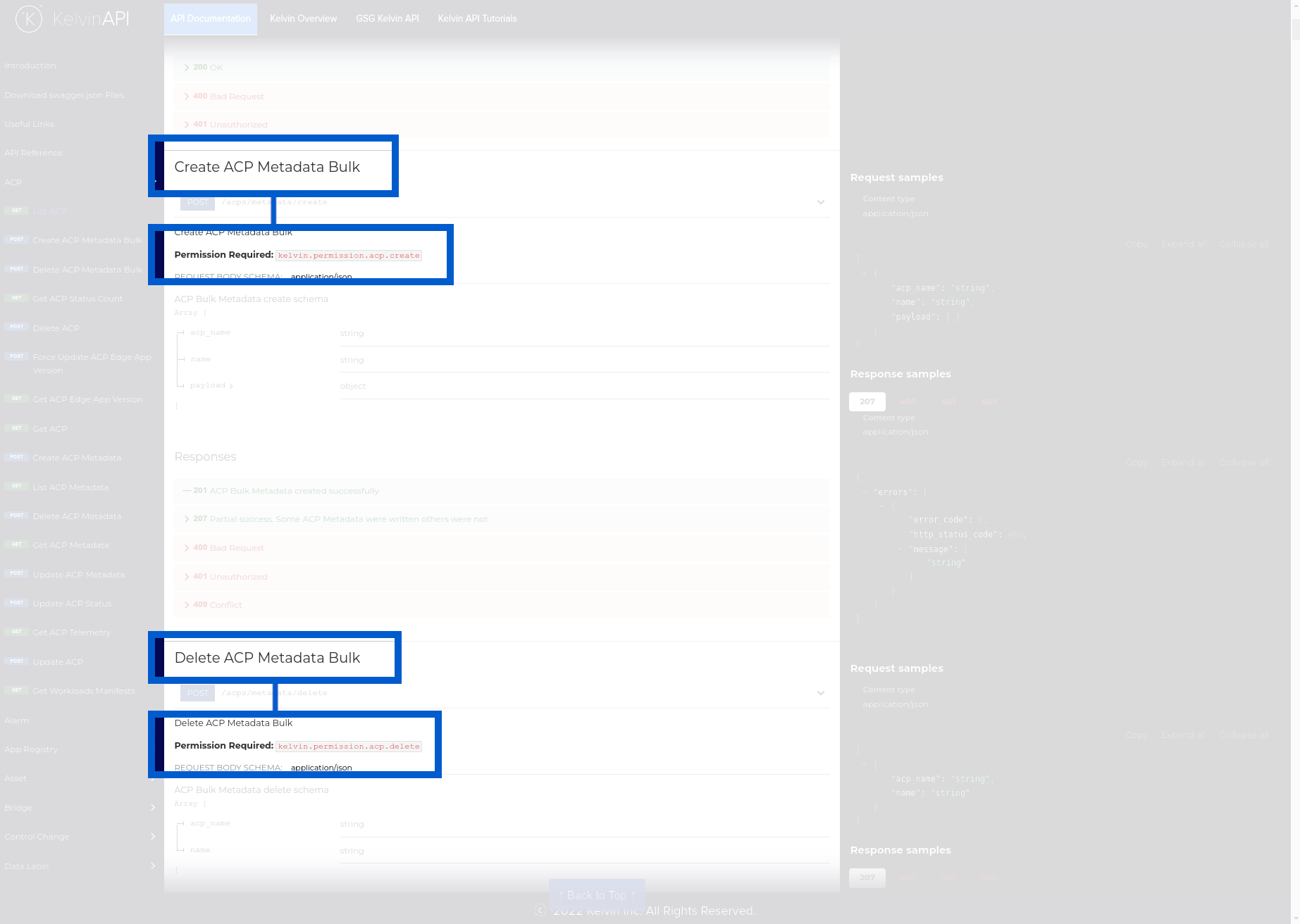
When looking at the Kelvin API Reference or in the swagger file you will see the Roles permission required for each API request.
As with all standard authentication systems, groups are easy ways to define a collection of Roles that can be quickly assigned to users.
When assigning Roles to a user, you can select one or more groups for the user. And if you need more granular control, you can also select individual Roles for the user to give them more access than normally allowed with the group.
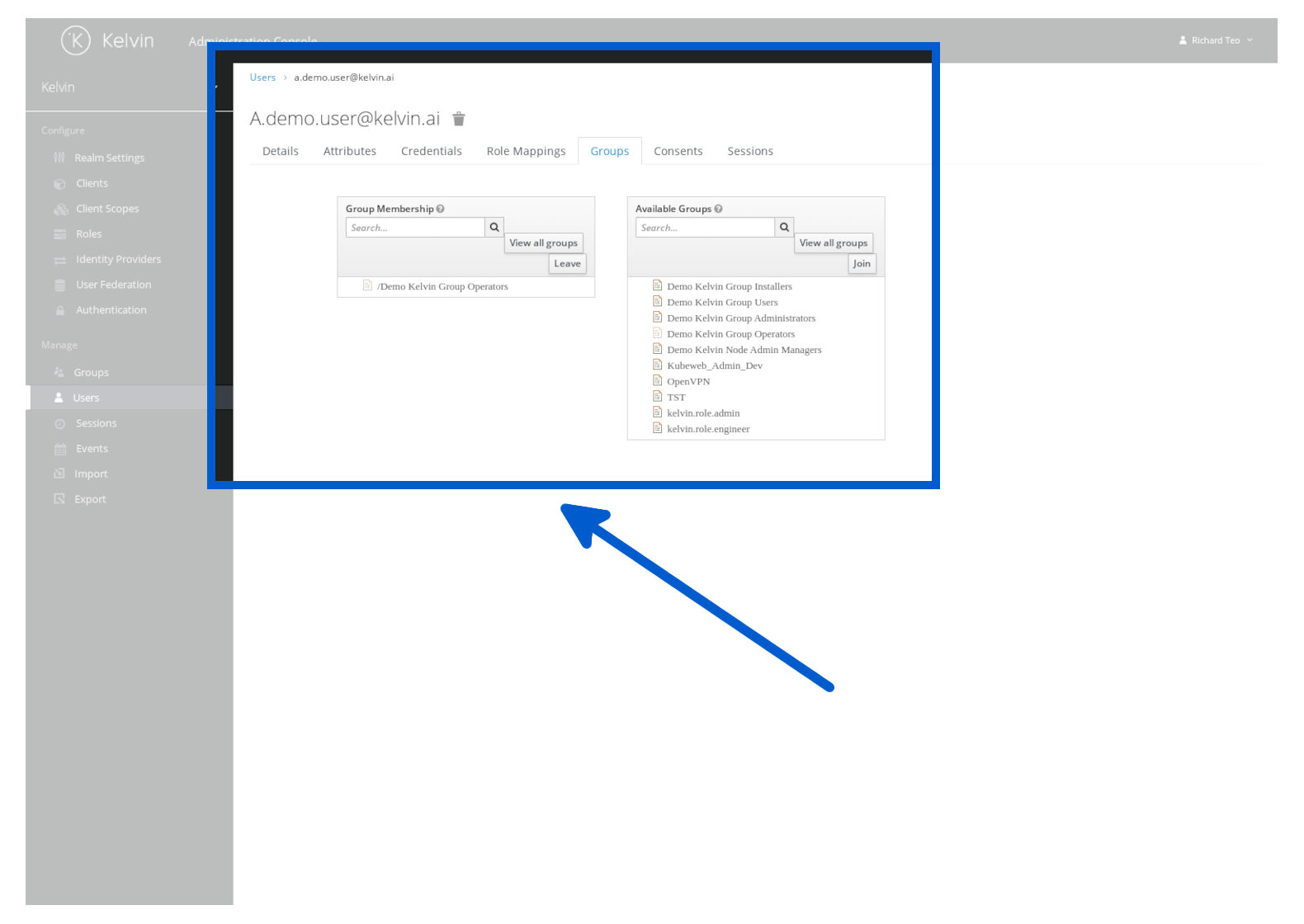
To add a user to a group, go to manage the user and click on the Groups tab.
Here you can see a full list of groups available and the groups the user is currently a member. Click on the relevant group name to Join or Leave.
You can make your own groups with a custom set of Roles. Check out our How To guide.
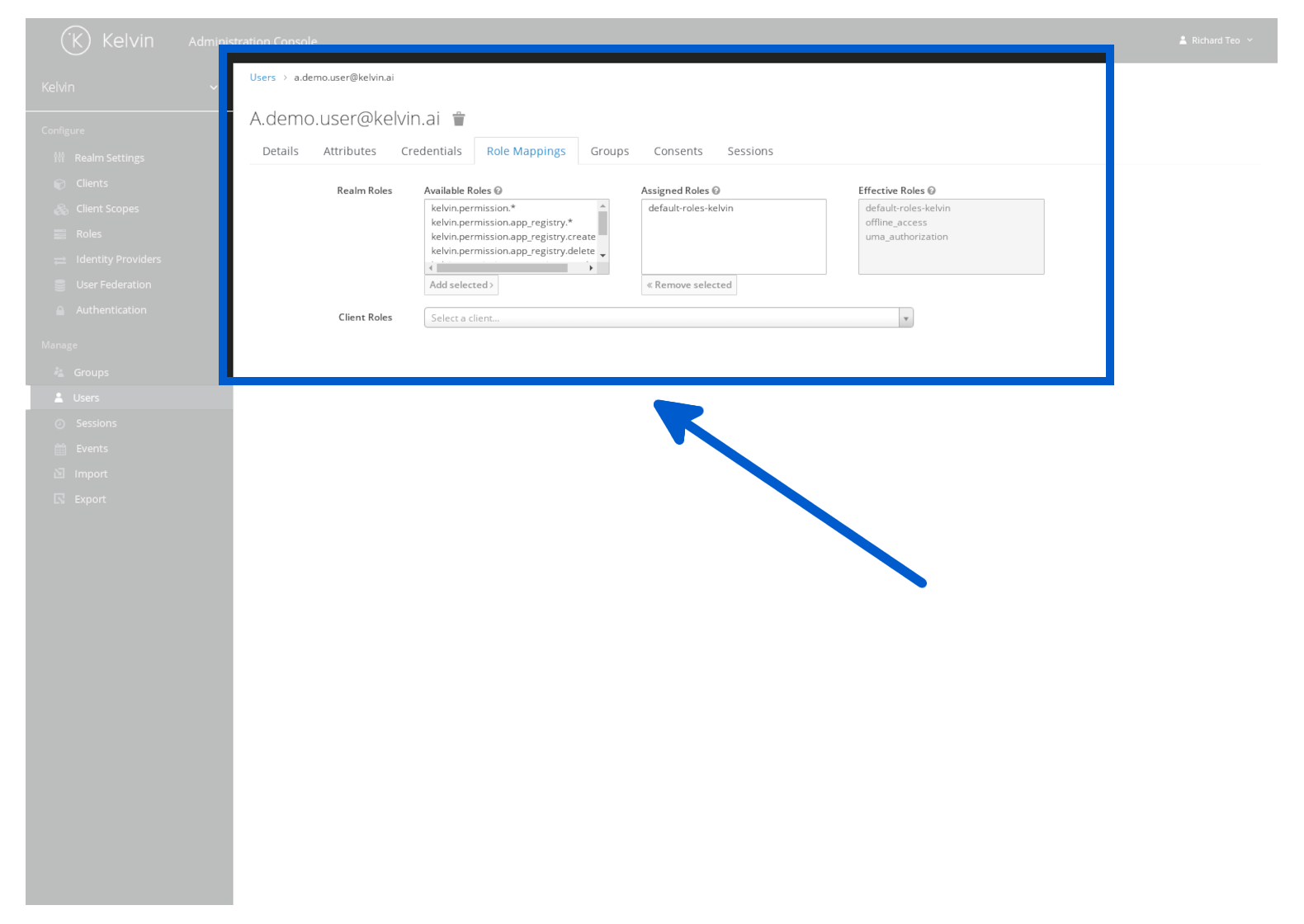
If the groups option does not give you enough granular control over the rights the user needs, then you can also assign individual Roles to a user. Go to manage the user and click on the Role Mappings tab.
Here you can see a full list of Roles available and the groups the user is currently a member. Click on the relevant group name to Join or Leave.