Guardrails
Overview
When values are written to assets, multiple mechanisms ensure that incorrect data values are blocked. These controls can be implemented in your program, configured directly within Application configuration files, or enforced through Guard Rails.
Guardrails serve as the final layer of validation, preventing any data from being written to asset/data stream pairs that fail to meet specified criteria.
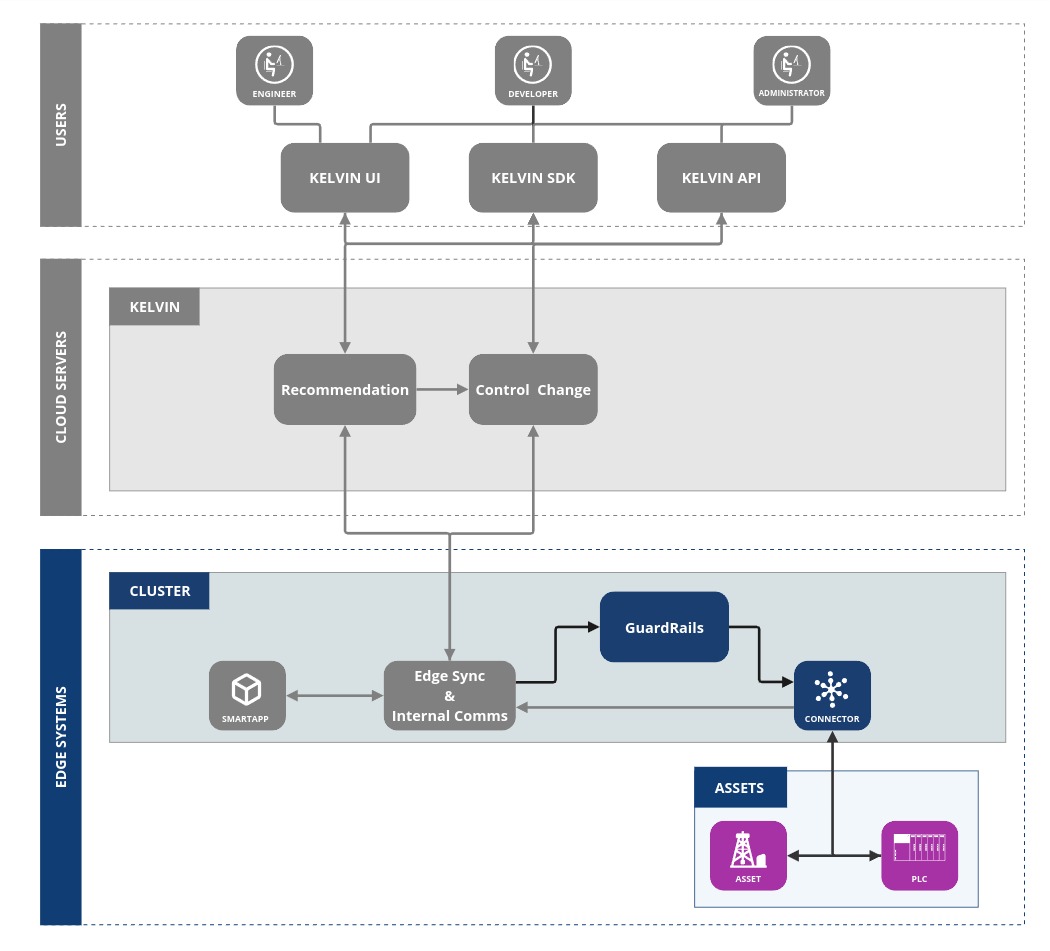
There are three types of Guardrails available;
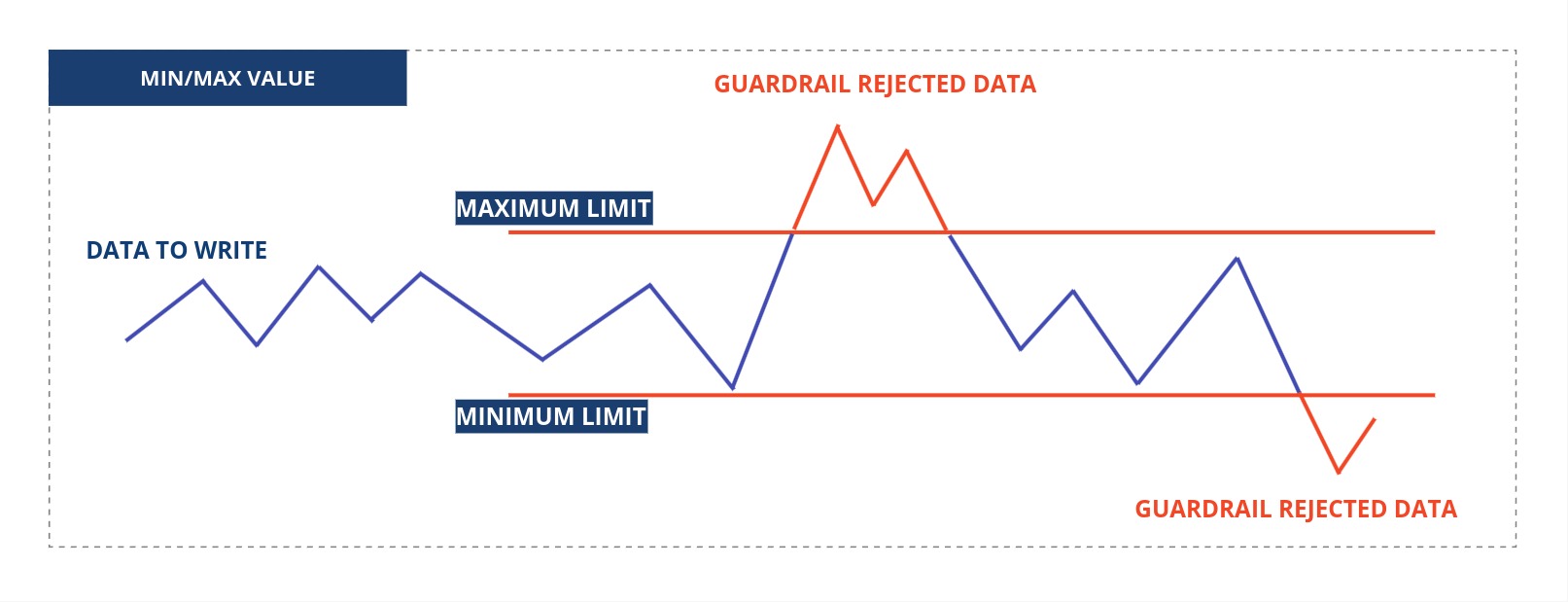
A minimum/maximum limits where values outside these limits will be rejected by the Guardrail and not sent or written to the Asset.
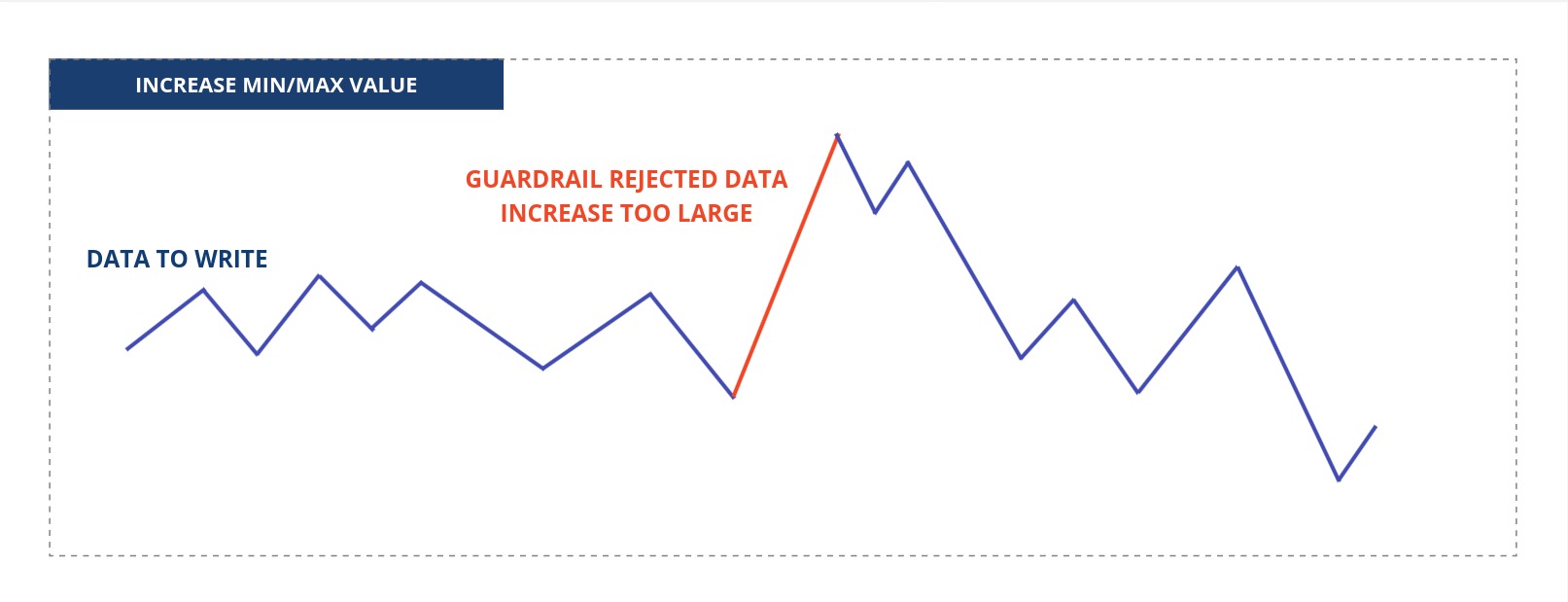
A minimum/maximum increase limits where the change from the current value to the new value is outside the limits will be rejected by the Guardrail and not sent or written to the Asset.
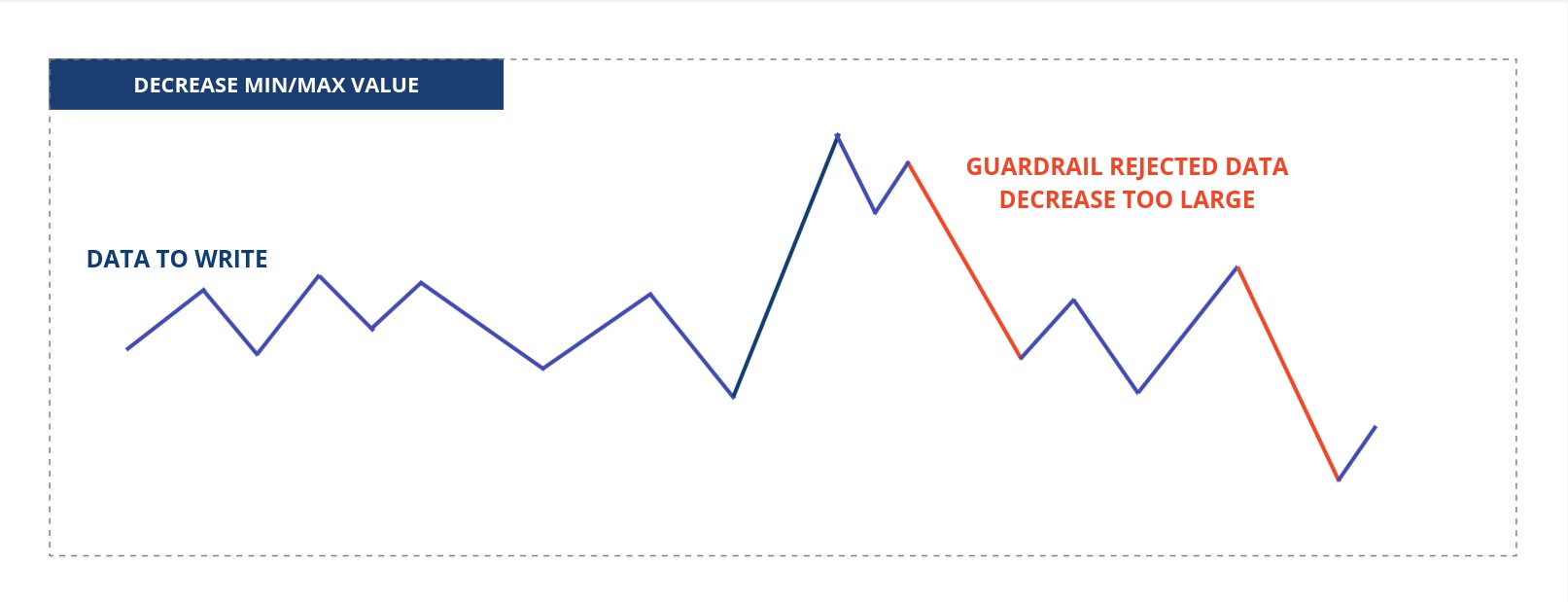
A minimum/maximum decrease limits where the change from the current value to the new value is outside the limits will be rejected by the Guardrail and not sent or written to the Asset.
Guardrail Actions
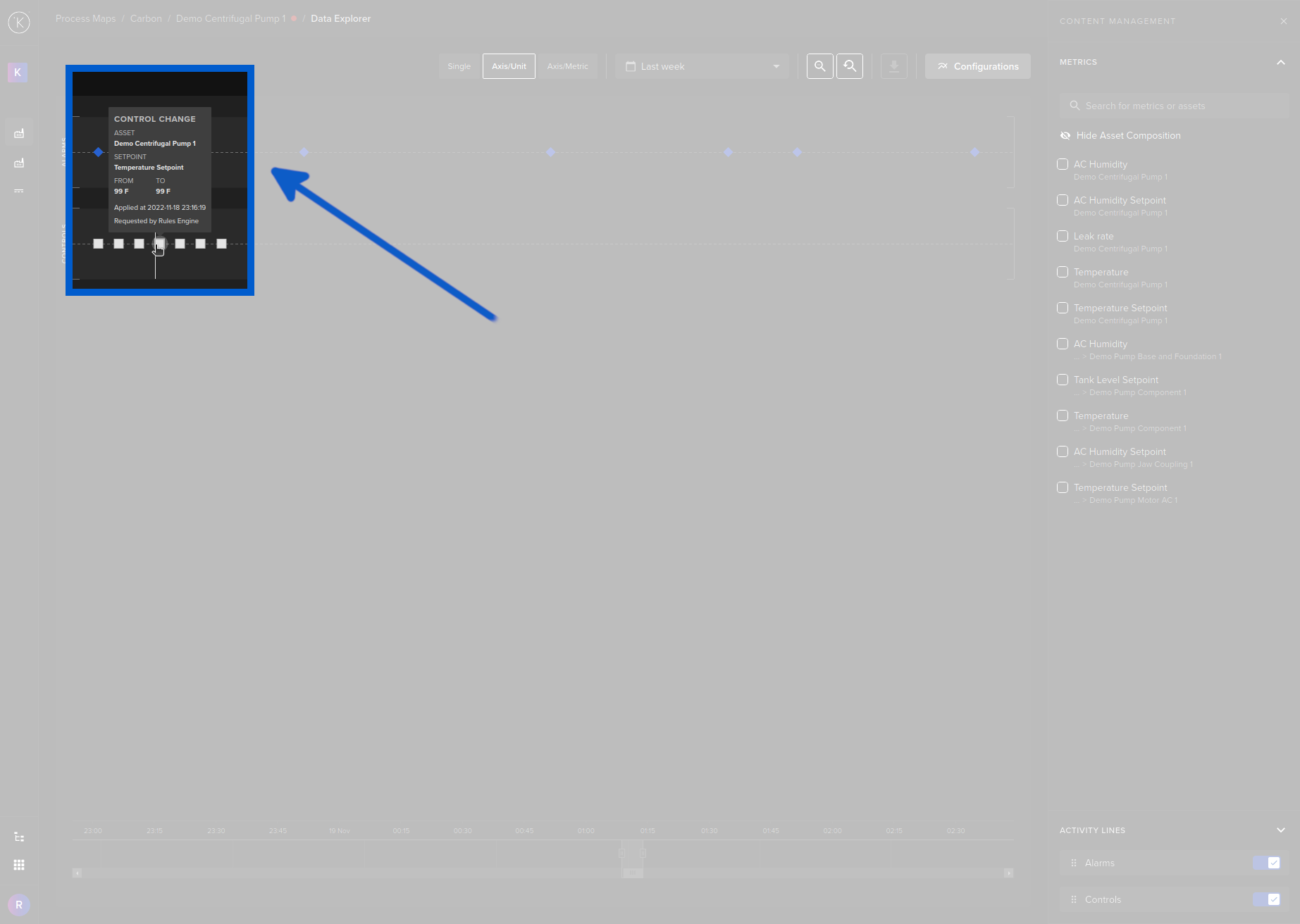
When a guardrail rule is breached, then the Control Change will automatically fail and an annotation will be added to the Control Change object.
The easiest way to see Control Change annotations is through the Data Explorer on the Control Change activity lane by hovering your mouse over an event.
Note
You can also use the Kelvin API or Kelvin API Client (Python) to compile Control Change failures and their annotations.