Logs telemetry cluster
Logs
Viewing Cluster Logs
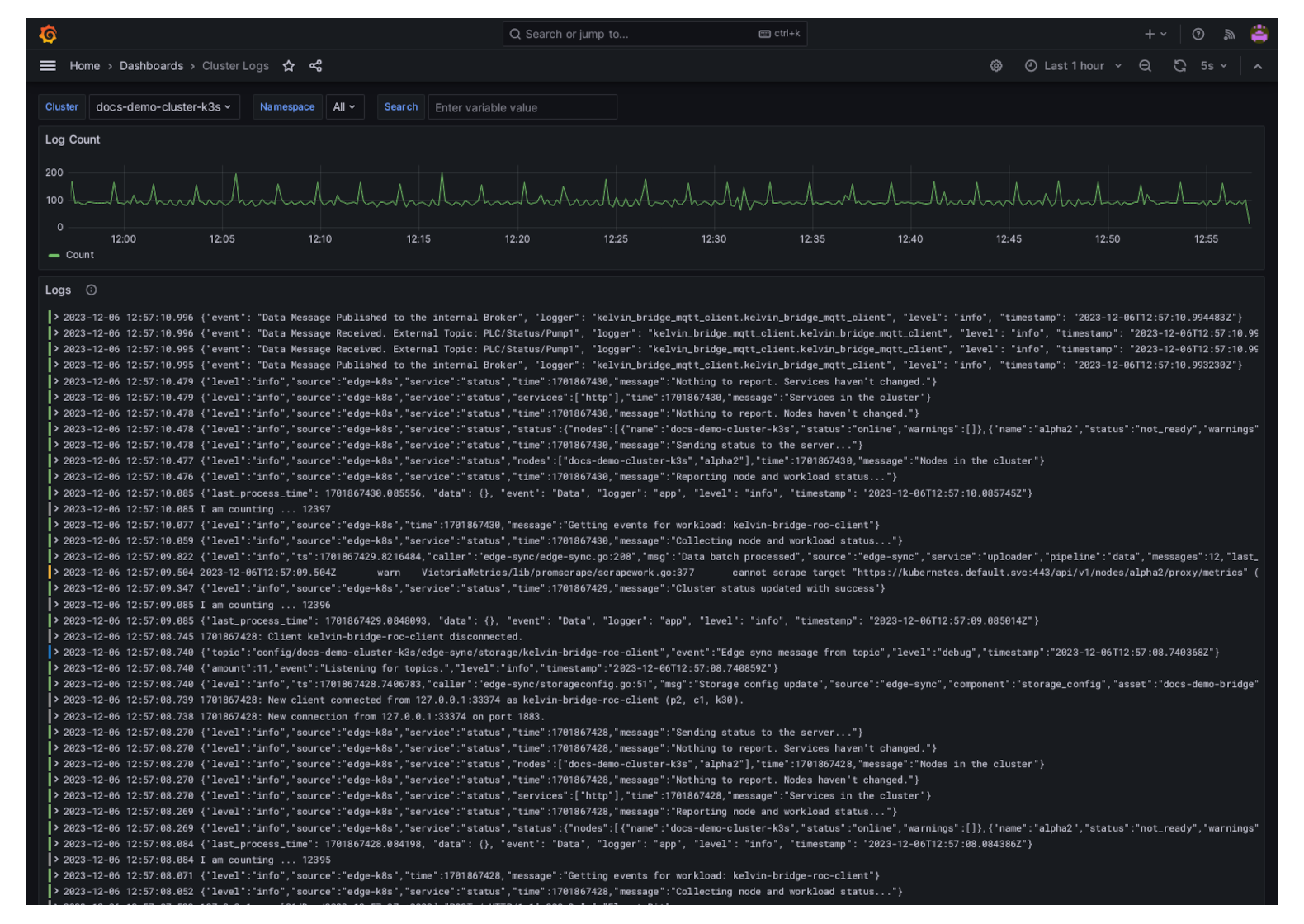
In the Kelvin UI you can view the logs of a Cluster and all the Workloads running on the Cluster.
Note
You can configure the Log options in the Configuration section of the Cluster.
Click here to read the full documentation.
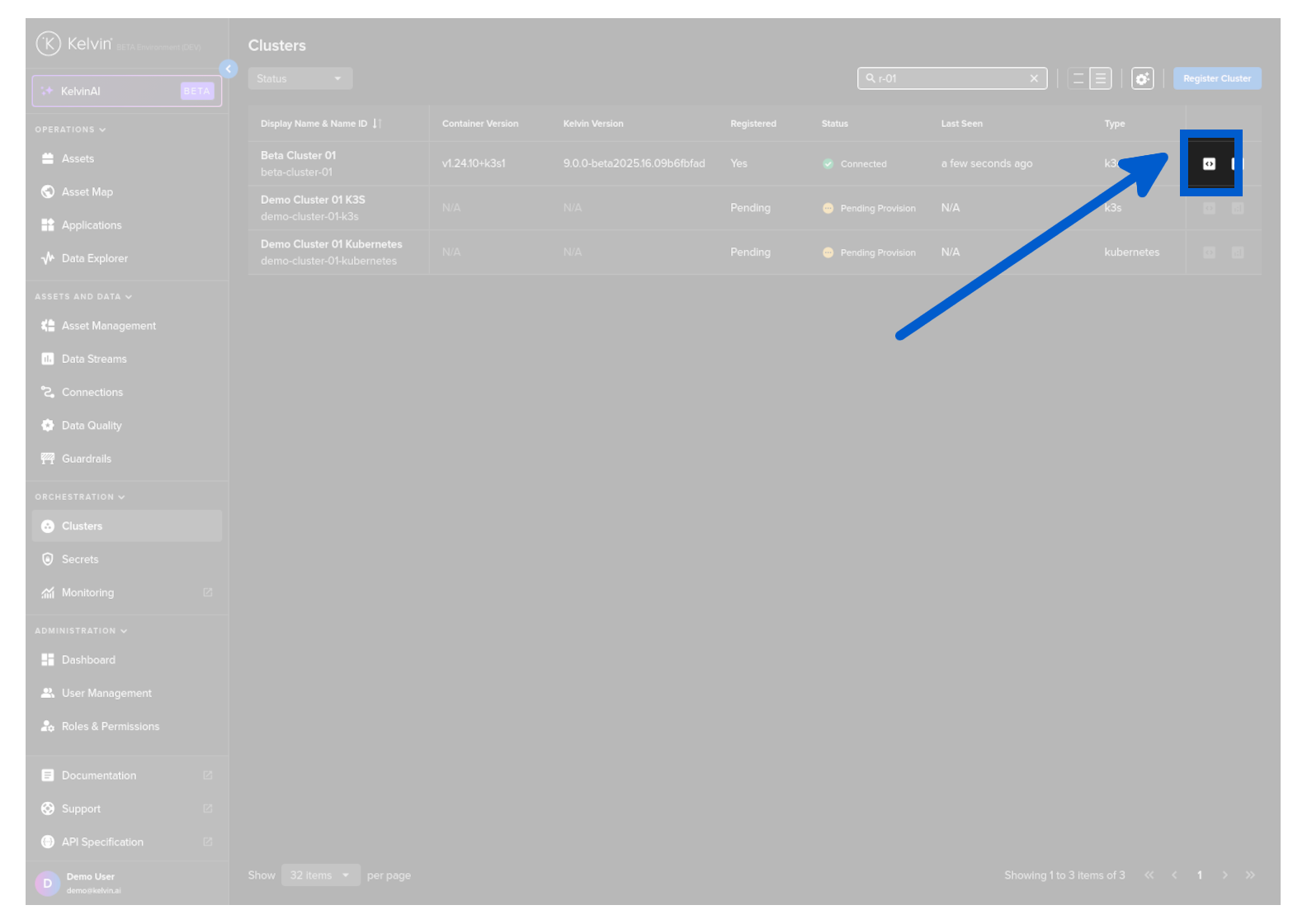
From Clusters menu find the Cluster row and click on the logs icon to the right hand side of the row.
And then you will see the logs being displayed in a Grafana environment.
Configuring Cluster Logs
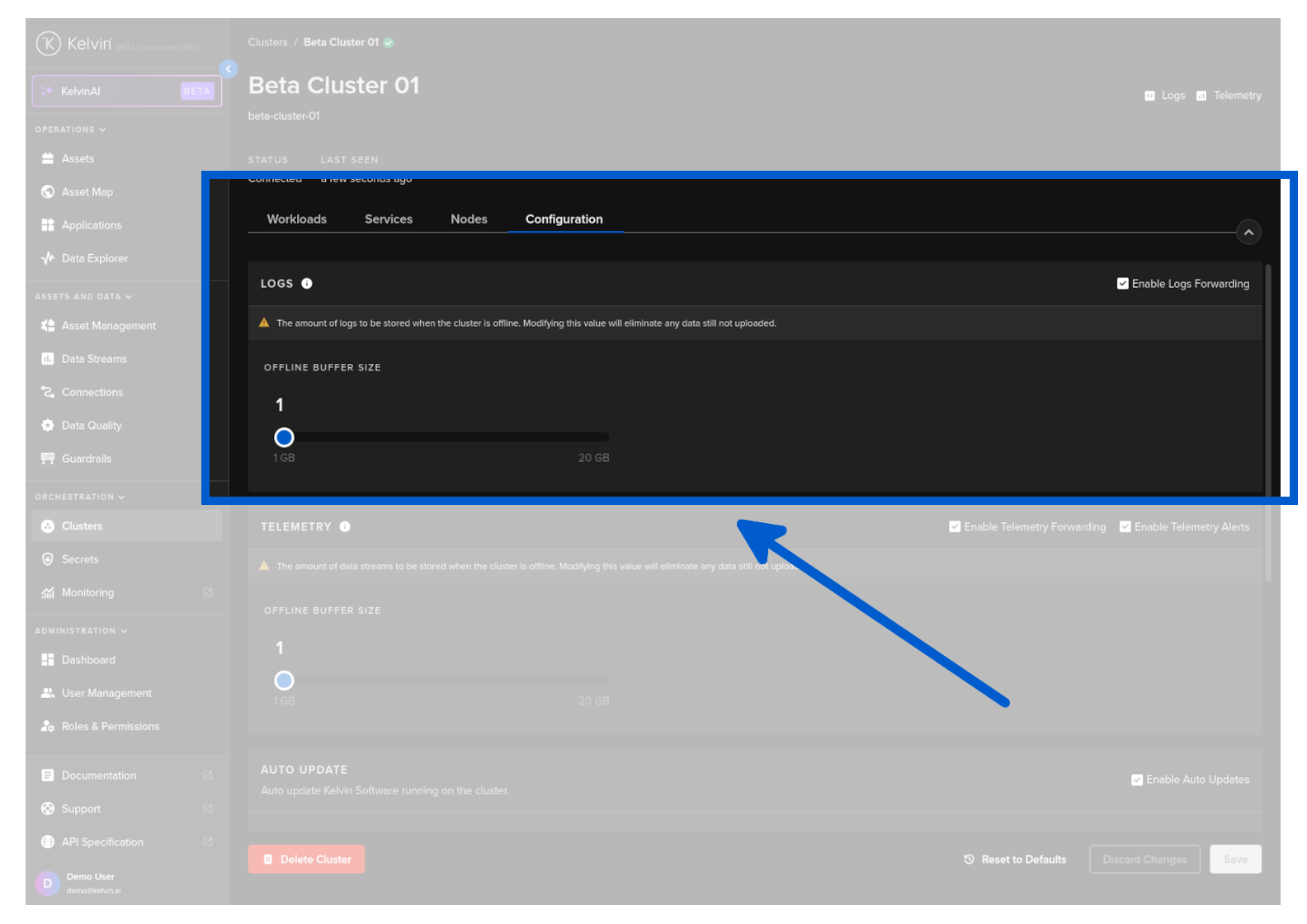
Enable Forwarding
This will enable the logs to be forwarded and saved in the Kelvin Platform.
These logs can then be seen in the Application Logs online.
Warning
If you disable this, then no logs will be sent to the Kelvin Platform from this Cluster and no logs will be seen in the Applications running on this Cluster.
An alert will show in the Application Logs if this setting is off.
Offline Retention
When the cluster is offline, the Clusters will continue to collect and buffer the log data and transmit it to the Kelvin when it reconnects.
From Cluster menu click on a single Cluster, then under the Configuration tab you can set the size of buffer for recording logs while the cluster is offline or not connected to the Kelvin.
Be careful when changing this setting as this will delete all current logs that are currently in the buffer waiting to be loaded to the Kelvin.
Telemetry
Viewing Cluster Telemetry
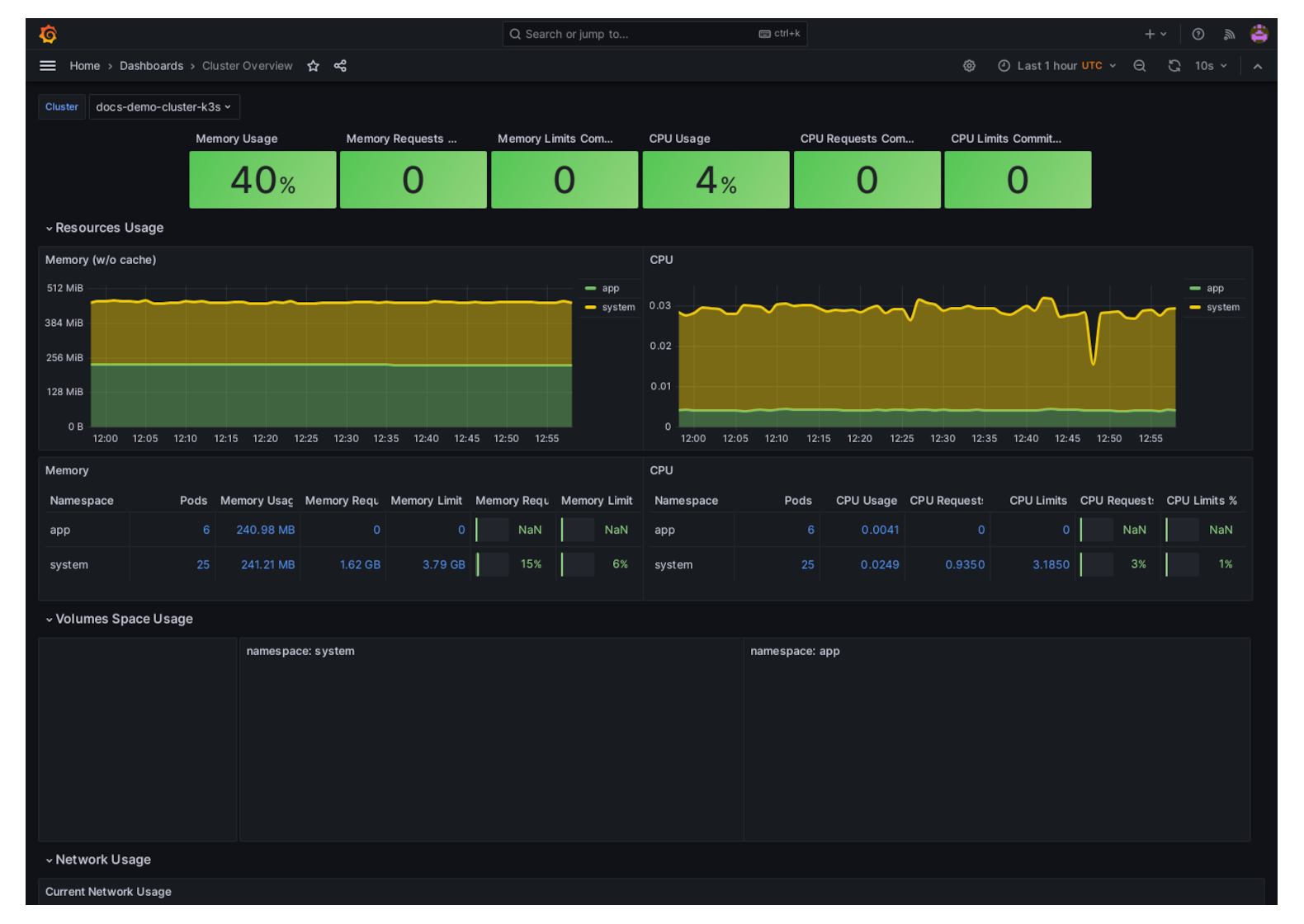
In the Kelvin UI you can view the Telemetry of the Cluster. It will show you the resources used on the hardware or in the case of a Virtual Machine, the resources the VM is using.
Note
You can configure the Telemetry options in the Configuration section of the Cluster.
Click here to read the full documentation.
From Clusters menu find the Cluster row and click on the telemetry icon to the right hand side of the row.
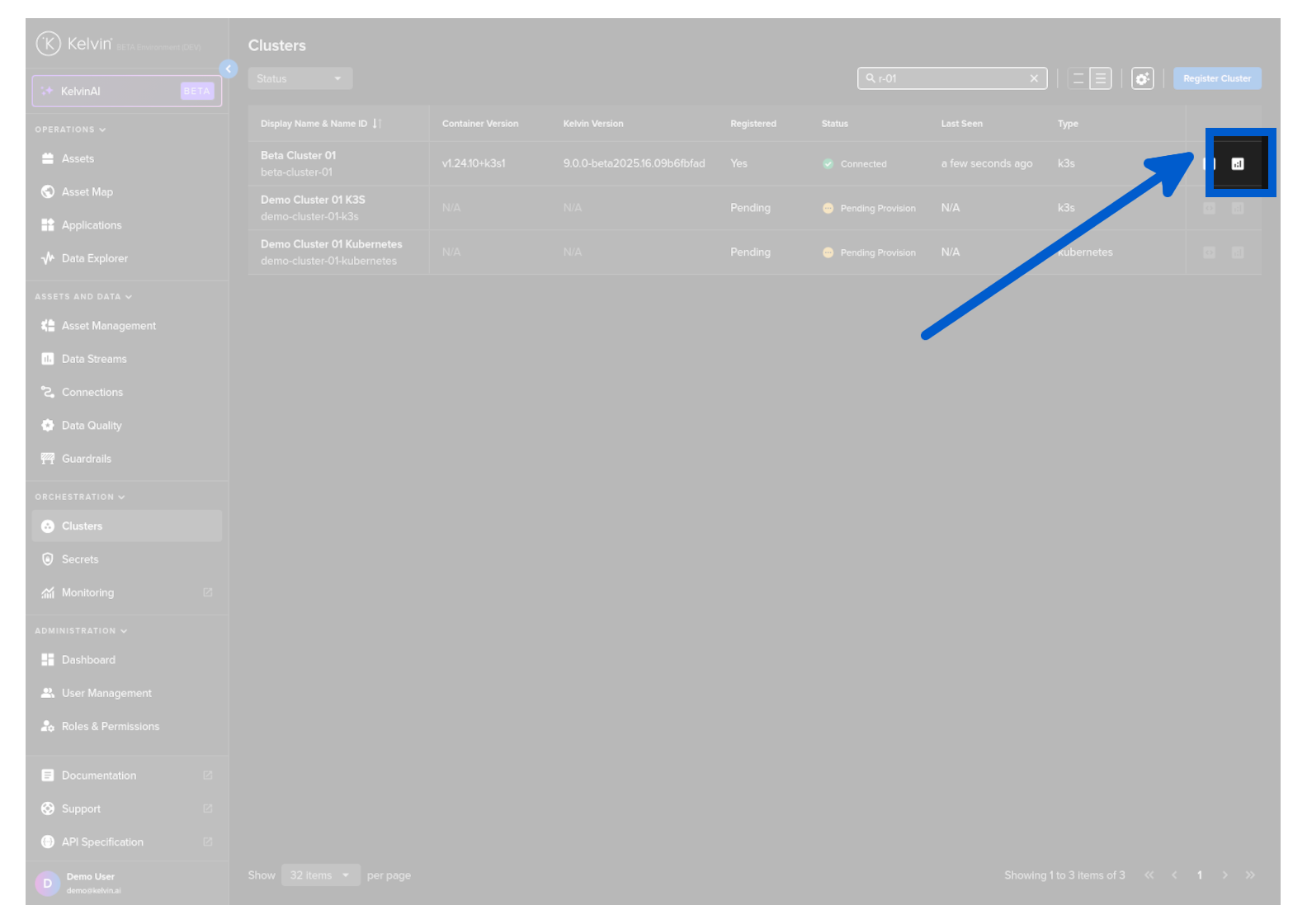
And then you will see the telemetry being displayed in a Grafana environment.
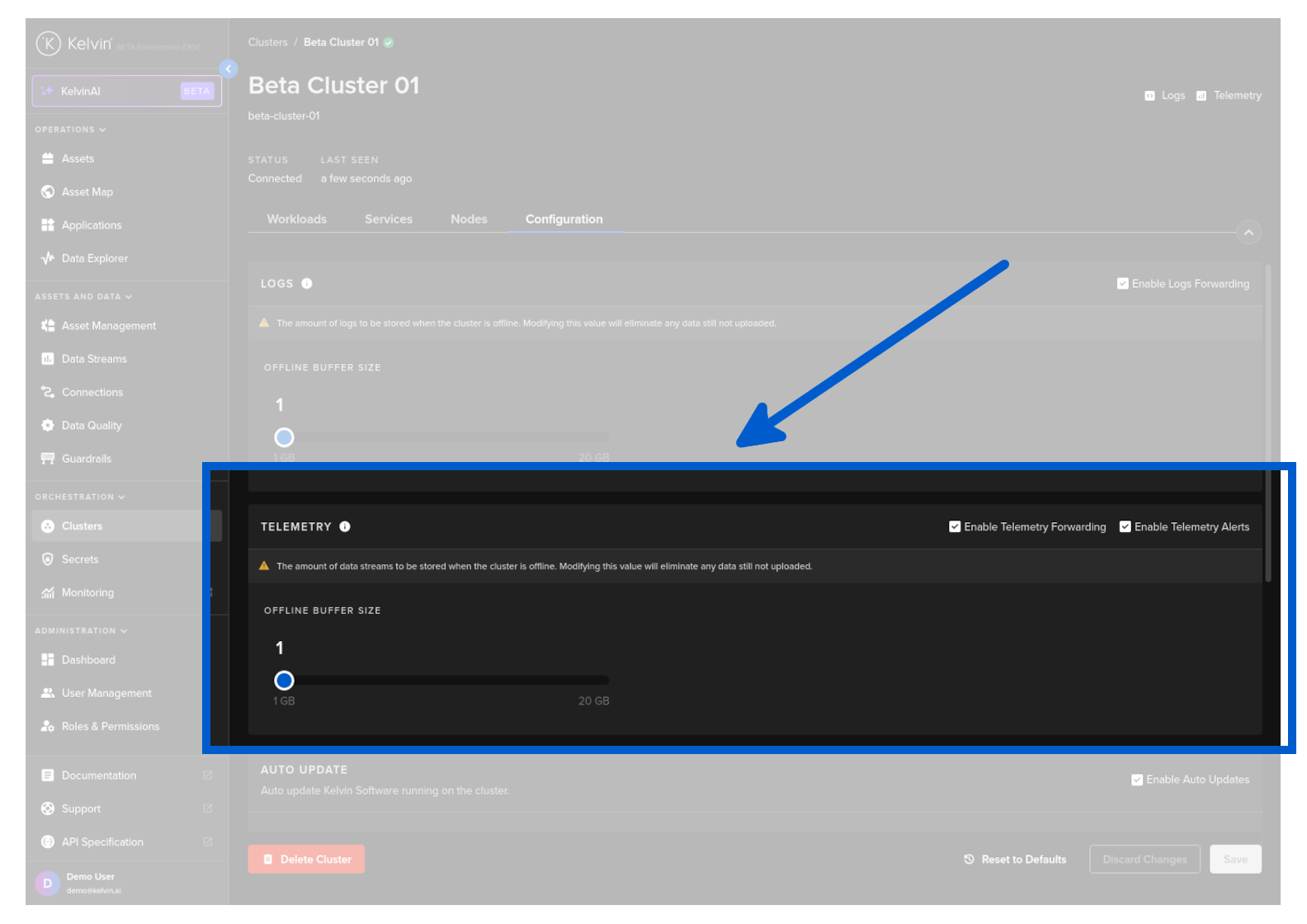
Configuring Cluster Telemetry
Enable Forwarding/Alerts
This will enable the telemetry logs and alerts to be forwarded and saved in the Kelvin Platform.
These logs can then be seen in the Application Telemetry online.
Warning
If you disable this, then no logs will be sent to the Kelvin Platform from this Cluster and no logs will be seen in the Applications running on this Cluster.
An alert will show in the Application Telemetry if this setting is off.
Offline Retention
When the cluster is offline, the Clusters will continue to collect and buffer the telemetry data and transmit it to the Kelvin when it reconnects.
From Cluster menu click on a single Cluster, then under the Configuration tab you can adjust the settings for the telemetry buffer size and recording interval while the cluster is not connected to the Kelvin.
Be careful when changing this setting as this will delete all current logs that are currently in the buffer waiting to be loaded to the Kelvin.