Smartapp details tab assets remove asset
Remove Assets from Your Application
Assets can be removed from your Applications individually or in bulk.
Remove Individually
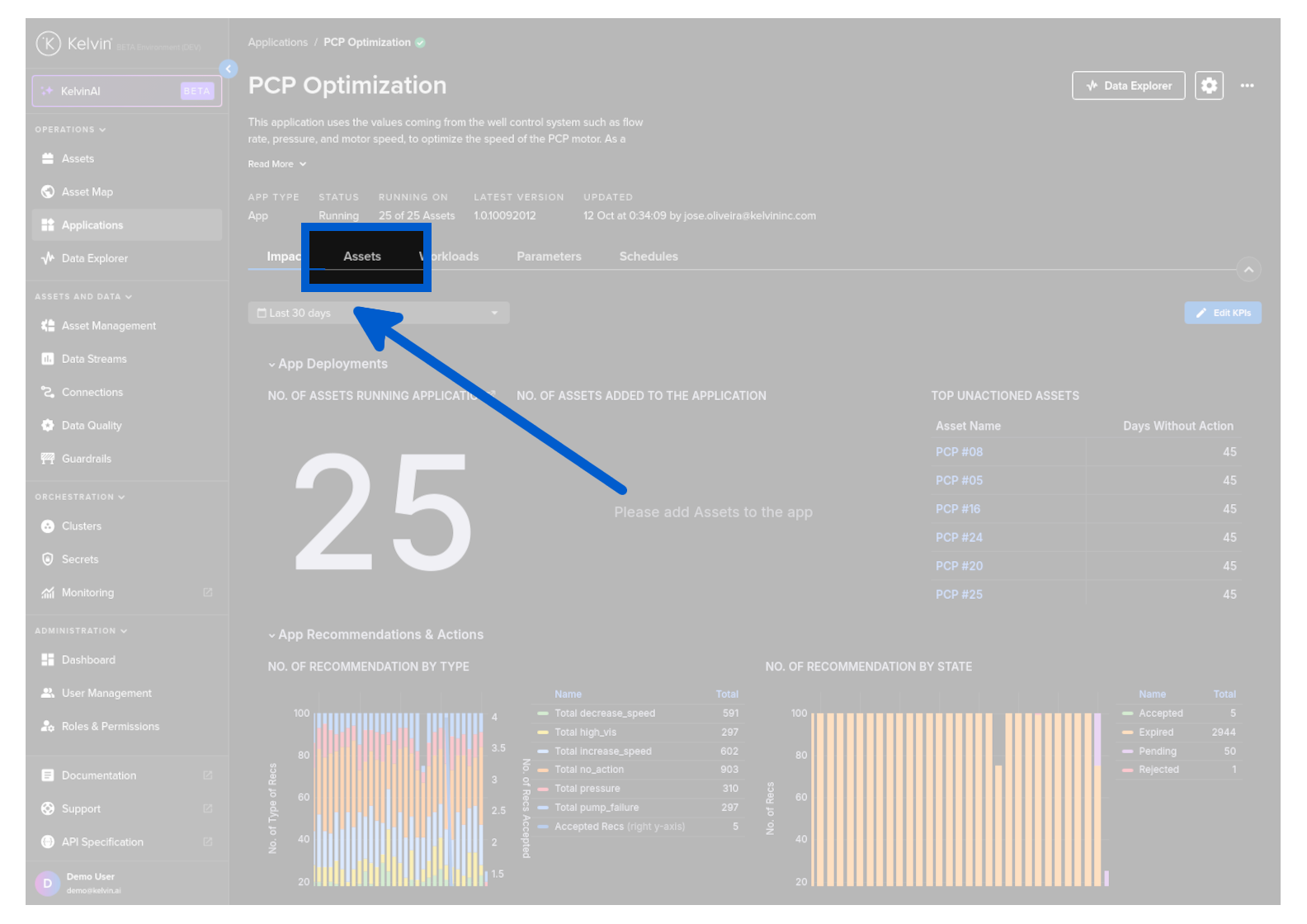
To start go to the Application details page and click on the Assets tab.
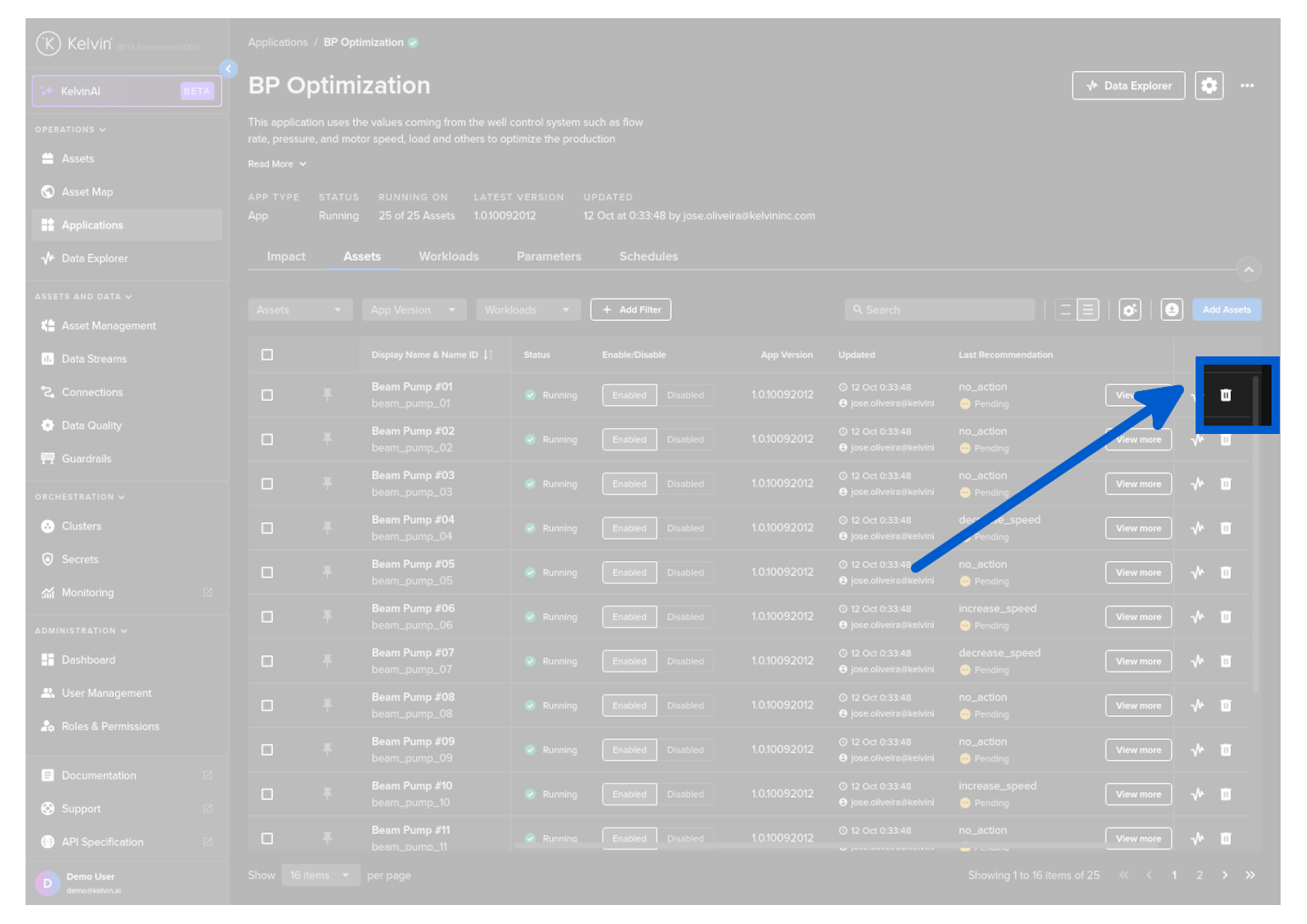
Find the Asset you want to remove, then click on the Remove icon on the far right hand side in the same row as the Asset Name.
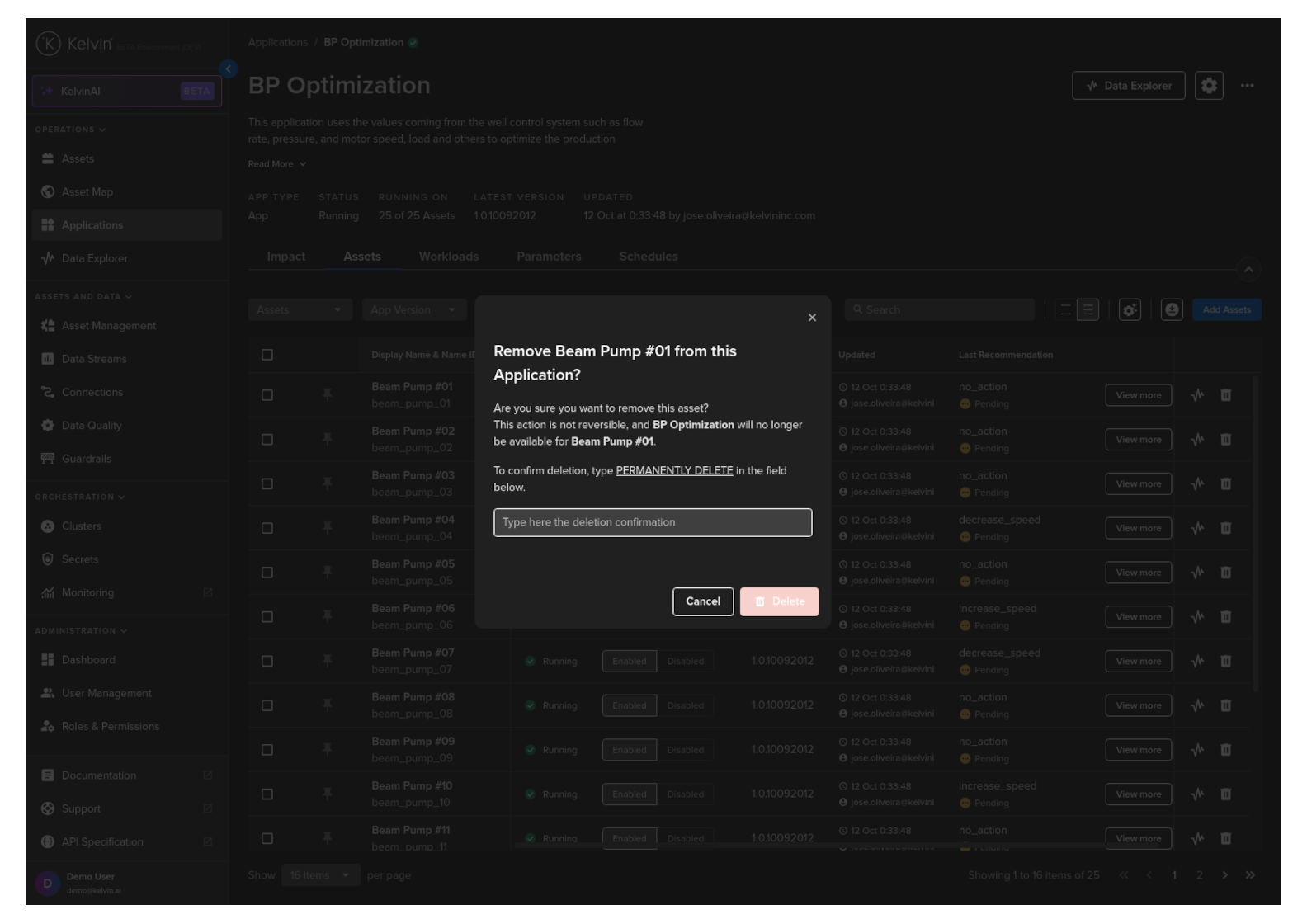
A popup will appear to confirm the remove action. Type PERMANENTLY DELETE to confirm.
The Assets will now be removed from the Application.
Success
You have now successfully deleted Assets from an Application !
Remove in Bulk
To start go to the Application details page and click on the Assets tab.
Use the check boxes on the left side of each row in the Asset list to select all the Assets you want to remove.
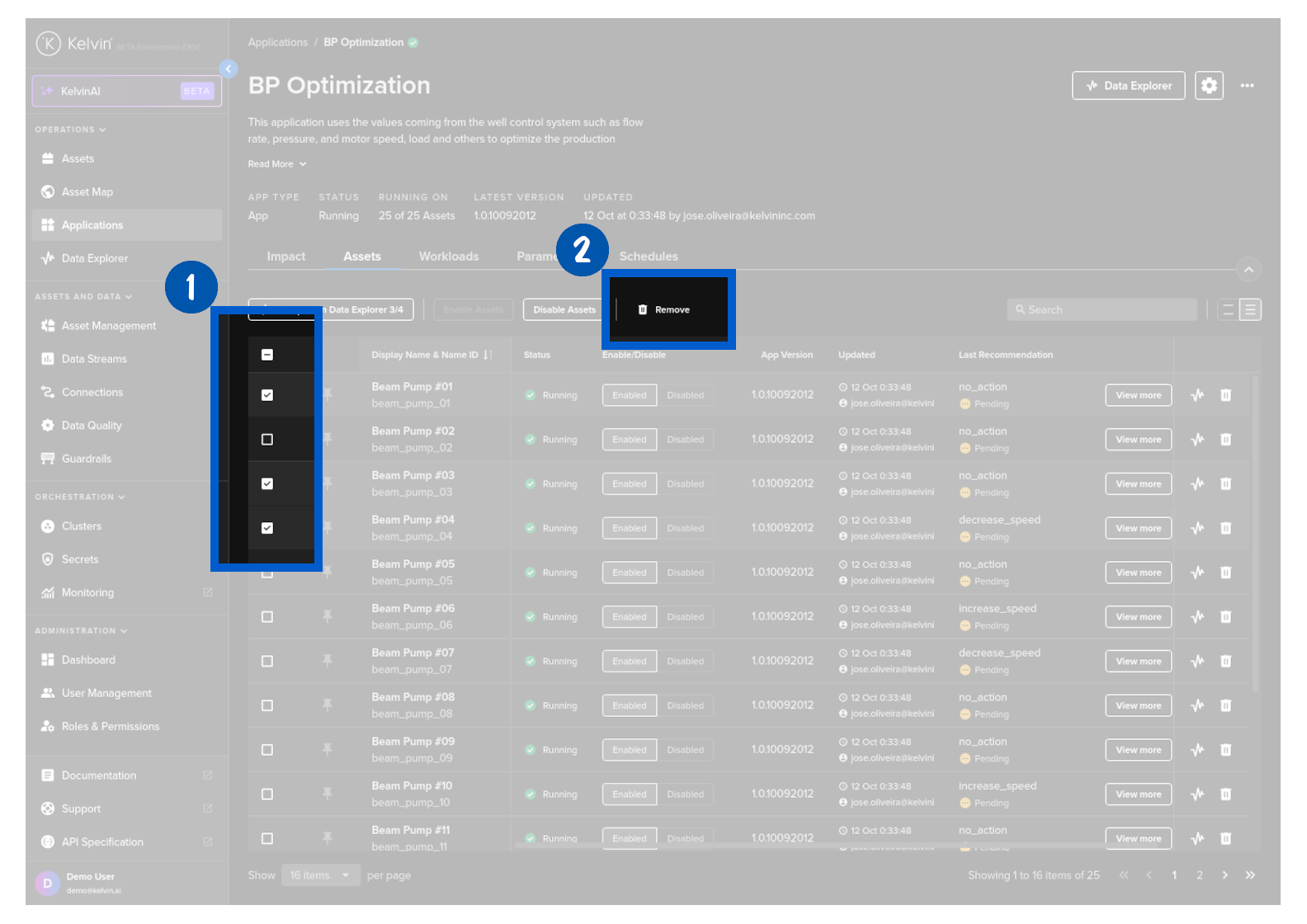
Click the Remove button.
A popup will appear to confirm the remove action. Type PERMANENTLY DELETE to confirm.
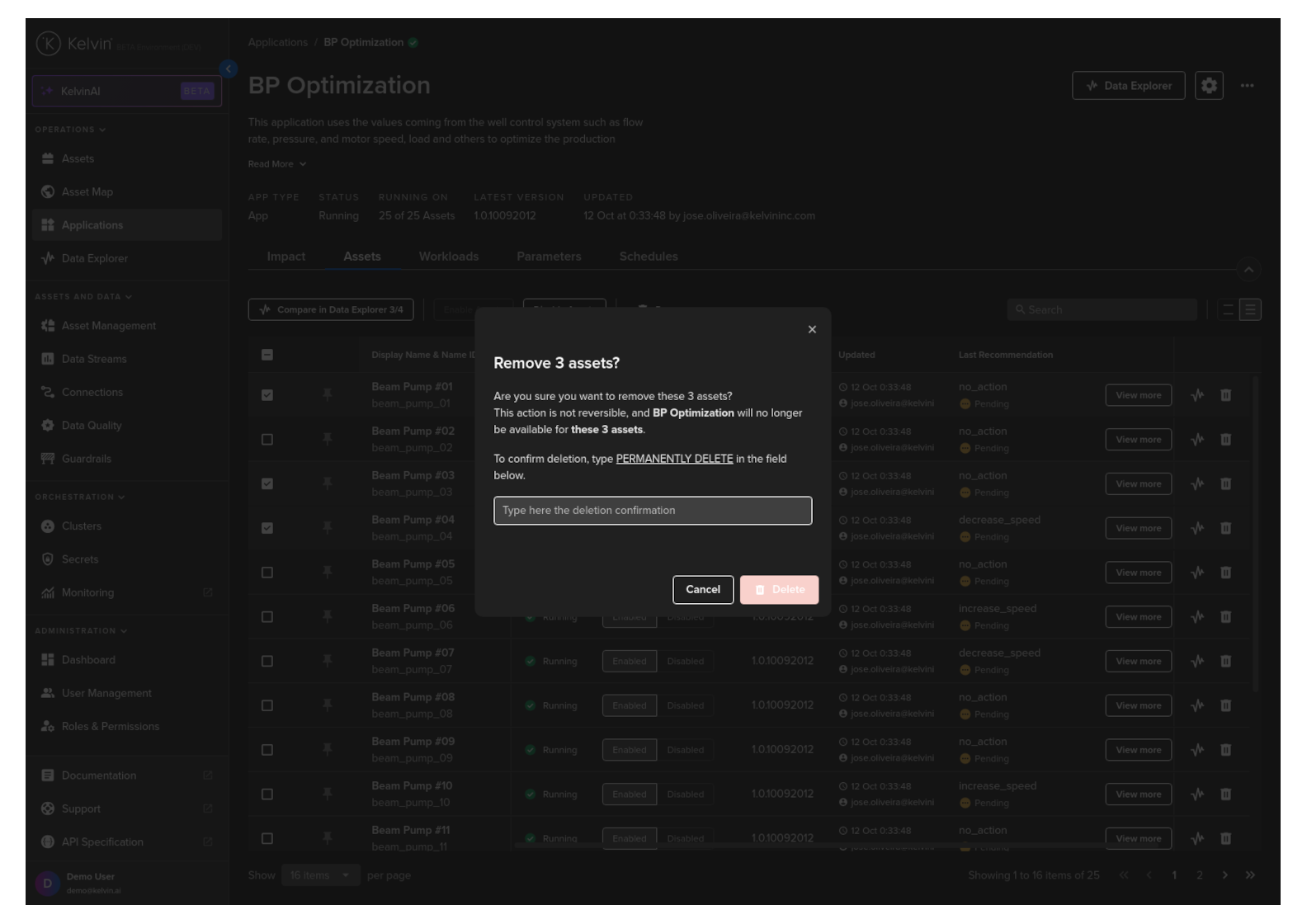
The Assets will now be removed from the Application.
Success
You have now successfully deleted Assets from an Application !