Engines
On this page you will learn about the Engines section of Kelvin and the components that make up the intelligence layer of the platform.
What are Engines?
Engines is the intelligence layer of the Kelvin Platform. It is where operational data becomes decisions, automated actions, and intelligent responses.
While the rest of the platform handles connectivity, data storage, and management, Engines is where all the action happens. It contains the components that monitor data, apply intelligence, execute programs, and enforce safety boundaries before anything is written back to your assets.
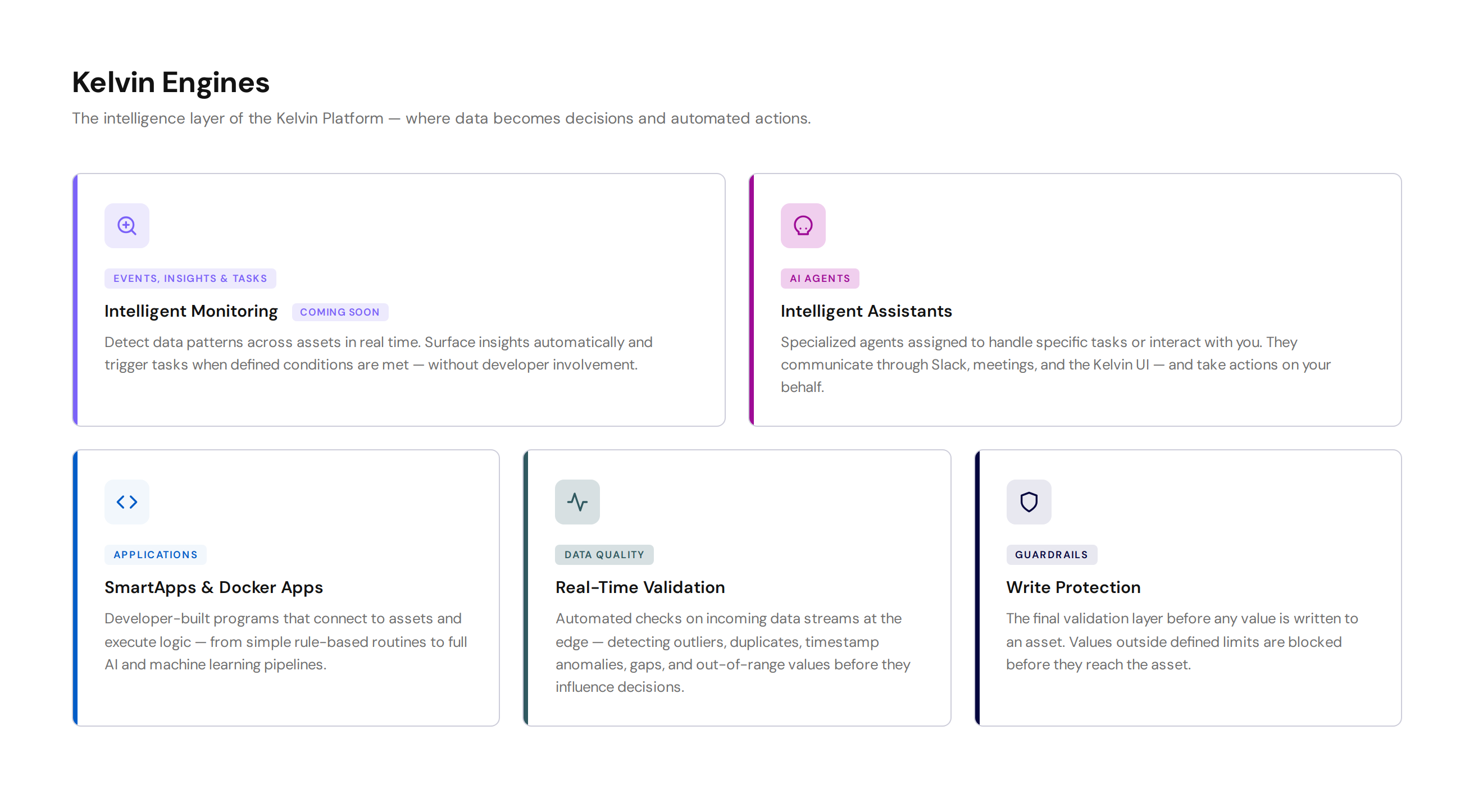
Engines is made up of five components:
- Events, Insights and Tasks — intelligent monitoring and automated task creation based on data patterns
- AI Agents — intelligent assistants that interact with users and take actions on their behalf
- Applications — developer-built programs that connect to assets and execute logic
- Data Quality — automated validation of incoming data streams at the edge
- Guardrails — the final validation layer before any value is written to an asset
Events, Insights and Tasks
This feature is coming soon.
Events, Insights and Tasks brings intelligent monitoring to operations without requiring developer involvement.
Operations can define conditions to watch for across one or more assets. When a data pattern matches a defined condition, the platform surfaces it as an Insight and can automatically create a Task to handle it.
This allows patterns detected on one asset to be applied across an entire fleet — detecting the same condition simultaneously across hundreds of assets and triggering the appropriate response for each.
AI Agents
AI Agents are specialized assistants assigned to handle specific tasks or interact with users directly.
Unlike general-purpose AI, each agent in Kelvin is purpose-built. Agents can:
- Communicate through Slack, Microsoft Teams, email, or any connected messaging platform
- Join meetings and respond to queries about asset data and platform status
- Take actions within the Kelvin Platform on the user's behalf — such as approving recommendations, adjusting parameters, or retrieving data
Kelvin uses specialized agents to enhance response accuracy and reduce common hallucination issues found in typical LLM architectures.
Agents are configured to operate within defined boundaries. They act only on what they are authorized to do, keeping operations teams in control.
Applications
Applications are programs developed by engineers and data scientists that connect to assets, process data, and execute logic at the edge.
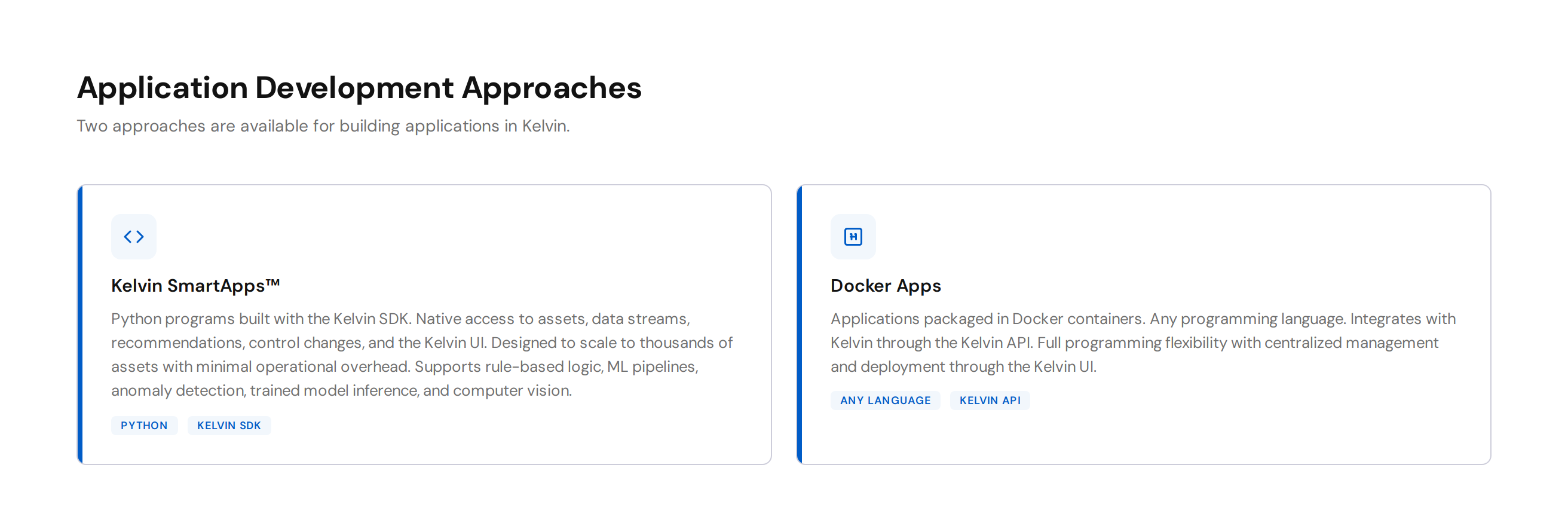
Two development approaches are available:
Applications are Python programs built with the Kelvin SDK. The SDK provides tight integration with the platform — assets, data streams, recommendations, control changes, and the Kelvin UI are all natively accessible without requiring low-level API work. Applications are designed to scale. A single Application™ can be deployed to hundreds or thousands of assets simultaneously. Operations Engineers manage deployments through the Kelvin UI without any knowledge of the underlying infrastructure.
Applications can implement anything from simple rule-based logic to full machine learning pipelines, anomaly detection, trained model inference, and computer vision.
For more details, see Applications.
Docker Apps are applications packaged using the standard Docker build process. They can be built in any programming language and integrate with Kelvin through the Kelvin API. Docker Apps offer full programming flexibility while retaining centralized management and deployment through the Kelvin UI.
For more details, see Docker Apps.
Applications and Docker Apps can also be used to build custom Connectors for unique or uncommon protocols. In that case they are classified as a Connection, not an Application. See Connectors.
Data Quality
Data Quality provides automated validation of incoming data streams at the edge, in real time. Validations run on Asset / Data Stream pairs and the results are available immediately to any Application subscribed to them.
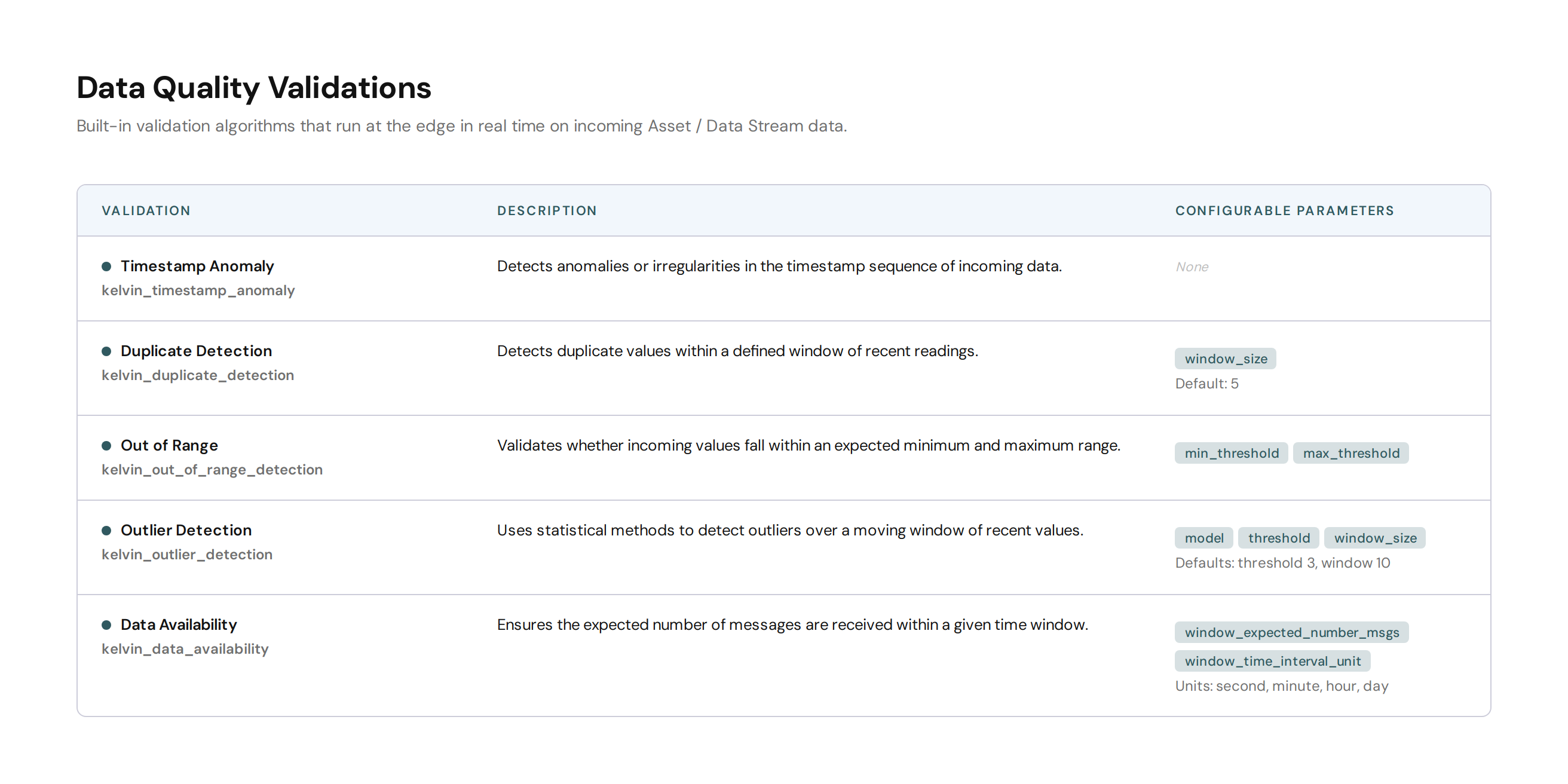
Data Quality must first be registered. Once registered, the selected validation algorithms monitor the incoming data and output results. Some validations output regular reports. Others only report when a problem is detected.
Available Validations
| Validation | Description |
|---|---|
kelvin_timestamp_anomaly |
Detects anomalies or irregularities in the timestamp sequence |
kelvin_stale_detection |
Detects when a Data Stream value has not changed over a configurable time window |
kelvin_out_of_range_detection |
Validates whether values fall within an expected range |
kelvin_outlier_detection |
Uses statistical methods to detect outliers over a moving window |
kelvin_data_availability |
Ensures expected number of messages are received in a given time window |
Applications subscribe selected Data Streams to run specific validations and receive results in real time. Custom Data Quality Applications can also be developed to produce bespoke validation outputs.
For more details, see Data Quality.
Guardrails
Guardrails are the final validation layer before any value is written to an asset. They operate independently of application logic and cannot be bypassed by a program.
When a Control Change is initiated — whether from an Application™, the Kelvin UI, or the API — Kelvin evaluates it against the configured Guardrail rules for that Asset / Data Stream pair before passing it to the Connection. If the value fails any rule, the Control Change is automatically rejected and annotated with the reason.
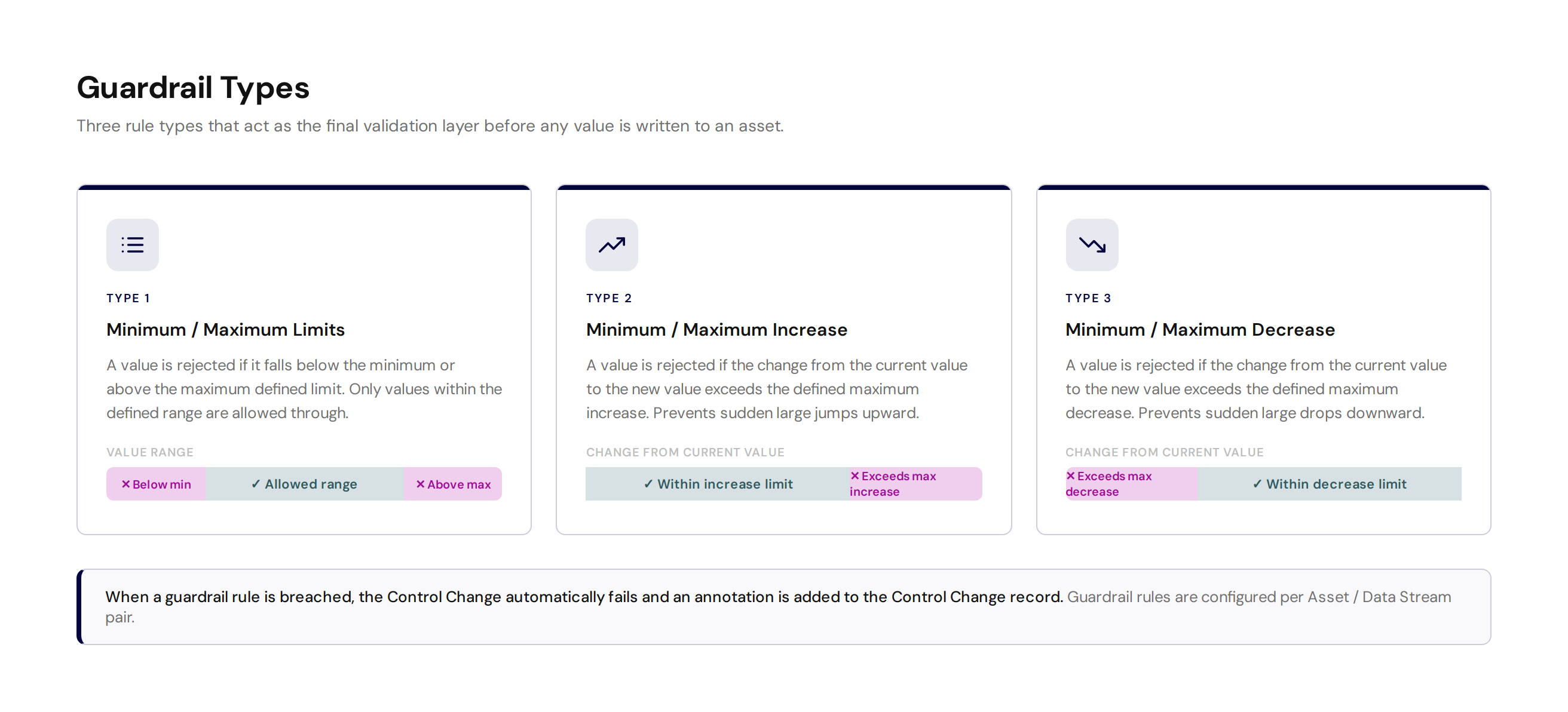
Three Guardrail types are available:
Minimum / Maximum Limits
Rejects any value that falls below the defined minimum or above the defined maximum. Only values within the specified range are allowed through.
Minimum / Maximum Increase
Rejects any change where the new value is more than the defined maximum above the current value. Prevents sudden large jumps upward.
Minimum / Maximum Decrease
Rejects any change where the new value is more than the defined maximum below the current value. Prevents sudden large drops downward.
Note
When a Guardrail rule is breached, the Control Change automatically fails and an annotation is added to the Control Change record. Annotations can be viewed in the Data Explorer or retrieved via the Kelvin API.
For more details, see Guardrails.