Create guardrail
When setting up the Kelvin Platform, one of the initial tasks is to install an edge computer and establish two-way data transfer with your Assets.
Guardrails is a safety feature designed to prevent sending erroneous data to your Assets, whether through the API, the Kelvin UI, or automatically via a Application. It acts as a final safeguard, overriding any data write decisions made by Operations or programs.
Reference:
| Field | Option | Description |
|---|---|---|
| Control | Enabled/Disabled or true/false | This enables or disables the guardrail |
| Min/Max Value | Number | Number |
| Increase Min/Max Value | Number | The minimum or maximum value increase change allowed from the current value for the asset / data stream pair |
| Decrease Min/Max Value | Number | The minimum or maximum value decrease change allowed from the current value for the asset / data stream pair |
In this brief demo you can see the basic method;
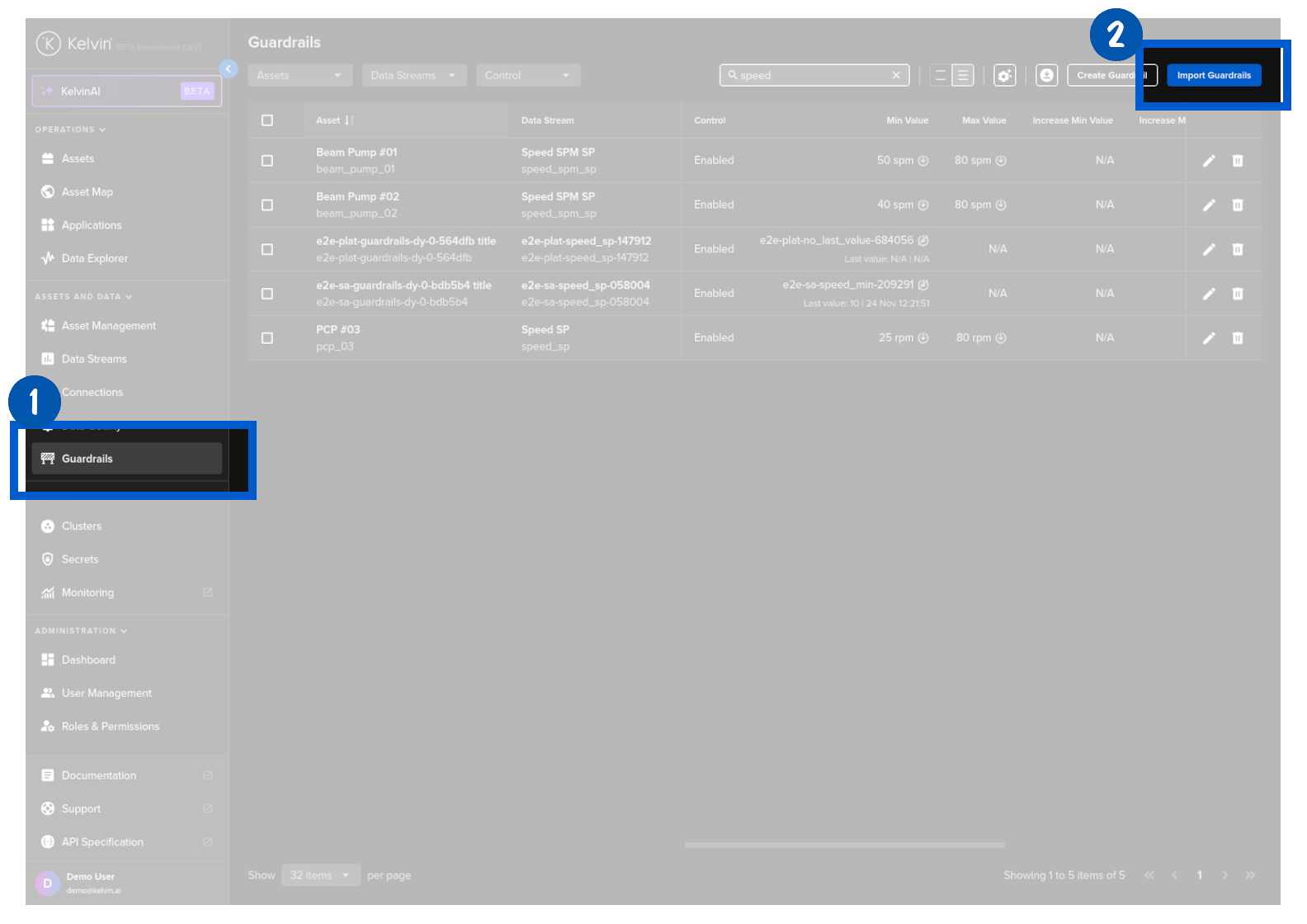
To start, click on Guardrails in the Contextualization section of the left side bar and click on the Create Guardrail button.
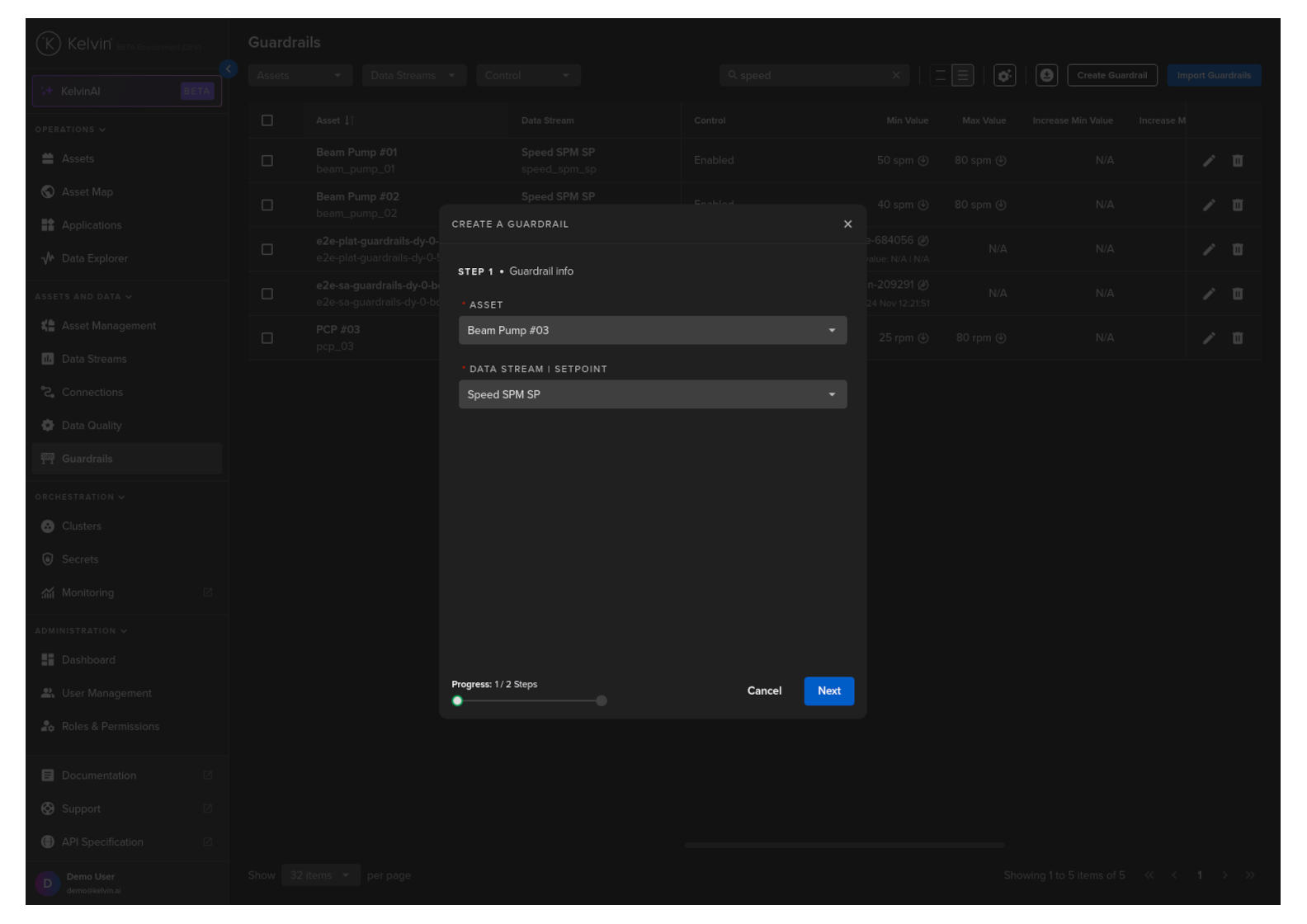
In Step 1 select an Asset / Data Stream pair then click Next to go to Step 2.
Success
When you select an Asset, you will be presented with a selection of Data Streams that have already been associated with the Asset in Connections.
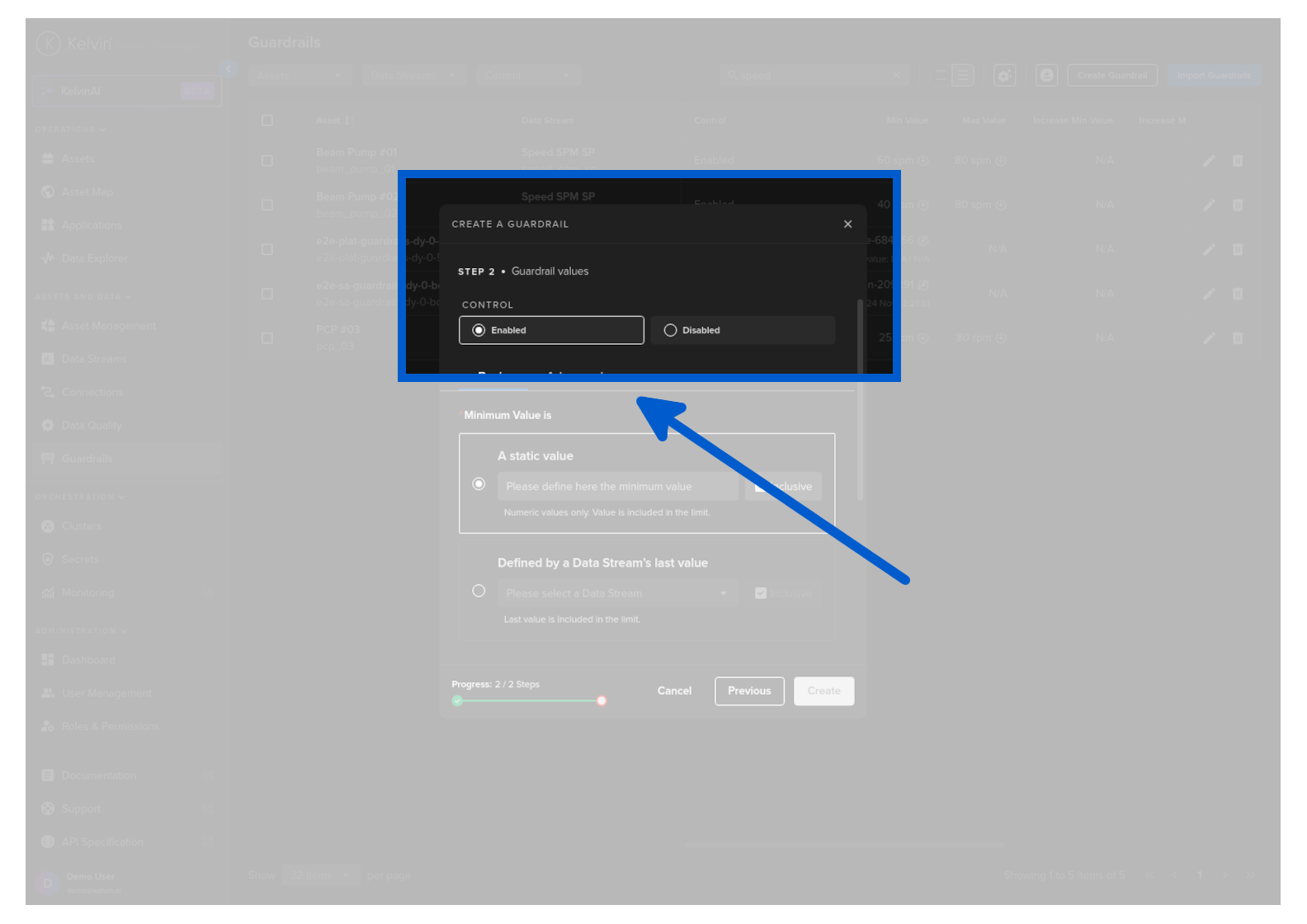
In Step 2 you can select whether to enable the guardrail immediately and set the minimum and maximum values allowed.
Control
This option allows you to immediately enable this guardrail or opt to keep is disabled and enable it later.
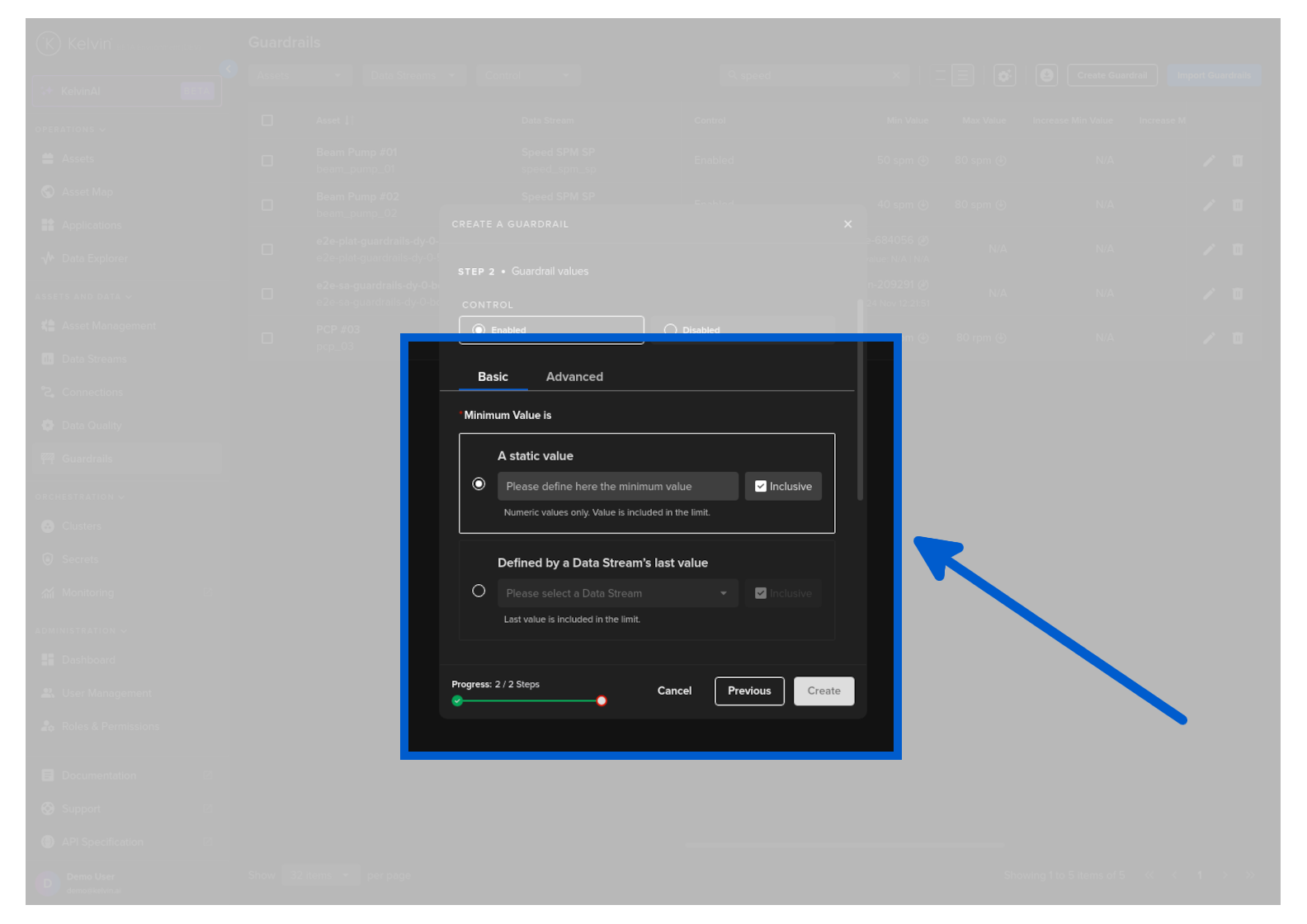
Basic - Min/Max Values
This option sets the minimum and maximum values allowed for the Asset / Data Stream pair.
Warning
Any values sent to the Asset / Data Stream pair outside of this range will be automatically rejected and the original value will remain in the Asset's data.
| Option | Description |
|---|---|
| Static Value | A fixed value |
| Data Stream | A dynamic value set by the last value of a selected Asset / Data Stream pair |
Advanced - Increase/Decrease Min/Max Values
This option defines the minimum or maximum allowable change in a data value for the Asset / Data Stream pair.
Warning
Any values sent to the Asset / Data Stream pair outside of this allowable change range will be automatically rejected and the original value will remain in the Asset's data.
| Option | Description |
|---|---|
| Static Value | A fixed value |
| % of Last Value | The min / max change rate will be base on the percentage of the last value of the Asset / Data Steam range |
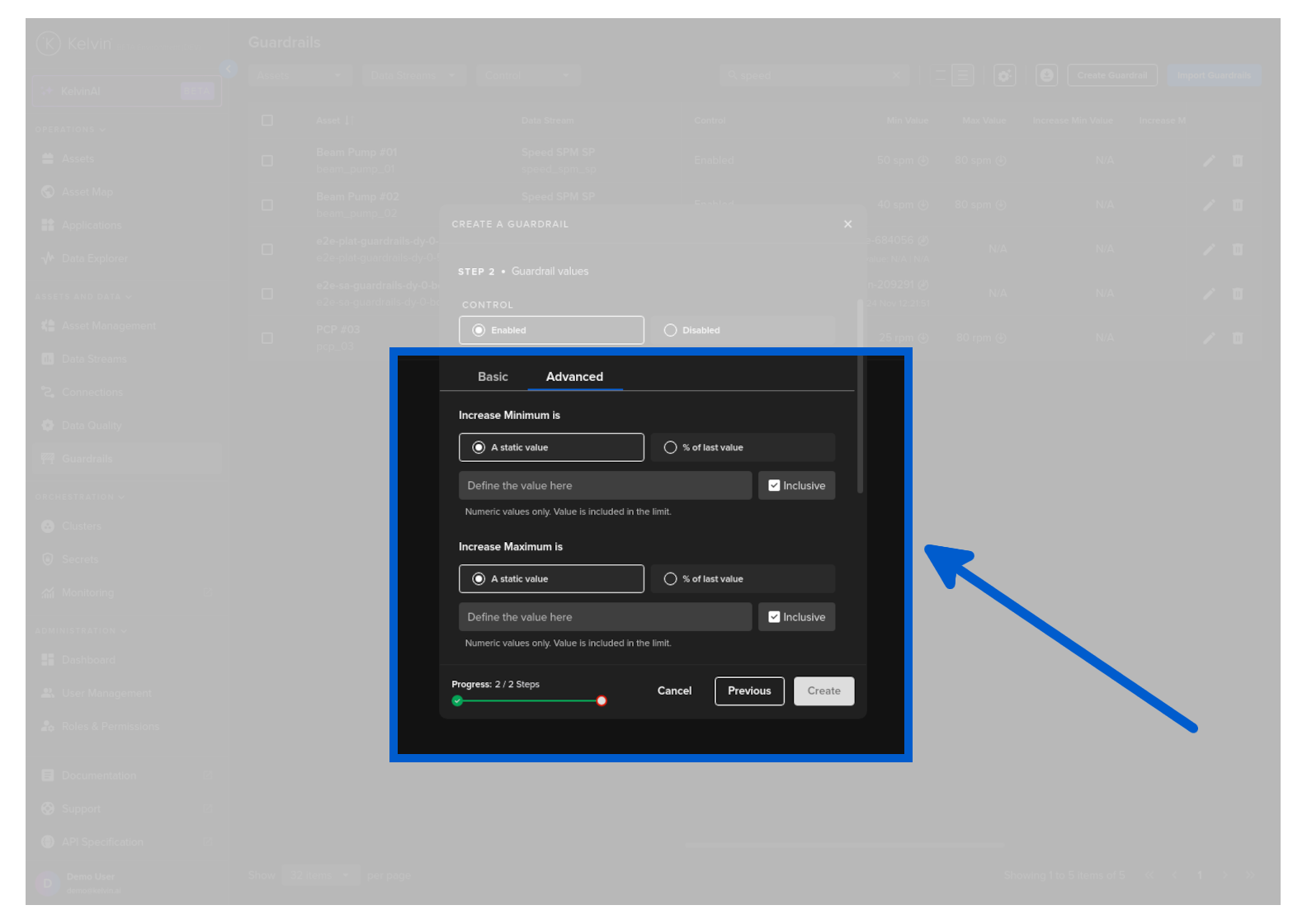
Then click the Create button.
Congratulations, you have created an Asset / Data Stream pair Guardrail.
Warning
Any values sent to the Asset / Data Stream pair outside of this min/max range will be automatically rejected and the original value will remain in the Asset's data.
Any values sent to the Asset / Data Stream pair outside of the defined allowable change range will be automatically rejected and the original value will remain in the Asset's data.
You will get a response similar to this;
Currently this is not possible in the Kelvin Python API client.