Skip to content

Timeseries data messages

Timeseries Data

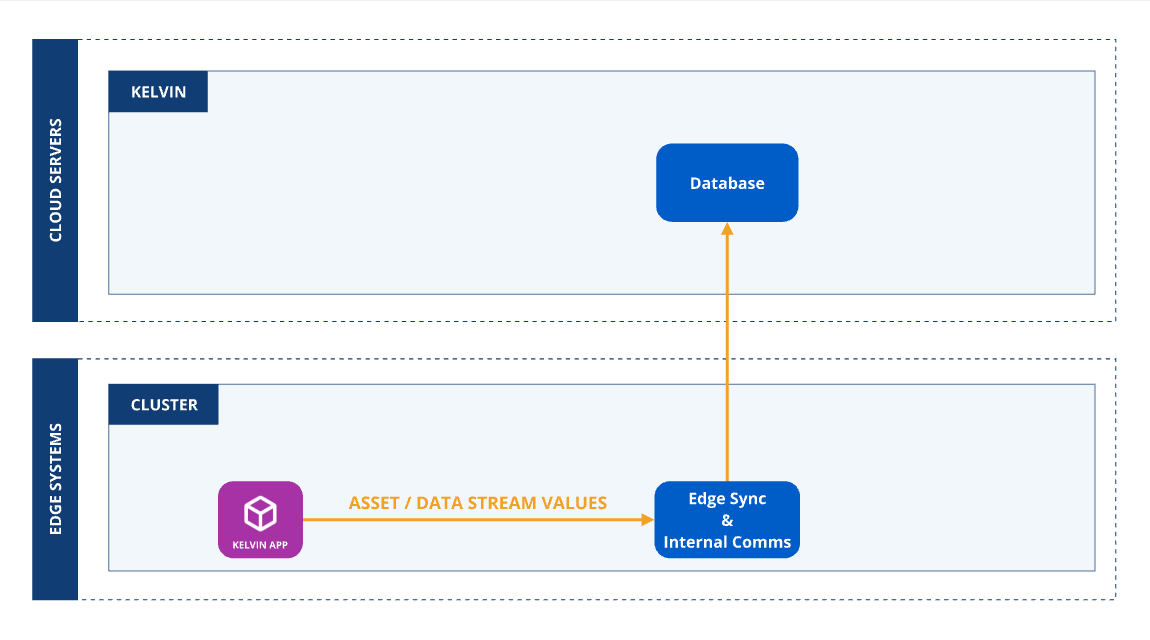
You can update Asset / Data Stream data values on the Kelvin Cloud from the Kelvin SmartApp™.

Structure

Define Data Stream Names

In order to publish an output Data Message, the first requirement is to add the intended Data Stream names to the outputs to the app.yaml as follows:

app.yaml Example
data_streams:
  outputs:
    - name: motor_temperature_fahrenheit
      data_type: number

    - name: motor_error
      data_type: number

    - name: motor_error_description
      data_type: number

    - name: gps_data
      data_type: number

Define Asset Names

The Asset name can only be related to any Assets associated with the Kelvin SmartApp™ workload.

Note

Any attempt to write to Assets not associated with the Kelvin SmartApp™ workload will be dropped and an error recorded in the logs.

Timeseries Data Messages

Output (Number/Boolean/String/Object) Objects support the following attribute:

Attribute Required Description
payload required Number, Boolean, String or object value, depending on the data_type

You need to create and publish each output Data Message according to the Asset / Data Stream's data_type.

Create and Publish Number Python Example
from kelvin.message import Number
from kelvin.krn import KRNAssetDataStream

app = KelvinApp()

# Create and Publish a Number every 10 seconds
@app.timer(interval=10)
async def publish_data():
    await app.publish(
        Number(
            resource=KRNAssetDataStream("asset-1", "motor_temperature_fahrenheit"),
            payload=97.3
        )
    )

app.run()
Create and Publish Boolean Python Example
from kelvin.message import Boolean
from kelvin.krn import KRNAssetDataStream

app = KelvinApp()

# Create and Publish a Boolean every 10 seconds
@app.timer(interval=10)
async def publish_data():
    await app.publish(
        Boolean(
            resource=KRNAssetDataStream("asset-1", "motor_error"),
            payload=True
        )
    )

app.run()
Create and Publish String Python Example
from kelvin.message import String
from kelvin.krn import KRNAssetDataStream

app = KelvinApp()

# Create and Publish a String every 10 seconds
@app.timer(interval=10)
async def publish_data():
    await app.publish(
        String(
            resource=KRNAssetDataStream("asset-1", "motor_error_description"),
            payload="Temperature is too high"
        )
    )

app.run()

For objects, the payload is an arbitrary dict with any given dict structure.

Create and Publish Object Python Example
from kelvin.message import String, KMessageTypeData
from kelvin.krn import KRNAssetDataStream

app = KelvinApp()

gpsd_dict = {
    "latitude": 90,
    "longitude": 100
}

# Create and Publish an Object every 10 seconds
@app.timer(interval=10)
async def publish_data():
    await app.publish(
        Message(
            type=KMessageTypeData(primitive="object", icd="gps"),
            resource=KRNAssetDataStream("asset-1", "gps_data"),
            payload=gps_dict,
        )
    )

app.run()