Delete guardrail
When not required anymore you can delete any Guardrails.
In this brief demo you can see the basic method;
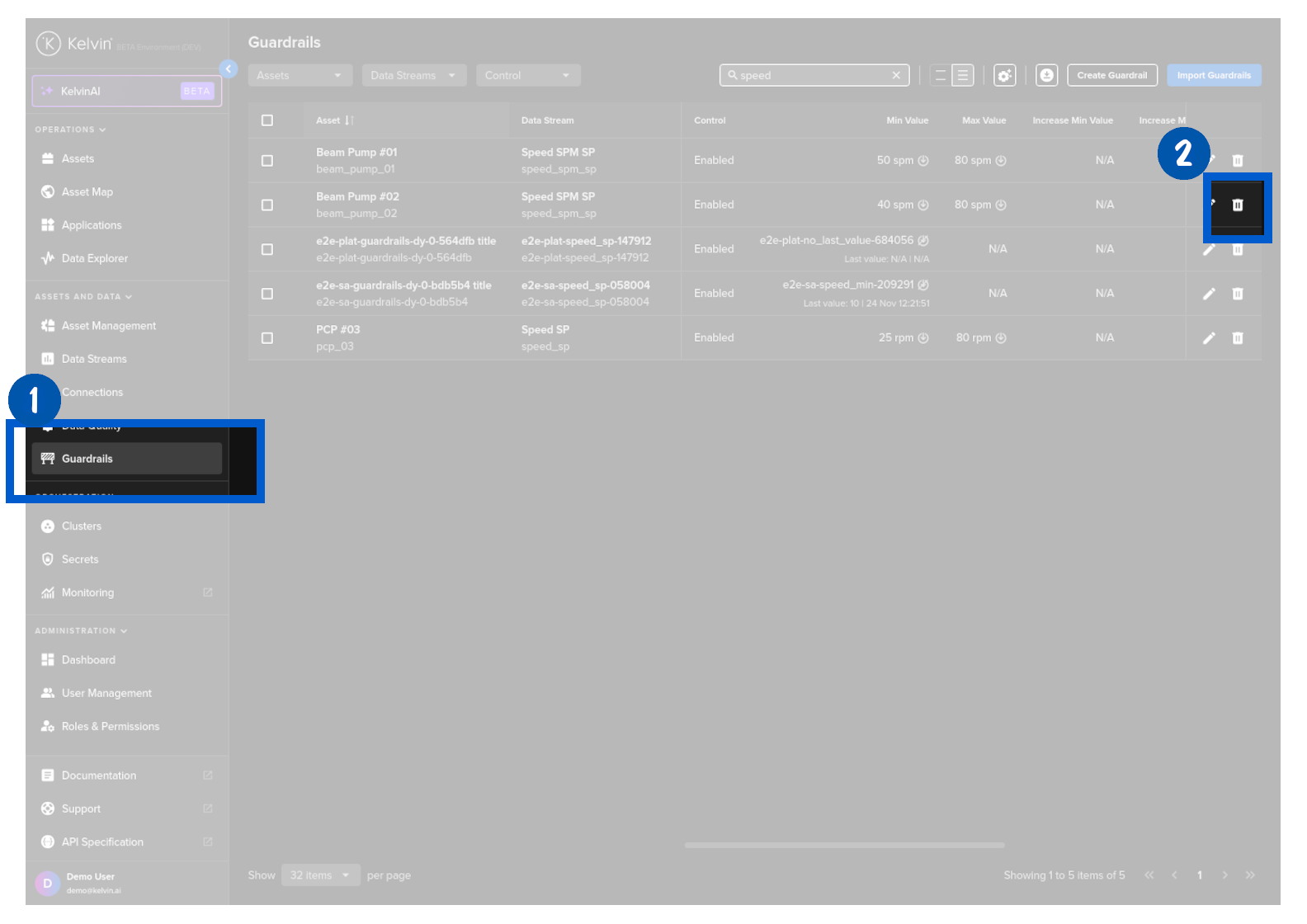
To start, click on Guardrails in the Contextualization section of the left side bar, find the Guardrail you want to delete and click on the delete icon on that row.
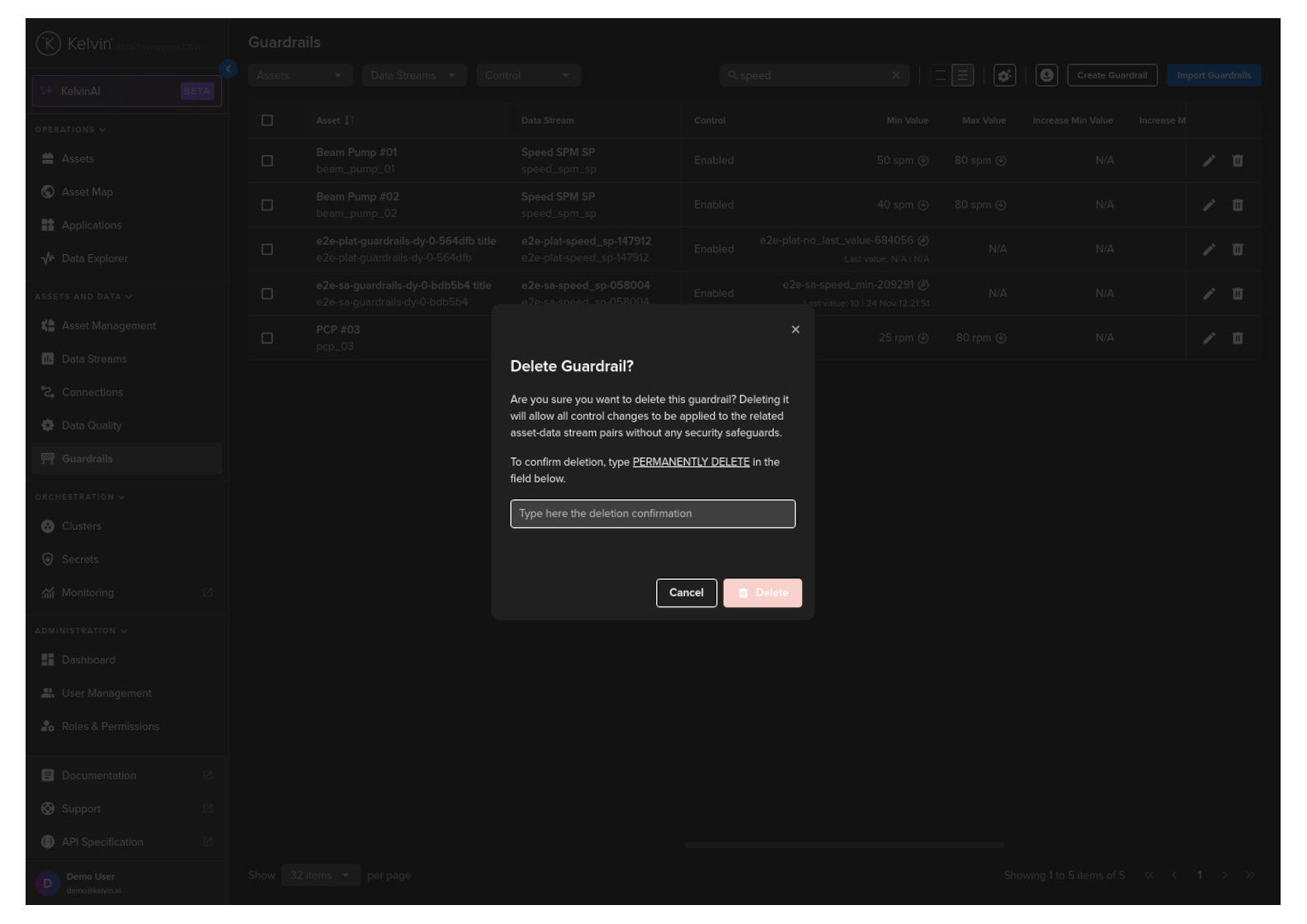
In the popup you will confirm your action by typing PERMANENTLY DELETE in the text box and clicking on the Delete button.
Congratulations, you have delete an Asset / Data Stream pair Guardrail.
| API cURL Example | |
|---|---|
You will get a 200 response if successful.
Currently this is not possible in the Kelvin Python API client.