User Rights
Once the user has access to the Kelvin Platform, the Administrators can assign what rights the user has through Permissions and Policies.
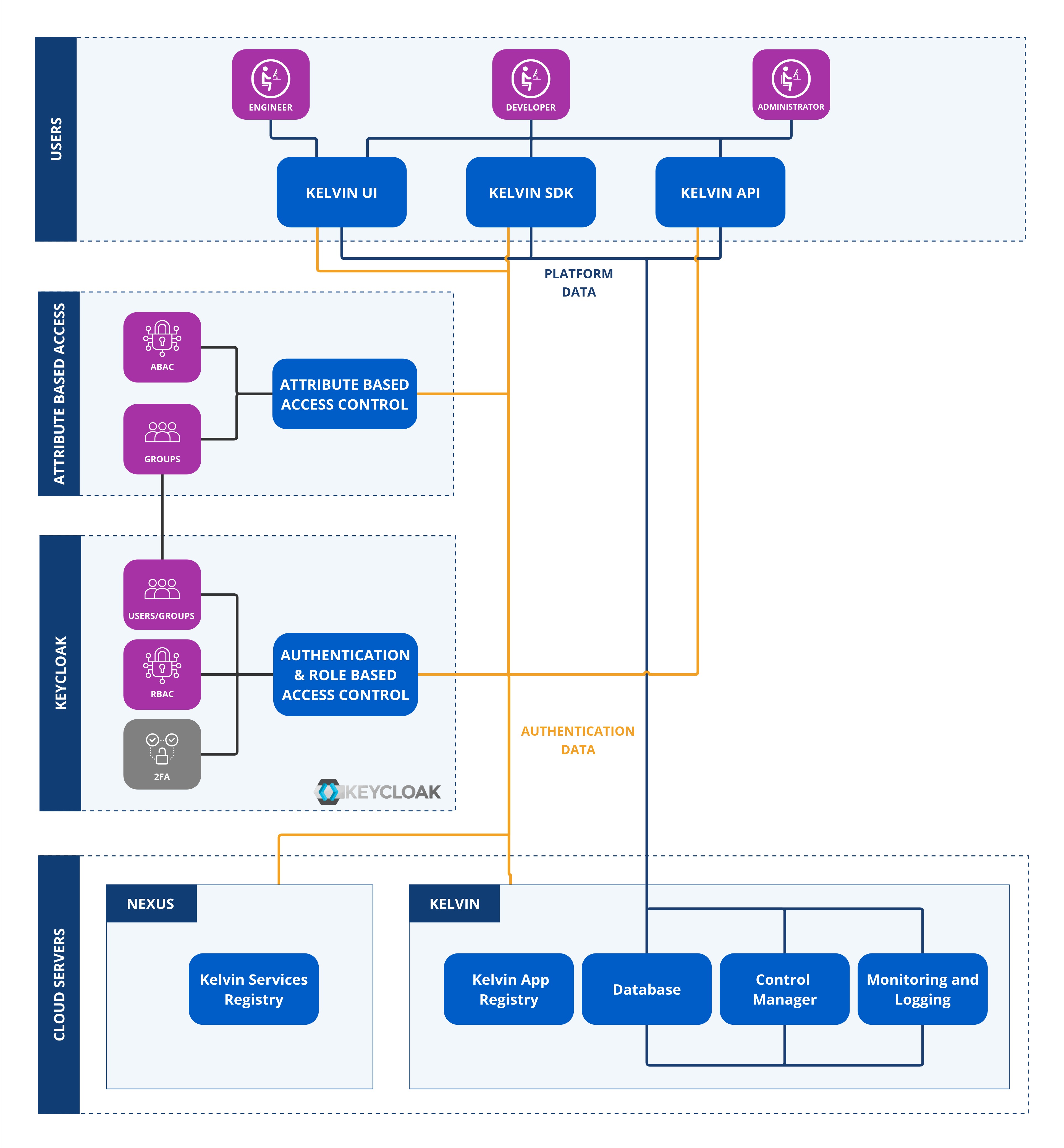
Access is checked in the following order.
- User's Group
- Group's Role Based Access Control settings
- Group's Attribute Based Access Control settings
Only if a user has access to all three will access or action be granted.
Permissions (Role Based Access Control)
Permissions are the broad user access rights. This controls the access users have to each API endpoint.
Note
Permissions can be broadly defined as the user access rights to perform actions in the Kelvin Platform.
For example, users can be given read and/or write access to view and edit Assets.
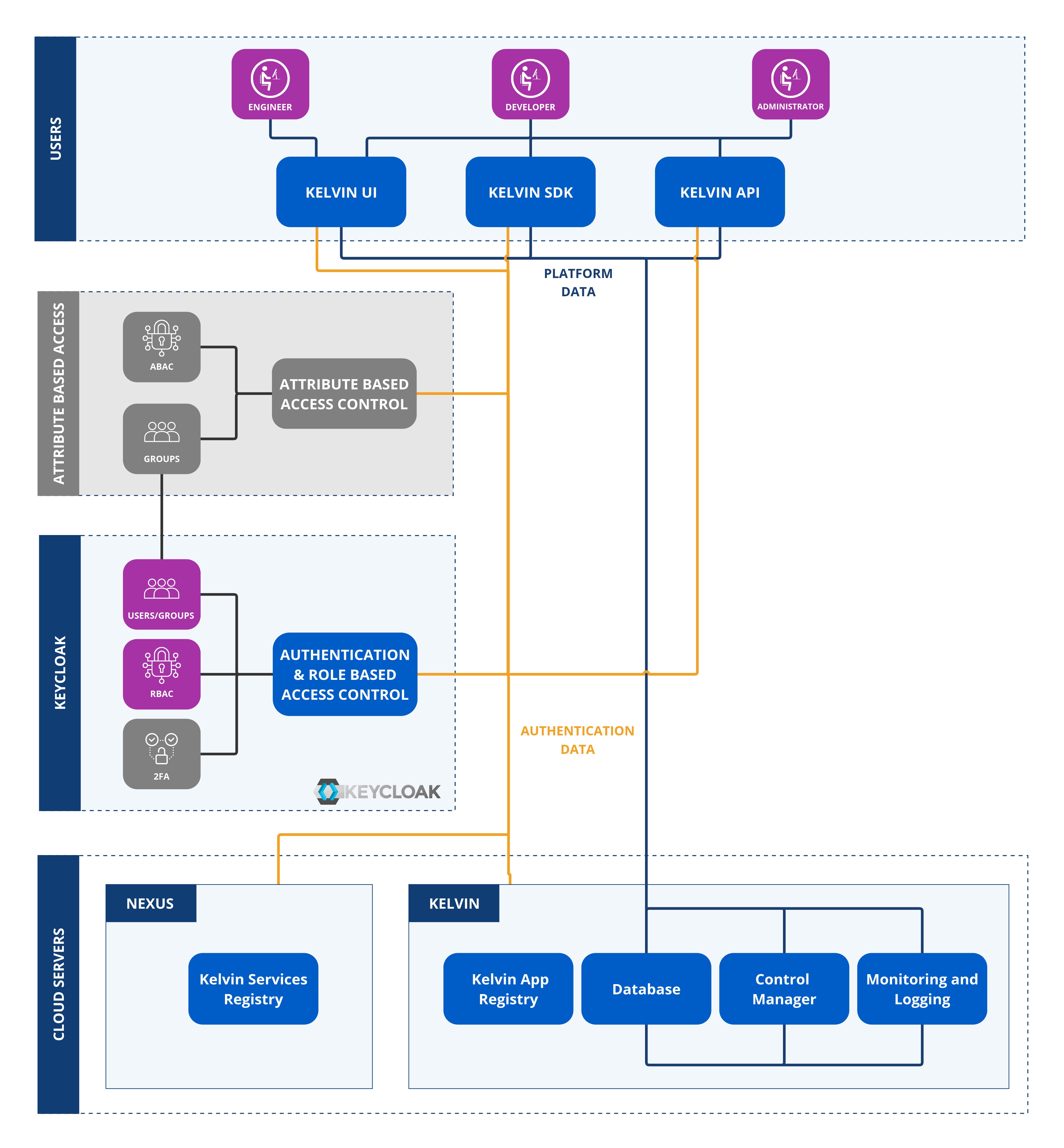
Permissions will not affect the Kelvin UI that users will see.
This is done at an authorization level either with Kelvin's solution using Keycloak or with your own SSO solution.
These permissions can be found in the Kelvin API documentation for each endpoint.
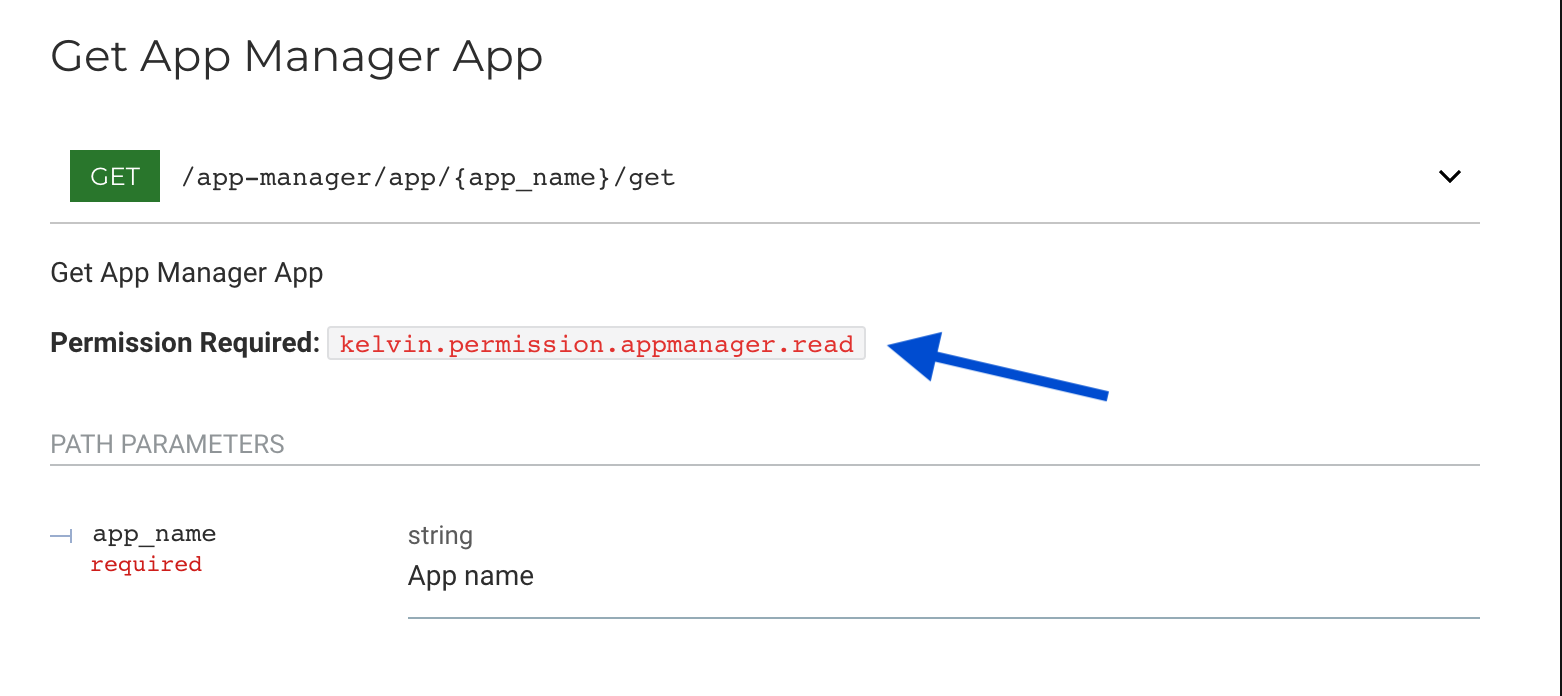
These permissions are set outside of the Kelvin infrastructure.
Policies (Attribute Based Access Control)
Policies are the fine tuning layer of user access rights. This controls the access users have to specific data in the database.
Note
Policies can be broadly defined as the user access rights to perform actions on groups of data.
For example, users can be given read only access to all Asset names starting with the name wells_* and update access to Asset names staring with wells_field01_*.
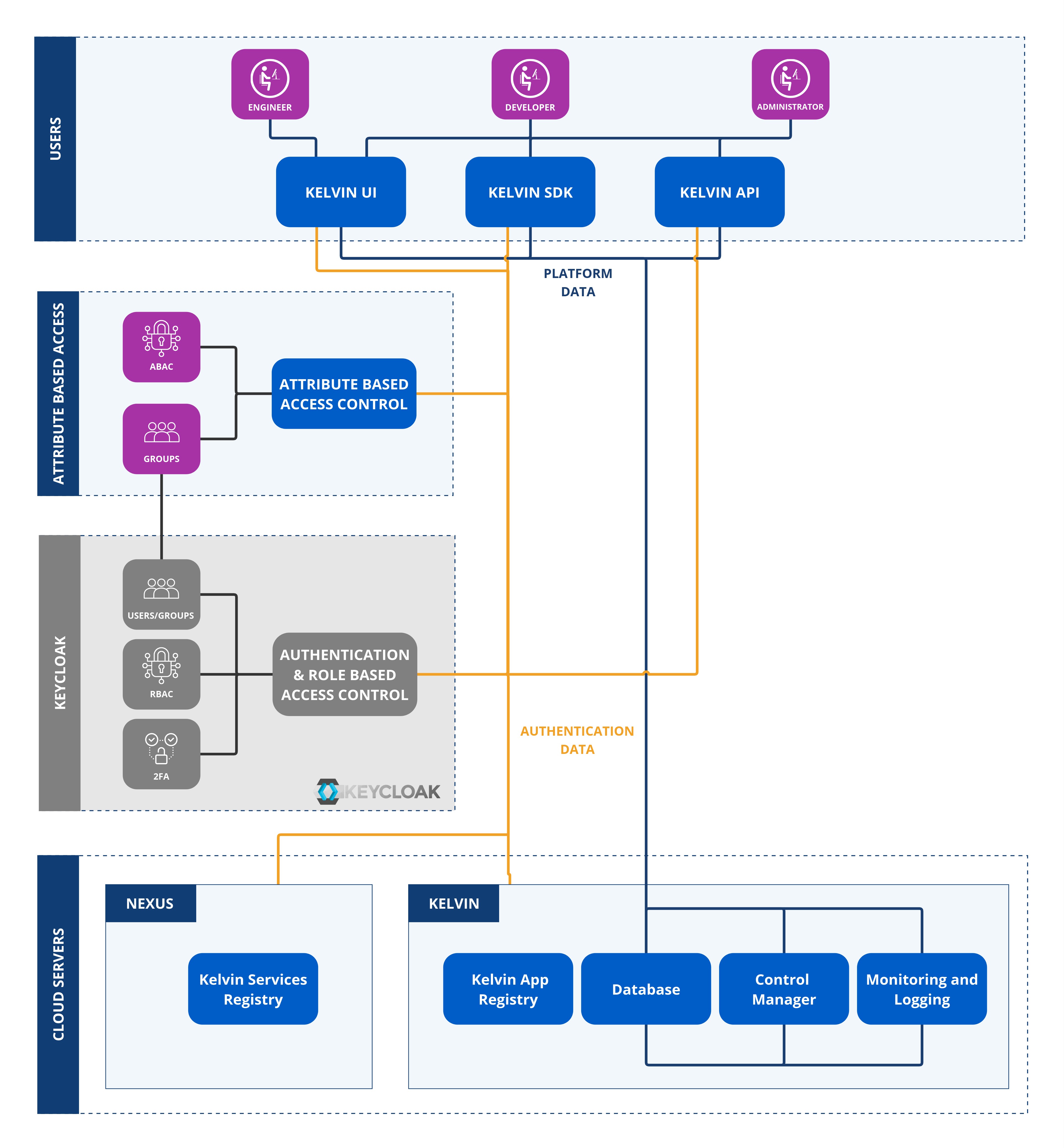
Policies will affect the Kelvin UI. Users will only see what they have permission to read, write, update or delete.
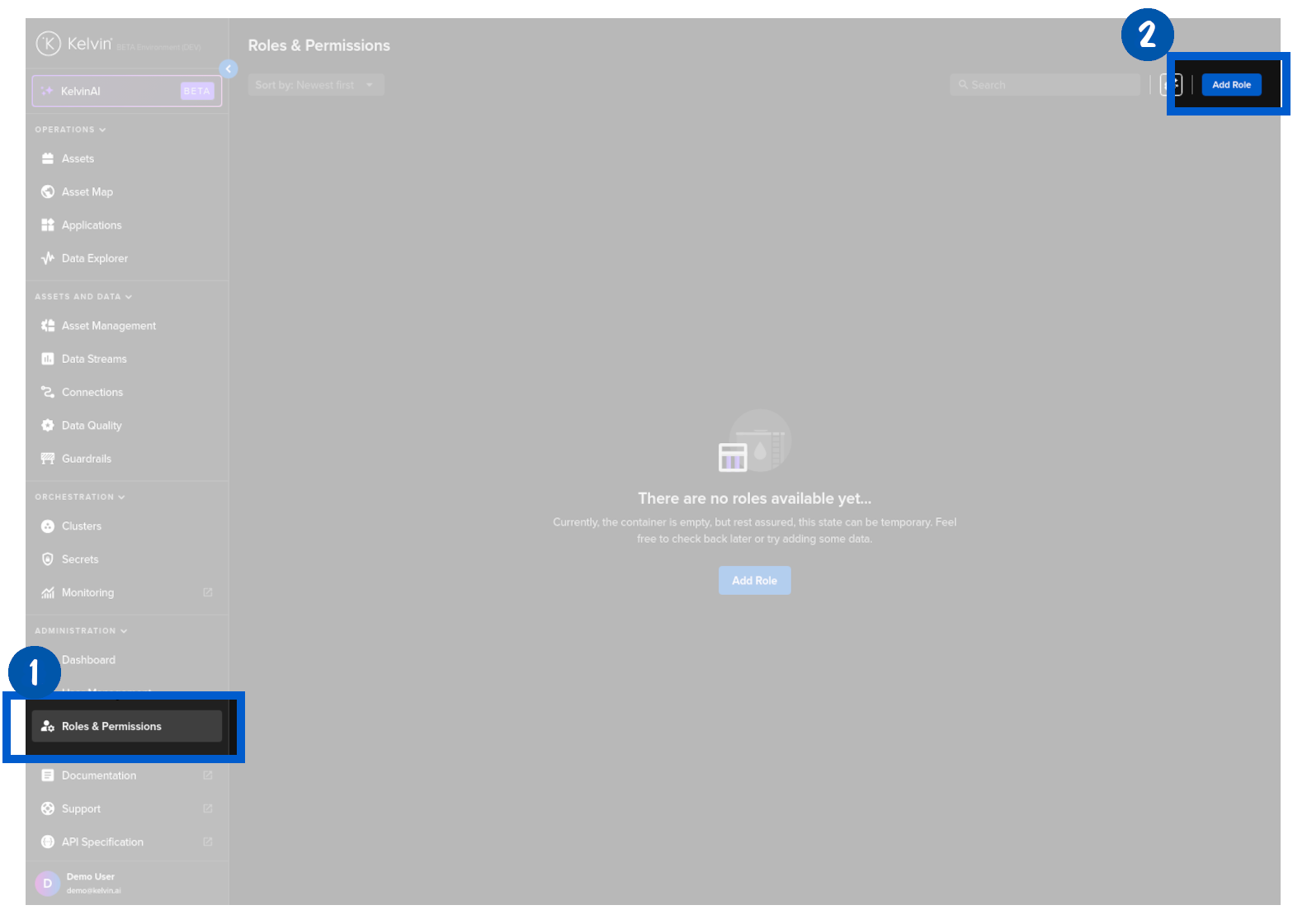
This is done at an Kelvin UI level and is managed either via the Kelvin API or the Kelvin UI under the Roles & Permissions section.
These policies are dynamic and can be created with wildcards.