AI Generated Control Change
You can quickly create control changes directly from the Kelvin AI prompt screen.
Create Control Change
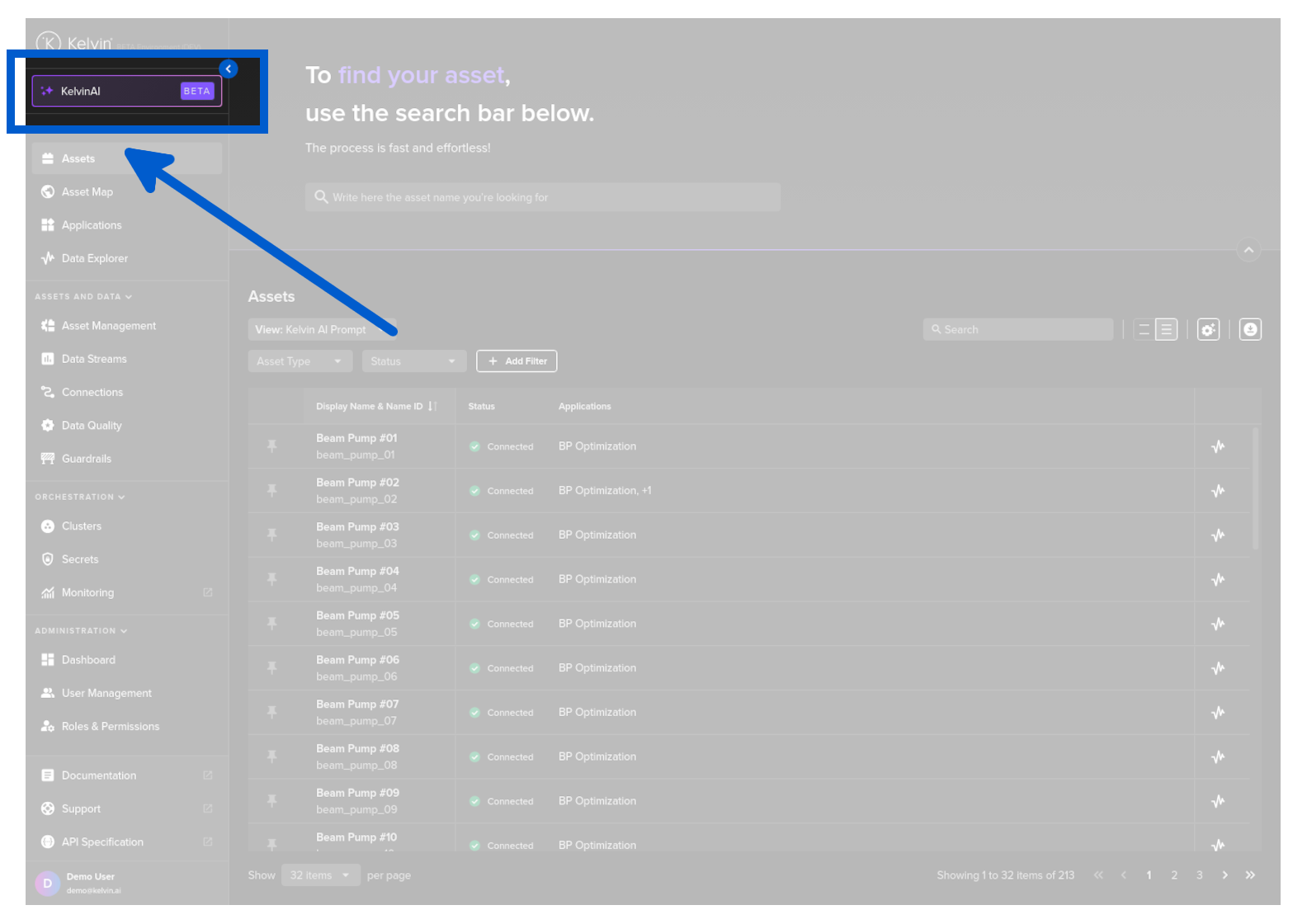
To start, click on the Kelvin AI menu item.
You will see the popup like this;
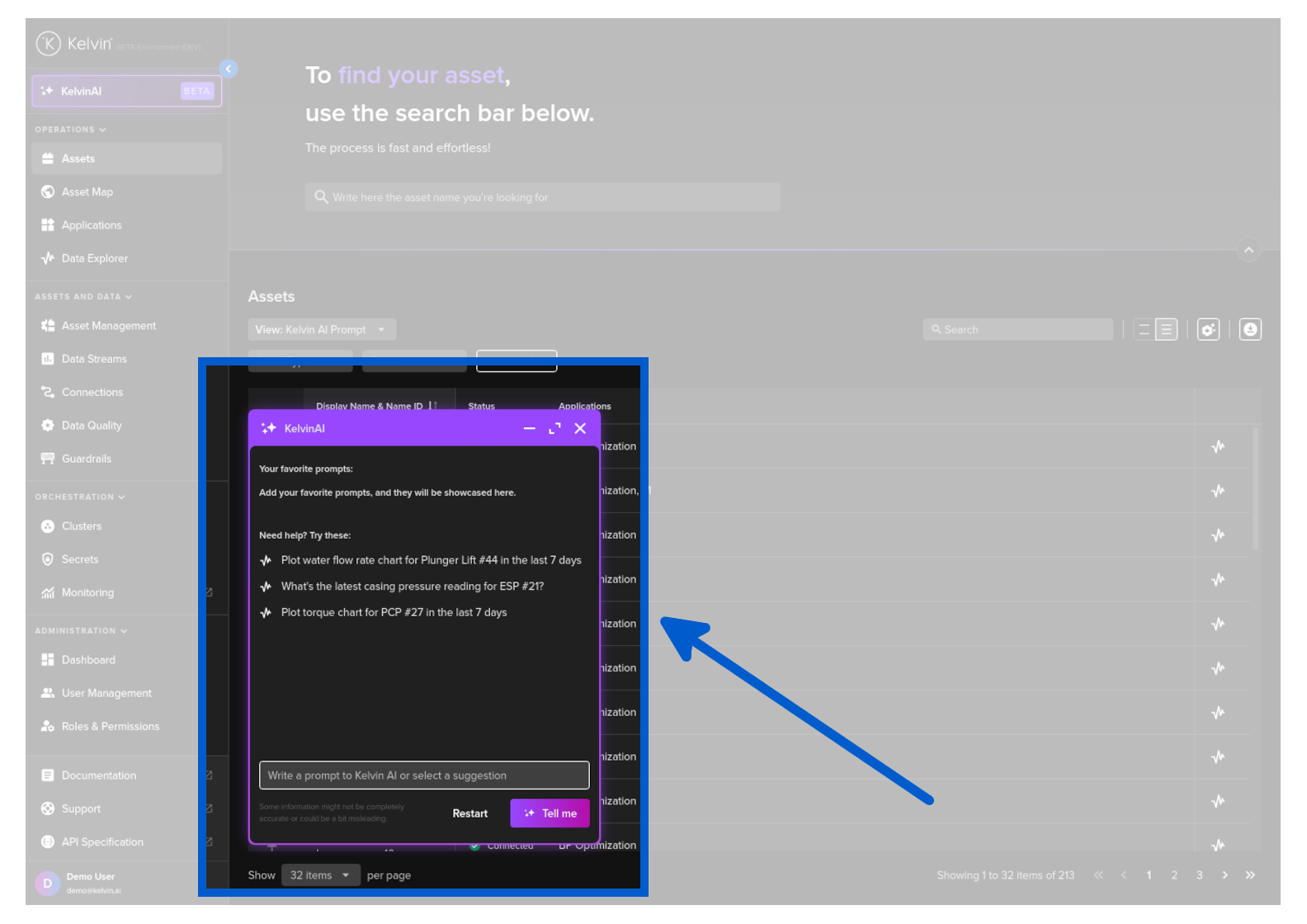
Then type in your request like;
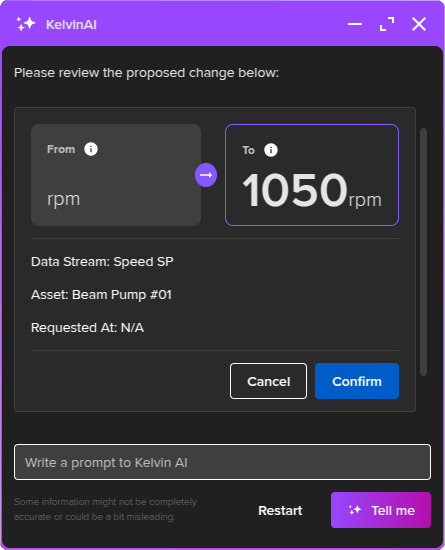
You will then see a response showing you the current value and the value you want to set.
If you are satisfied, you can click confirm to initiate the control change.
Success
You can also change multiple assets at the same time by adapting the prompt to say "... from PCP #01 to #05".
Like all LLM's you have flexibility how to phrase your prompt.